
Participant
December 8, 2022
Question

Fill path animation intersections

  • December 8, 2022
  • 3 replies
  • 764 views

Dear Adobe Community,


I have an ongoing project in which a group of abstract looking faces reveal themselves and come to life. The reveal and coming to life part is already finished, the issue I have is that the client really wants me to include fill in parts of the faces. See attached image for reference:
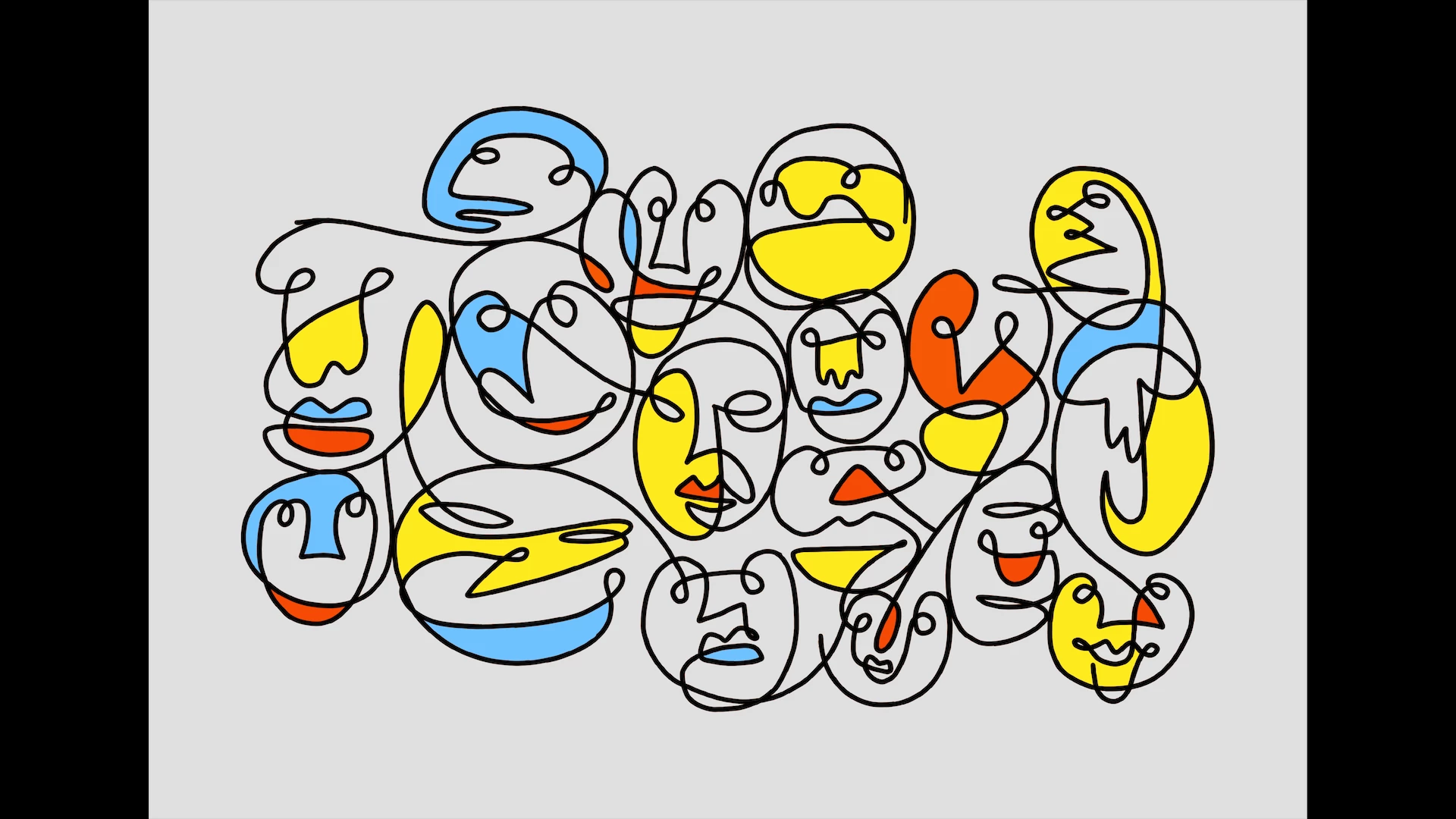
 

The issue here is that the faces are moving via path animation and I have no clue how to add fills to these intersections while keeping their movement. I'm sure it can be done somehow but so far I couldn't find a good way to do this. The closest I've come to solving this issue is with the effect 'Paint Bucket' but it's a finicky and not very elegant solution. Unfortunately, I'm not very good at expressions but maybe it can be done with those.


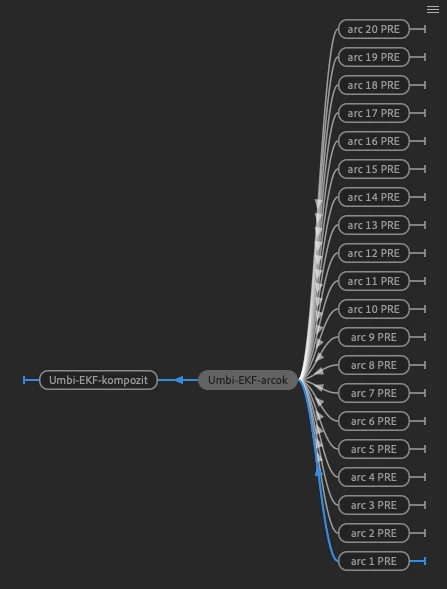
Layer structure is the following:
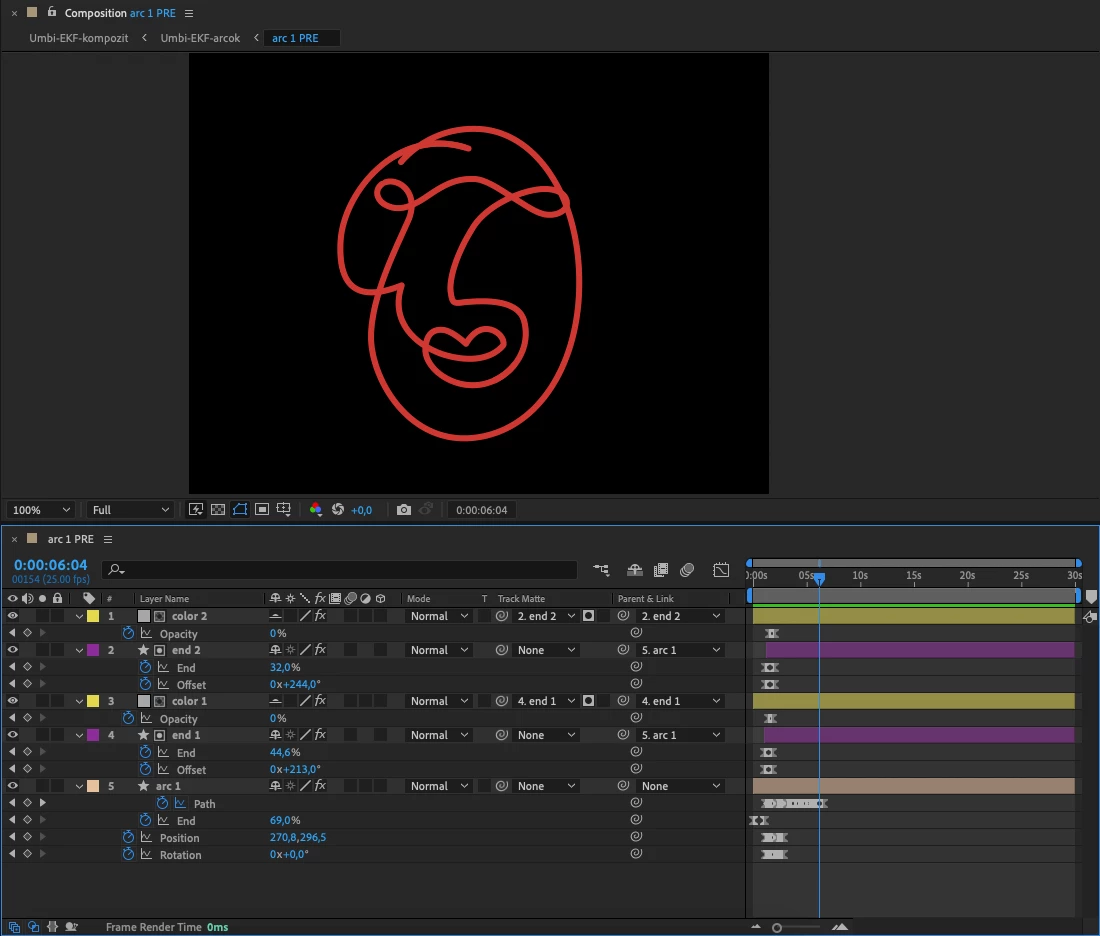
Pre-comp of faces looks like this:
 

Any kind of suggestion would be much appreciated!


Thanks,

David

This topic has been closed for replies.

3 replies

Mylenium
Legend
December 8, 2022

Just because people use it to create strands and random triangle meshes doesn't mean Plexus could not be used to solve your problem. It has a simple path generator with strokes and surfaces can be generated from paths with the polygon renderer and all that. anyway, I'm not getting into a debate here. Use whatever floats your boat.


Mylenium

Participant
December 8, 2022

Alright, I'll give it a spin if I can get my hands on it.

Mylenium
Legend
December 8, 2022

This is another prime example for a plug-in like Plexus. It could generate the files dyanmically and control them based on its own effector system and fill rules. If you need to do this often, it may be worth looking into and buying the plug-in. Otherwise I'd probably simply link the paths with pickwhip expressions across different compositions. That way you could create the fills in separate pre-comps and have more control over them, including fancy fill animations without affecting the base animation and the trim paths.


Mylenium

Participant
December 8, 2022

I've never heard of this plugin before so thanks for the suggestion! However, just from looking at the available tutorials, it doesn't seem to fit my usecase. This looks similar to a particle system which could be good for more random stuff but I can't see myself using this for a controlled path animation.

I feel as if I should've had a different approach to creating the faces all together. Maybe a bunch of overlapping shapes in one group could've resulted in the same outlines while having actual intersections to work with.

ShiveringCactus
Community Expert
Community Expert
December 8, 2022

I made a tutorial about interesecting shapes, which might help (it might not admittedly as your animation is much more complex):

https://www.youtube.com/watch?v=wsXwMOpOWfY

In a nutshell, it uses the difference transfer mode for all layers.

Participant
December 8, 2022

Hey,


Thanks for the tip! I actually found this tutorial while initially searching for help but unfortunately it wasn't useful in my case.  Each face is one shape layer conatining only a single vector line so the intersections are not actually made of different shapes overlapping.


My solution for the time being was to use the Paint Bucket effect on a duplicate shape layer, parenting the path to the original layer's keyframed path. I removed the trim paths reveal to make sure the intersections are there from the beginning, color keyed the stroke so only the filled intersections are visible and keyframed the fill point coordinates where needed. 


Here's a screencap to better illustrate this:


While this method solved the problem for now, I'd still love to hear a better solution. I'm open to suggestions on how I should have initially approached this situation from the ground up, pretty sure I could've gave it more forethought.