


acopbg
Participant
July 28, 2026
Question

Flickering issue when Motion Blur is turned on

  • July 28, 2026
  • 2 replies
  • 9 views

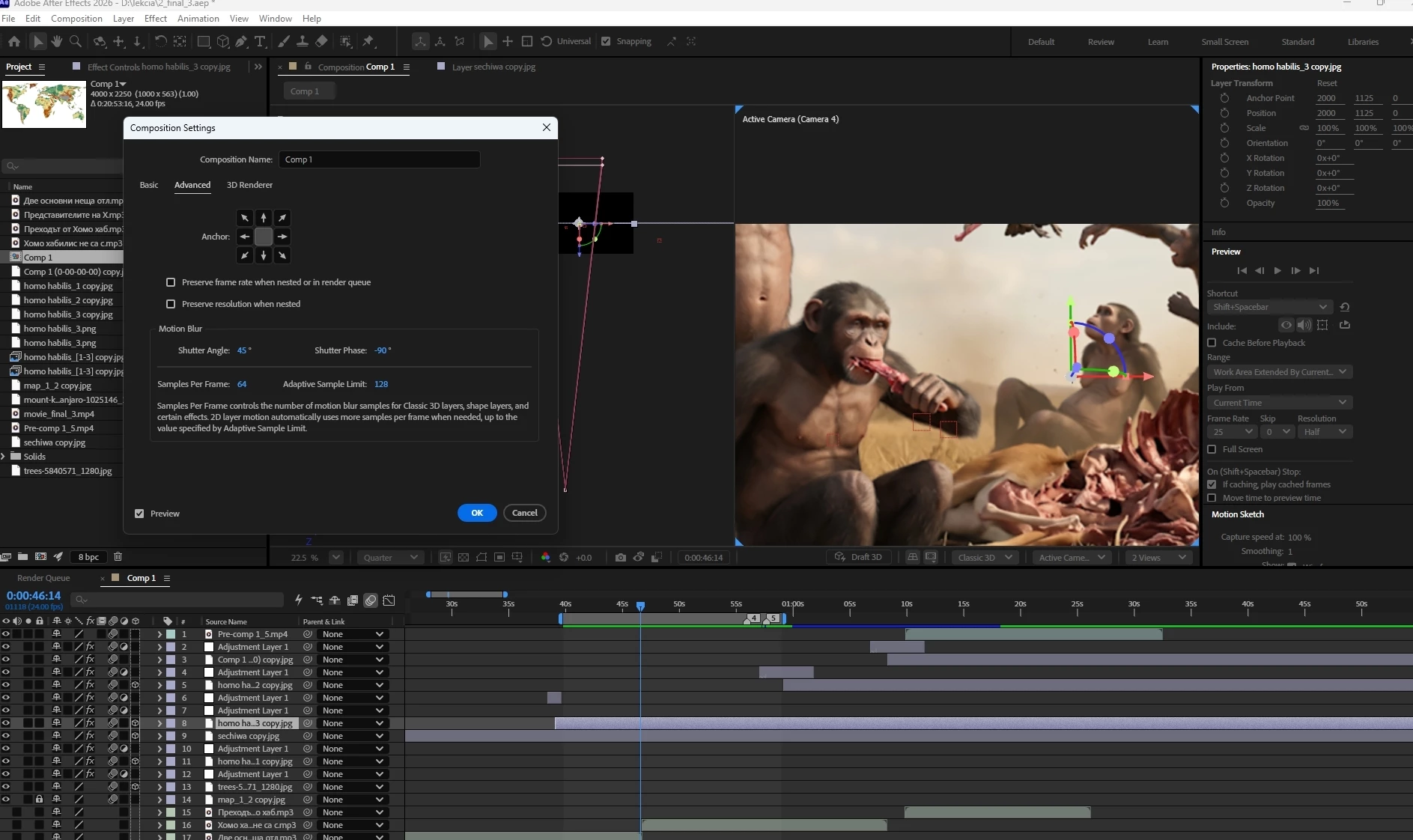
How can I fix the frame flickering in adobe after effect 2026? Motion Blur is turned on
 

    2 replies

    Community Expert
    July 28, 2026

    Have you tried rendering that portion out to see if the flickering is in a rendered video? It might be your system having difficulty keeping up.

    Nishu Kushwaha
    Community Manager
    Community Manager
    July 28, 2026

    Hi acopbg, adding to Rob's question, if the flicker only shows in preview but not in the rendered output, it's just AE dropping motion blur samples during preview to keep playback moving, which is normal and clearing the cache could help. Definitely worth rendering a short section first to confirm.

    If it's also in the render, please share the following details:

    1. What kind of layer has motion blur on it - footage, shape/text, or a precomp?

    2. If it's footage, what is the source of it? Is it downloaded?

    2. Your AE version and your system specifications (CPU, GPU, RAM).

    Let us know.


    Thanks,

    Nishu
