

ceznov
Inspiring
September 16, 2023
Question

Flip position values

  • September 16, 2023
  • 1 reply
  • 1328 views

Hi!

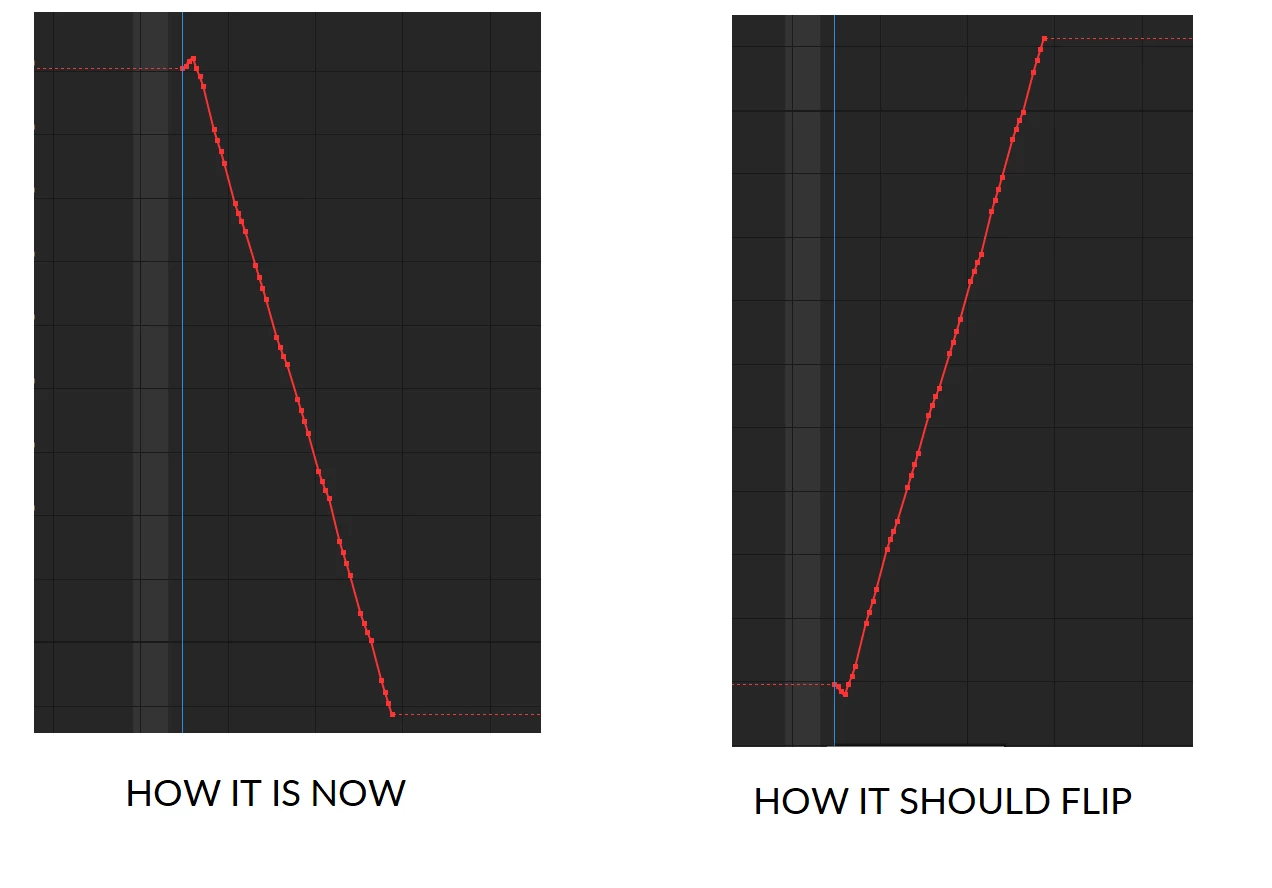
I wonder is it possible. I have an animation of an object that moves down on X axis. I want to flip the values so they move exactly the same but upwards starting from the same value. See attachment.

This topic has been closed for replies.

1 reply

Community Expert
September 16, 2023

The X-axis is left and right, and the Y-axis is up and down. I'm not exactly sure what you are trying to accomplish.


That looks like a screenshot of the graph editor with separated dimensions. The movement of the layer is originally right, then left, then right again. I don't know what the vertical movement looks like.


You can flip the graph upside down and change the X movement so that the movement starts where it now ends and ends where it originally started by selecting all keyframes and then choosing Animation/Keyframe Assistant/Time Reverse Keyframes. The problem with separated dimensions is that you will completely change the actual path of the layer by only reversing the X position keyframes. You may want to turn off separate dimensions. Changing the motion path in a predictable way gets a lot more complicated when you separate dimensions. You lose Bezier handles in the Comp panel, and modifying a curved path becomes almost impossible. 

ceznov
ceznovAuthor
Inspiring
September 16, 2023

Correct, I work on separated values. I only change x value. But I don't want to reverse the keyframes. Now the object moves to the left side of the comp (so the x values decrease). And  I want the object to start exactly at the same x value but move to the right side of the comp (so the x values increase). I want the corresponding values to stay at the same distances but to go the other way. Sorry for my english, I'm trying my best 🙂 

Dan Ebberts
Community Expert
Community Expert
September 16, 2023

Try this for X Position:

key(1).value - (value - key(1).value)