Danny51
Inspiring
June 8, 2024
Question

Font preview in AE CC 2024 not working

  • June 8, 2024
  • 4 replies
  • 690 views

Editing Text in AE is very inconvenient and buggy.


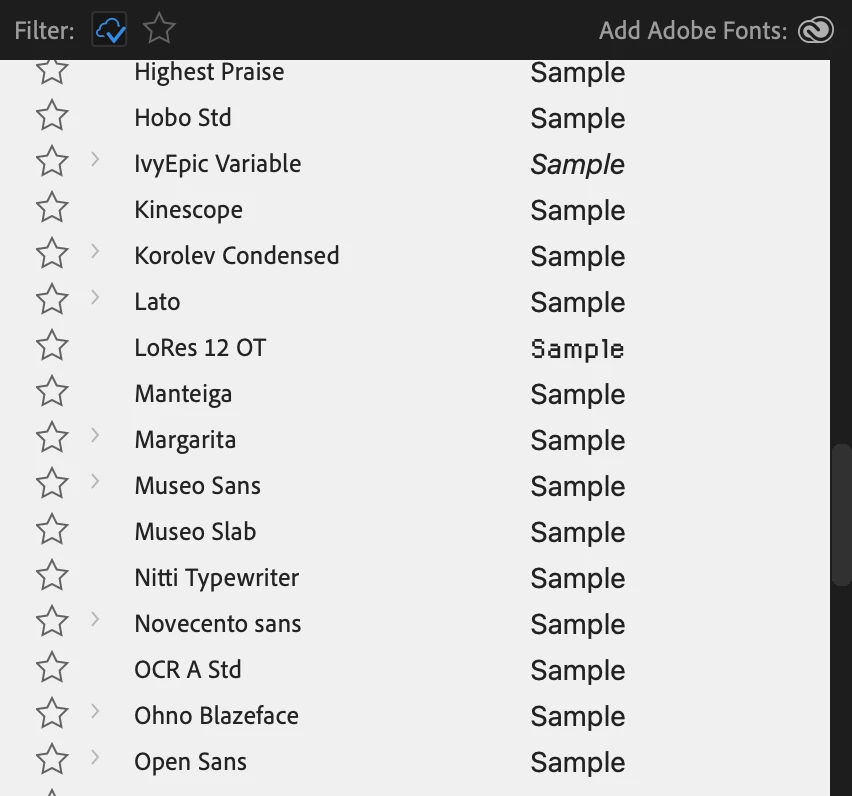
The font dropdown menu where you can see the sample text only shows the actual font for the sample for some fonts, but the majority has the preview in a standard font.


I have to actual choose the font to see it in my composition - add to that that there's currently no way to scroll through fonts or go through them with the arror keys:

I have to click on a font, which closes the dropdown menu, then i have to open the dropdown again, find where I left off and click the next font and so on.


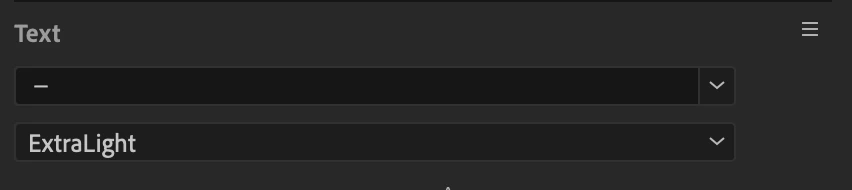
And after I pick a font, the name doesn't even appear in the window, it's instead replaced with a "-"


It's also missing some filter options that are available in Illustrator, like weight, serif etc. I can only filter by Adobe fonts.


I guess this is a mix of bug and idea for improvement. The text editing workflow as it currently is an AE doesn't work well.

4 replies

Participant
February 9, 2026

This is how After Effects has always been for me. Have to use Photoshop or Illustrator to actually see lists of fonts. Doesn’t seem like a huge ask, but they’ve let it be this way for a decade at least.

Participant
October 24, 2025

I agree the font selection is pathetic and has been for many years. They should be ashamed of bad they've left it.

Participant
May 21, 2025

I have this same problem and it drives me crazy. I should be able to see a preview of the font in within the font window next to the font name, but instead they all have generic sample previews and I have to click on a font to see how it looks in my composition. I've had to resort to keeping adobe illustrator open so I can quickly figure out which font I want to use via adobe's font preview feature. 

Not ideal to require actually selecting a font with a sans serif "Sample" preview only to find out the font is actually a handwritten script. Huge time waster.

I am using After Effects 25.1.0

Ishan Y
Community Manager
Community Manager
June 25, 2024

Hey Danny51,

Sorry for the issue. Could you let us know which version of Premiere Pro you're currently using (Help > About Premiere Pro)? Please also try switching to another workspace by going to Window > Workspaces and let us know if you are still seeing the issue.


Post moved to Discussions for troubleshooting. 

Thanks,

Ishan