
Known Participant
October 17, 2017
Answered

Font size in essential graphics

  • October 17, 2017
  • 3 replies
  • 11088 views

Hi,

I am creating some animated text in AE CC to be used in PP CC.

I am able to set the properties I want for the essential graphics panel, but I can't find a solution as to how I can change the font size, the font, letter spacing etc in PP.

Those properties don't show up when I click the "solo supported properties" button in the essensial graphics panel in AE.

Any tips?

Thanks!
This topic has been closed for replies.
Correct answer Roei Tzoref
but I can't find a solution as to how I can change the font size, the font, letter spacing etc in PP.

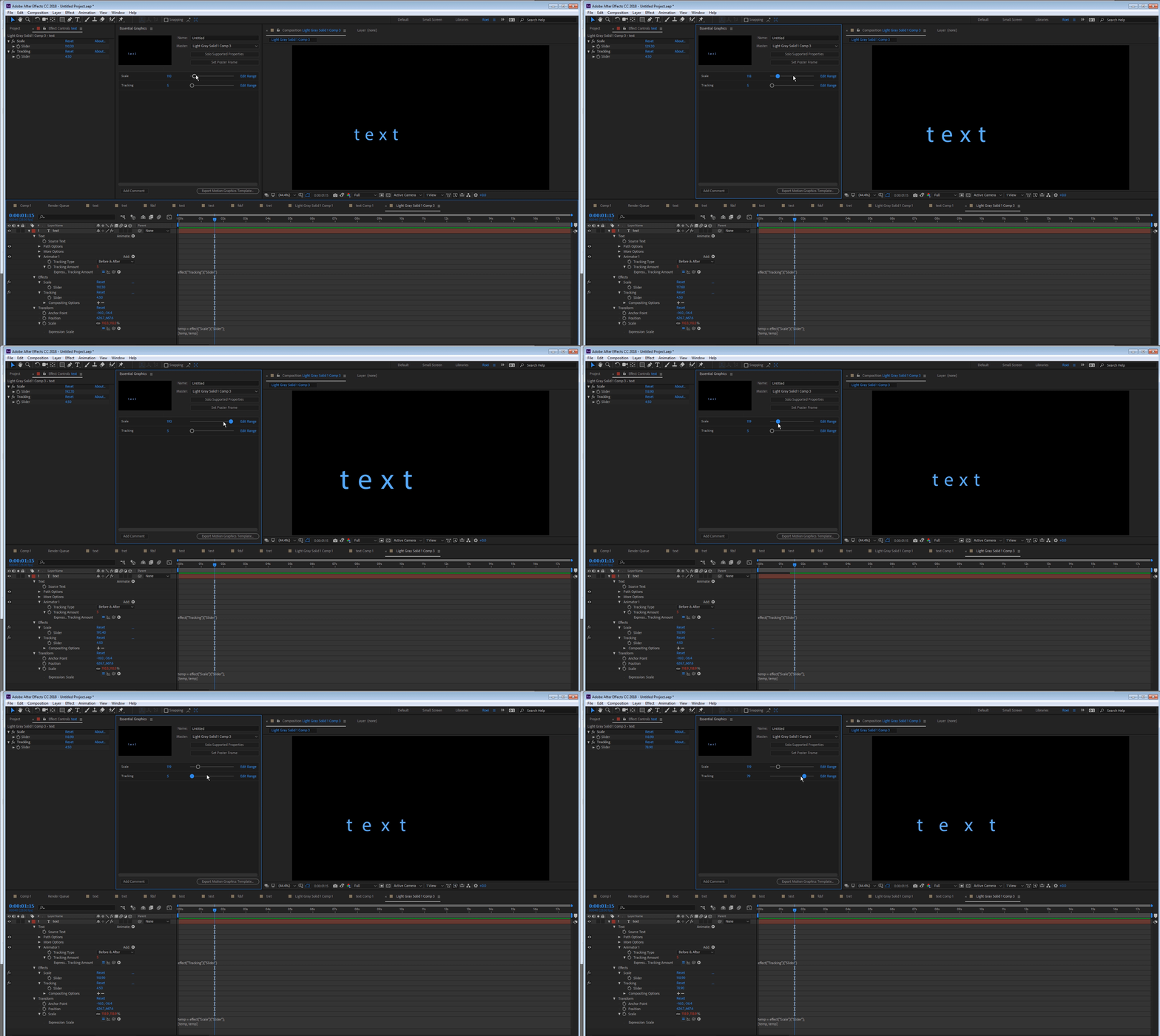
font size: add an expression slider to the text layer and link the scale of the layer to the expression slider. now drag the slider to the essential graphics panel

letter spacing = tracking - add a tracking property to the text layer. create an expression slider and link the tracking to it and drag it to the EGP (BTW you can drag the tracking property, but a slider will give you finer control)

the font: nothing you can do about this now...

3 replies

Participant
November 24, 2024

It is many years later now, and things have changed, Just in case anyone needs to know how to easily do this now:
The answer is to "Edit properties" in the Essentials graphics panel and Enable Font Size Adjustment, this will make the font size adjustement visible in Premiere Pro. 


Roei Tzoref
Roei TzorefCorrect answer
Legend
October 30, 2017
but I can't find a solution as to how I can change the font size, the font, letter spacing etc in PP.

font size: add an expression slider to the text layer and link the scale of the layer to the expression slider. now drag the slider to the essential graphics panel

letter spacing = tracking - add a tracking property to the text layer. create an expression slider and link the tracking to it and drag it to the EGP (BTW you can drag the tracking property, but a slider will give you finer control)

the font: nothing you can do about this now...

Participant
March 22, 2018

tried it but it doesn't works in Premiere if you import it, nothing will happen if you change the value

Roei Tzoref
Legend
March 22, 2018
Mylenium
Legend
October 17, 2017

At this point they are not supported.

Mylenium