



atilla onur varol
Participant
March 11, 2024
Question

Format options window size problem

  • March 11, 2024
  • 1 reply
  • 189 views

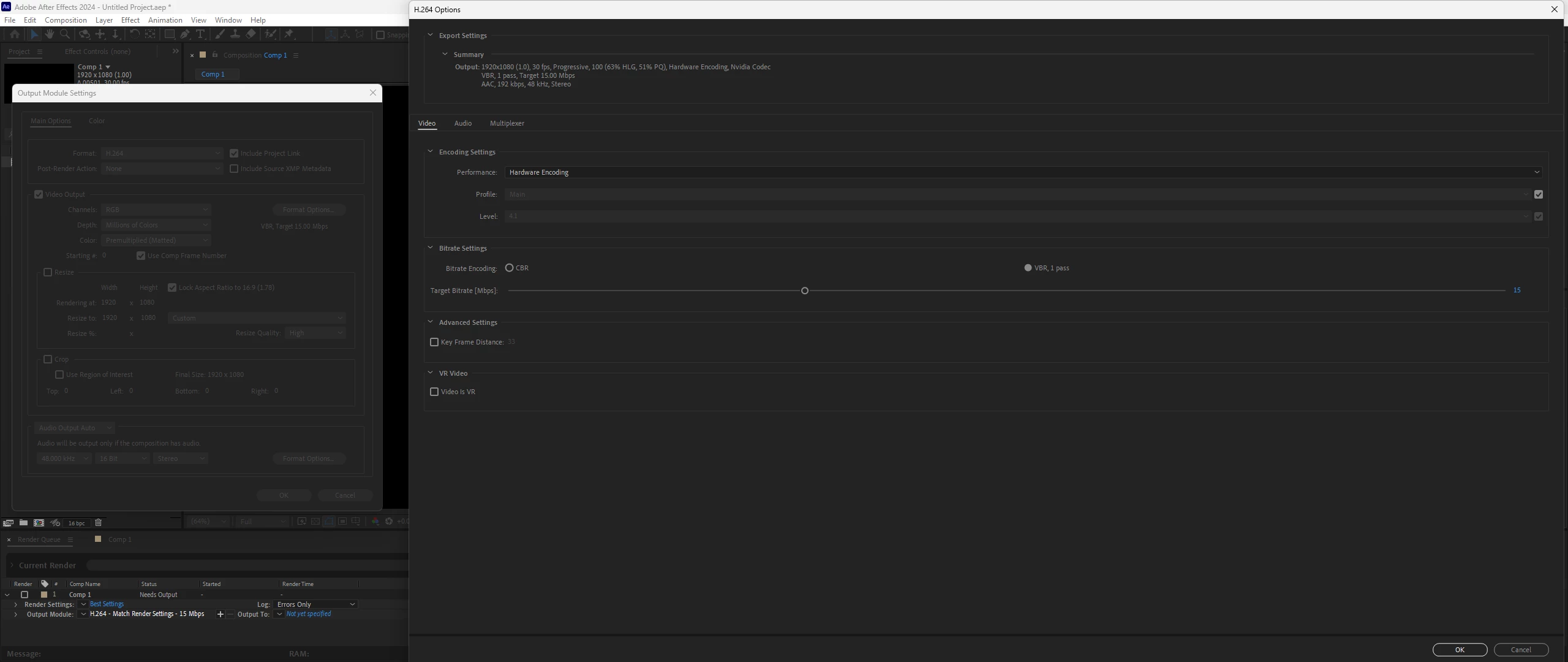
When I press the format options button to change my rendering settings, the settings window that appears is unnecessarily large.


It is five times the size of the Output module window and half of it extends to the left of the screen.


Every time I close After Effects and reopen it, I have to reduce the size of this window again.

Does anyone know how to permanently fix the size of the Format options window to a smaller size?


Thanks.
 

This topic has been closed for replies.

1 reply

Ishan Y
Inspiring
March 14, 2024

Hey there,

Sorry for the issue. Please go to Window > Workspace and choose one of the default workspaces (apart from the one already selected). Is the window size still large after changing the workspace? Let us know.


Thanks,

Ishan

atilla onur varol
Participant
March 15, 2024

Hi Ishan,
Thank you for trying to help me.

Yes, I tried it with a couple different workspaces. Nothing changed.

Just as a note, I am not using a custom workspace or I did not change any setting of any workspace.

Also this is not a new problem. I experienced this problem with different machines and different versions of the After effects.


this visual shows how Output module window pops up on screen.