
December 23, 2025
Question

Freeze object when reached point

  • December 23, 2025
  • 1 reply
  • 86 views

Hi! I have an animation where a series of text boxes slide from right to left. I want that, whenever a text box reaches a certain point on the screen (green line), it freezes for some time. As an addition, I would also like for the text to become bold or bigger.

Below I attach what I want to achieve. I did it by carefully making a new bold textbox appear when time was right, but I have a lot of texboxes sliding, and I would like to not do this for this one. I never used expressions, but if it was possible to transform (sustain position, enlarge, make it bold) any textbox that reached the green line, it would be great. Thank you
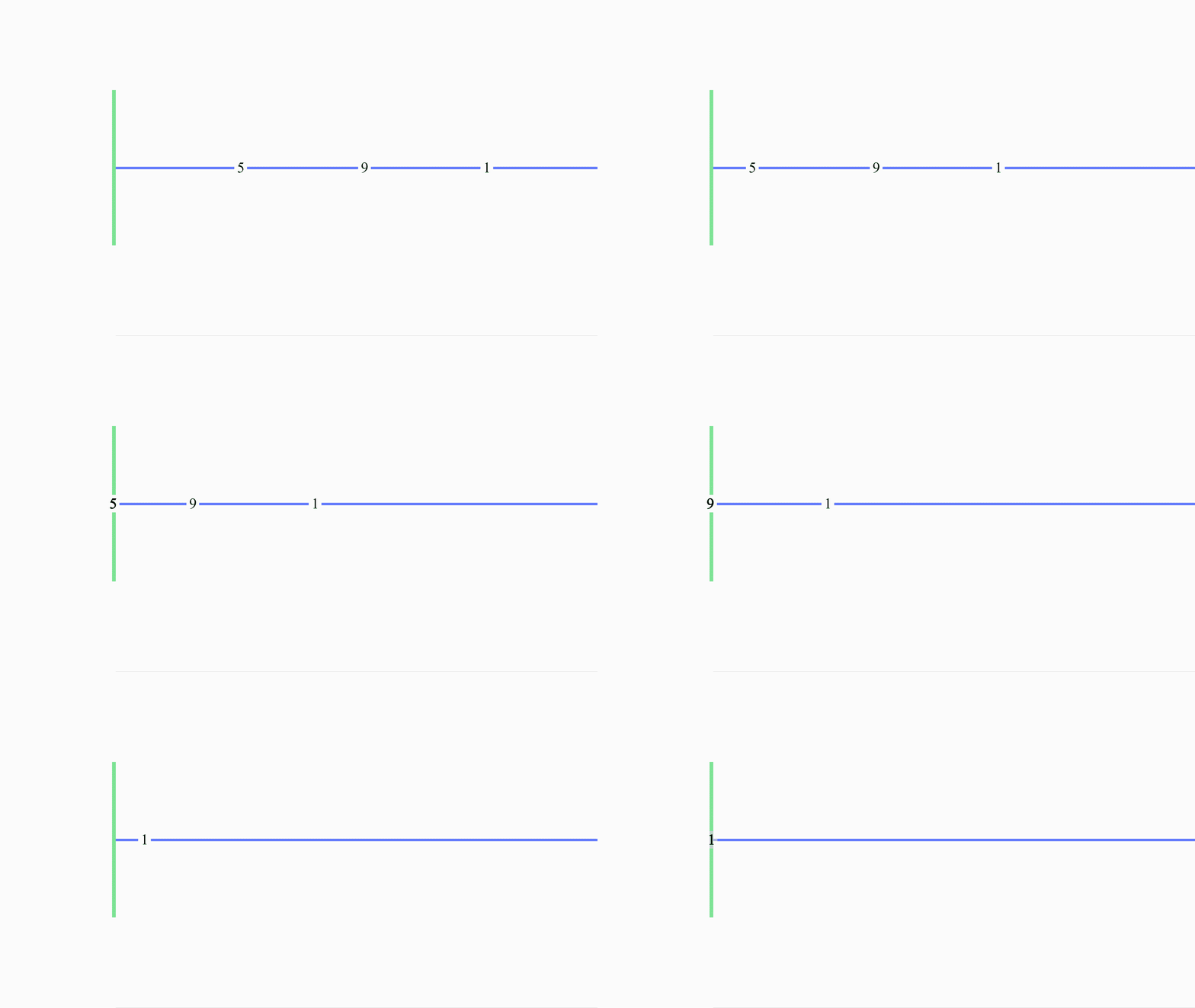
 

Comp 1_2.gif


1 reply

Participant
December 24, 2025

You can achieve this effect in Adobe After Effects by using expressions so your text boxes automatically stop when they reach a specific point on the screen and change their appearance without creating duplicate layers. The idea is to animate all text boxes sliding from right to left as usual, then add an expression to the Position property that checks the X-axis value; once the text reaches the X position of your green line, the expression locks it in place so it appears frozen for a set time or indefinitely. At the same time, you can use a similar condition on the Scale property to make the text bigger when it reaches that point, creating a bold or highlighted look. While expressions cannot directly toggle a font to bold unless you use variable fonts or multiple layers, increasing scale gives a similar visual emphasis.