Participant
April 28, 2021
Question

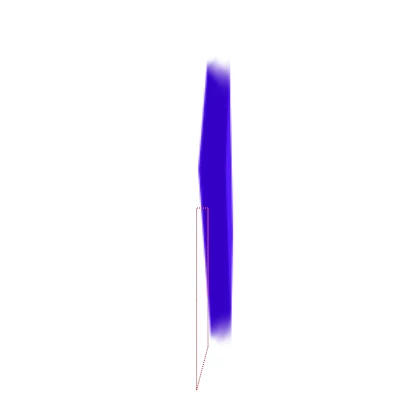
Fuzz on 3D rotate after using index-1 expression

  • April 28, 2021
  • 1 reply
  • 294 views

I'm creating an animation of a rotating diamond following this tutorial: https://www.youtube.com/watch?v=Rp5kvSCaeOU


I have the diamond as a component, and then used the index-1 expression on the Z Position. Duplicated the diamond to get the thickness and parented them to a null. When I rotate the null there is a weird feathery look when it rotates at a certain angle.  I have tried clearing cache and preview options. I'm at a loss, any assistance would be appreciated. 
 

This topic has been closed for replies.

1 reply

Mylenium
Legend
April 28, 2021

Nothing wrong here. It's how AE's old standard 3D renderer works. At certain angles you get undersampling where to many samples end up showing the wrong values. It's a precision issue and you can do nothing about it. If you need a more solid appearance, you have to use a genuine extrusion with the Cinema 4D renderer. Other than that it's usually not much of a problem, as motion blur and so on will disguise these artifacts further and of course you should only use fast and short moves with this fake technique, anyway.


Mylenium

Participant
April 28, 2021

When I have done this tutorial before using circles I did not run into this issue, whilst I am learning Cinema 4D and could achieve this. I was hoping to use AE as it worked well previously, and the solid vector look is what I am after. Thanks.