
December 16, 2025
Answered

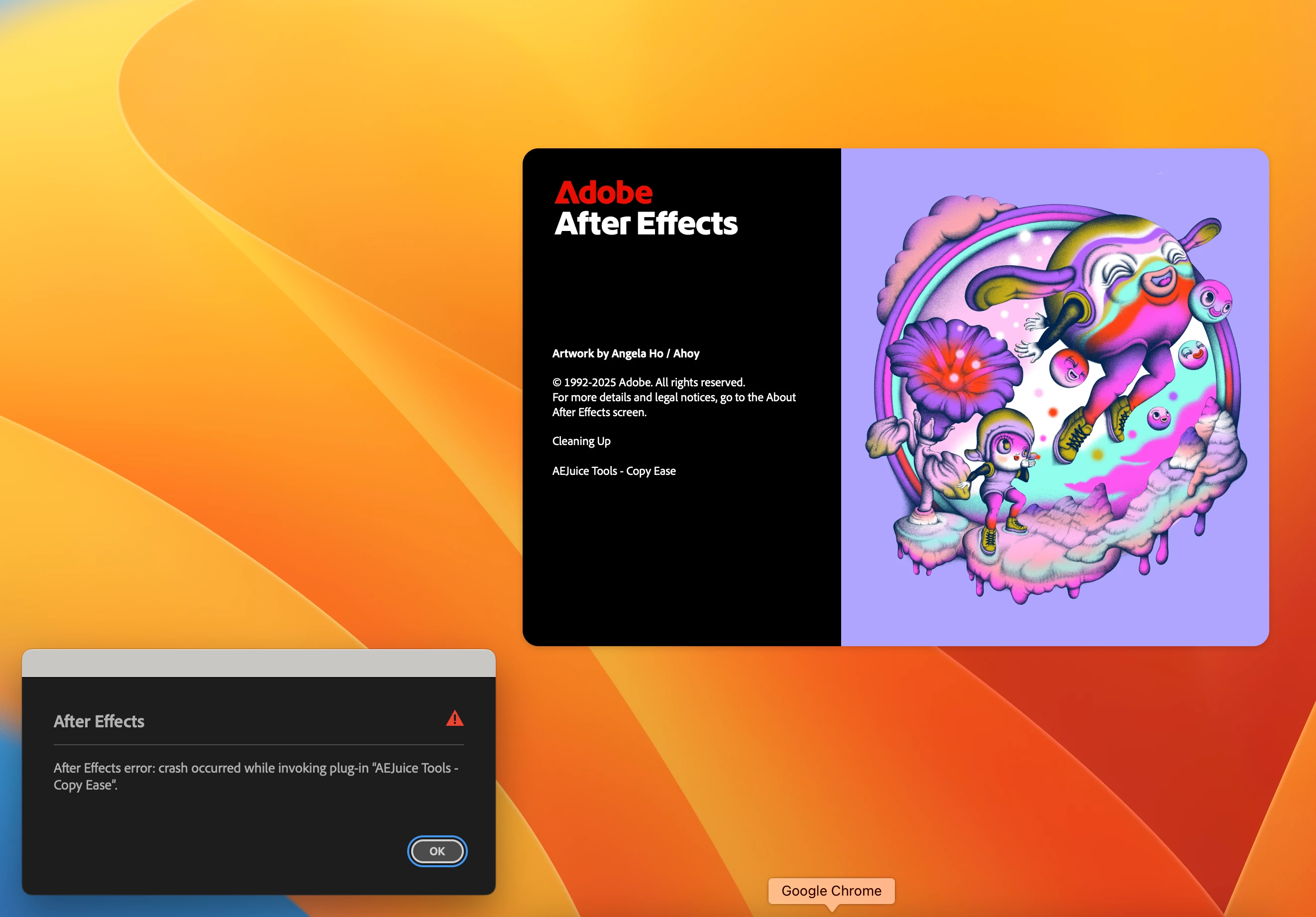
Getting Error for AEJuice Tool: Copy Ease

  • December 16, 2025
  • 2 replies
  • 153 views

Hi,

I am getting this error while opening AE, and I have tried opening in safe mode, reset prefrence, but didnt work, always getting this error, i have tried reinstalling AE too, but still didn't worked. I have remove AEjuice Manager too.
Correct answer vikas_7063

thank you for the help, but it is already solved now, I took someones help, used some commands on termminal using google. 

2 replies

vikas_7063AuthorCorrect answer
December 18, 2025

thank you for the help, but it is already solved now, I took someones help, used some commands on termminal using google. 

nishu_kush
Legend
December 18, 2025

Glad to hear that. If you can, please share the steps here so that it could help others.

Feel free to reach out if there are any other questions.


Thanks,
Nishu

nishu_kush
Legend
December 16, 2025

Thanks for reaching out Vikas.


Looks like the third-party plug-in is causing the issue. To verify, please try this: Go to the following location and remove (or move to a different location to keep a backup) all the files and folders except dummy.txt and try to launch After Effects.

Windows - C:\Program Files\Adobe\Common\Plug-ins\7.0\MediaCore

macOS - HD/Library/Application Support/Adobe/Common/Plugins/7.0/MediaCore

This location contains files associated to third-party plug-ins. If it does allow After Effects to launch, that would mean it was the third-party plug-in that was causing the issue.

Let me know how it goes. Moving this thread Bugs to Discussions for troubleshooting.


Thanks,
Nishu