
Participant
November 5, 2021
Question

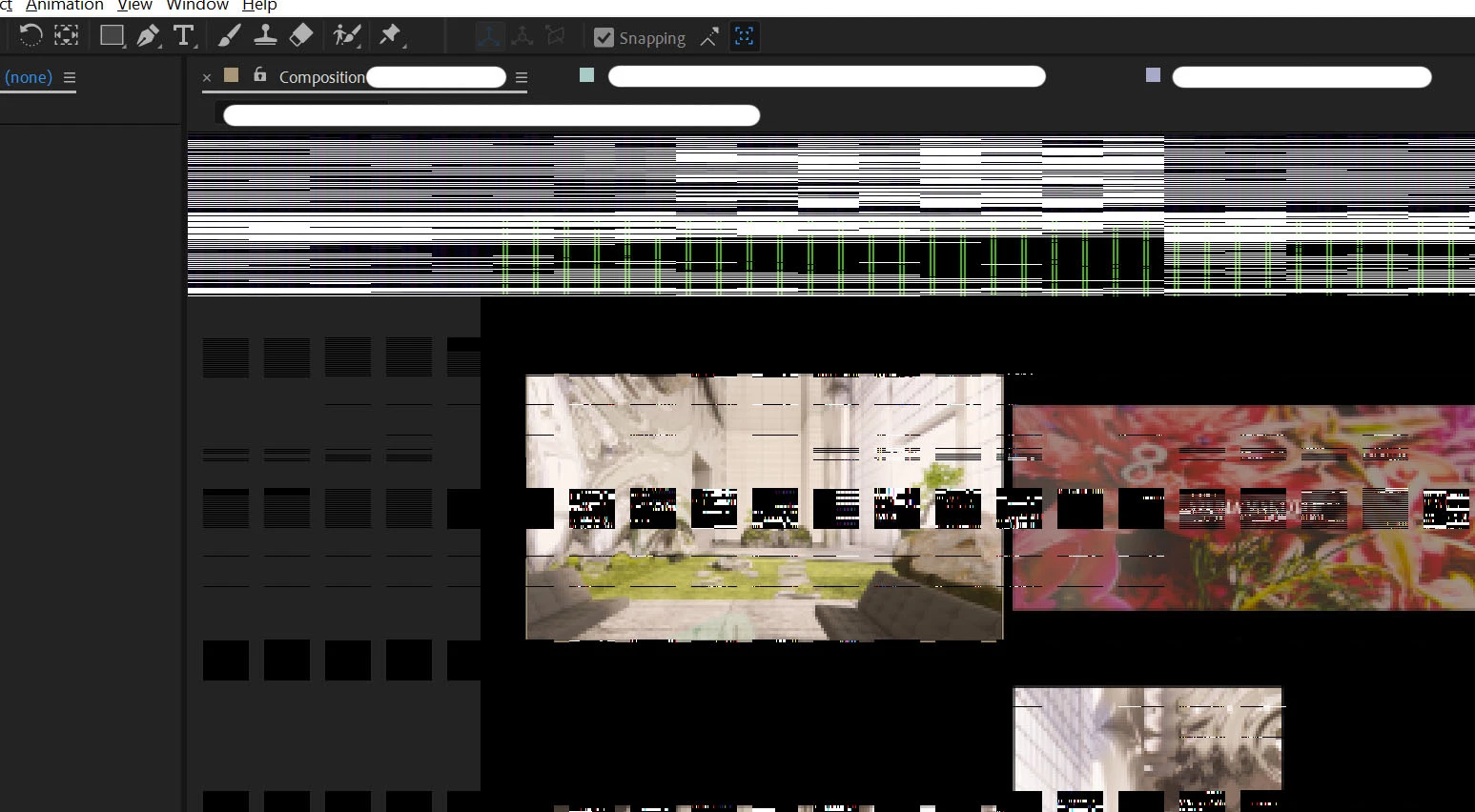
Glitch/Artefacts, software problem or GPU problem?

  • November 5, 2021
  • 5 replies
  • 1804 views

This problem has been constant since I acquired a new PC, it appears suddenly and only shows on the "render window" of AE and not on the UI, everytime it happens I need to restart my PC and it goes away until it eventually comes back, which could happen after a hour or days after.


Is this something related to my GPU? Or any software problem?
 

This topic has been closed for replies.

5 replies

Known Participant
September 16, 2022

bumping this thread again. Updating my after effects via CC isn't working nor is the latest studio drivers for NVIDIA

Known Participant
April 6, 2022

Also experiencing this same issue. As far as I can tell my GPU seems to be fine everywhere else it's only glitching like this within after effects.


OnrepeatAuthor
Participant
November 5, 2021

@Mylenium @Harold Silva Thanks for the replies, the GPU is a brand new Nvidia GTX 3070, when this happens the GPU isn't much active and the fans don't even turn on, even though it's common for renders to crash or slow down to zero and forcing me to restart when I spend too much time rendering, but when I restart the problem goes away.


It's so weird since this also happened with my previous iMac and now it happens with my PC, everytime with AE / Media Encoder.

Harold Silva
Community Expert
Community Expert
November 5, 2021

Are yo working with Media Encoder 2022?
I have some problems with this version. I reinstall 2021 version and dont have any problem.

Harold Silva B.
Harold Silva
Community Expert
Community Expert
November 5, 2021

Hola, este es caso tipico de error de tarjeta grafica,  y aunque no nos dices que tipo de PC o Mac usas, deberias intentar actualizar los drivers de la tarjeta grafica, quizas eso soluciones tu problema.


saludos

Harold Silva B.
Mylenium
Legend
November 5, 2021

Definitely your graphics driver breaking down and messing up GPU acceleration. If it happens so irregularly, though, it stands to reason that this is caused by some external influence like another app also using GPU resources extensively and corrupting the buffers/ video memory or the card slowly overheating. Hard to tell without specific info. As a start you may want to keep your resource monitor/ task manager open and pin the window to the foreground, then wait for the issue to appear. You should definitely see some processes going out of wack and the performance graphs spiking. this may offer some clues what the culprit could be.


Mylenium