Participant
June 17, 2020
Question

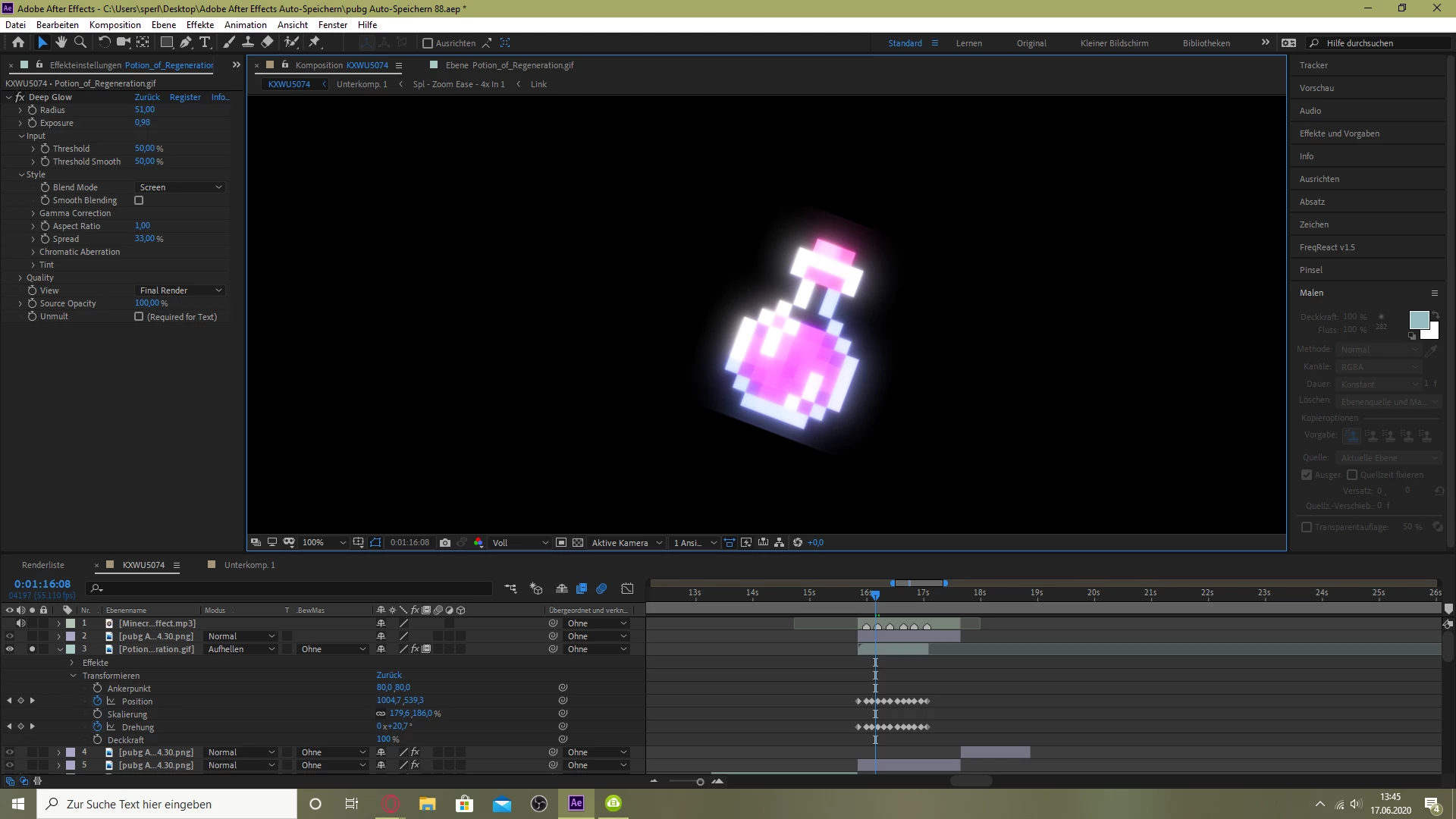
Glow effect is cutted on the edges

  • June 17, 2020
  • 3 replies
  • 11443 views

How do I fix it, that its not cutted on the edges? I know that the picture ends where its cutted, but can I make the borders bigger in AE?

3 replies

Participant
October 16, 2021

Here is another solution;


1. Drag a CC RepeTile effect on top of the Deep Glow.

2. Expand the CC RepeTile values until it covers all the screen.

3. Set Tiling to None.


That's it.

Known Participant
November 8, 2021

Oh man! You save my life! Thank you.. This is what I am looking for last few years.. 

Participant
October 16, 2021

To solve this problem, you can put an adjustment layer on top of the layer you wanted to glow, and apply your glow effect on that adjustment layer instead of the actual layer.

Community Expert
June 17, 2020

The Glow effect will extend beyond the layer borders. I don't know if Deep Glow from AE scripts will. If it does then you should not have to do anything but properly adjust the settings. Probably the best tutorials for Deep Glow are on the AE Scripts site. I would start there. If you can't get anything else to work try adding Grow Bounds before you apply Deep Glow. That should solve the problem.