
Known Participant
August 9, 2024
Question

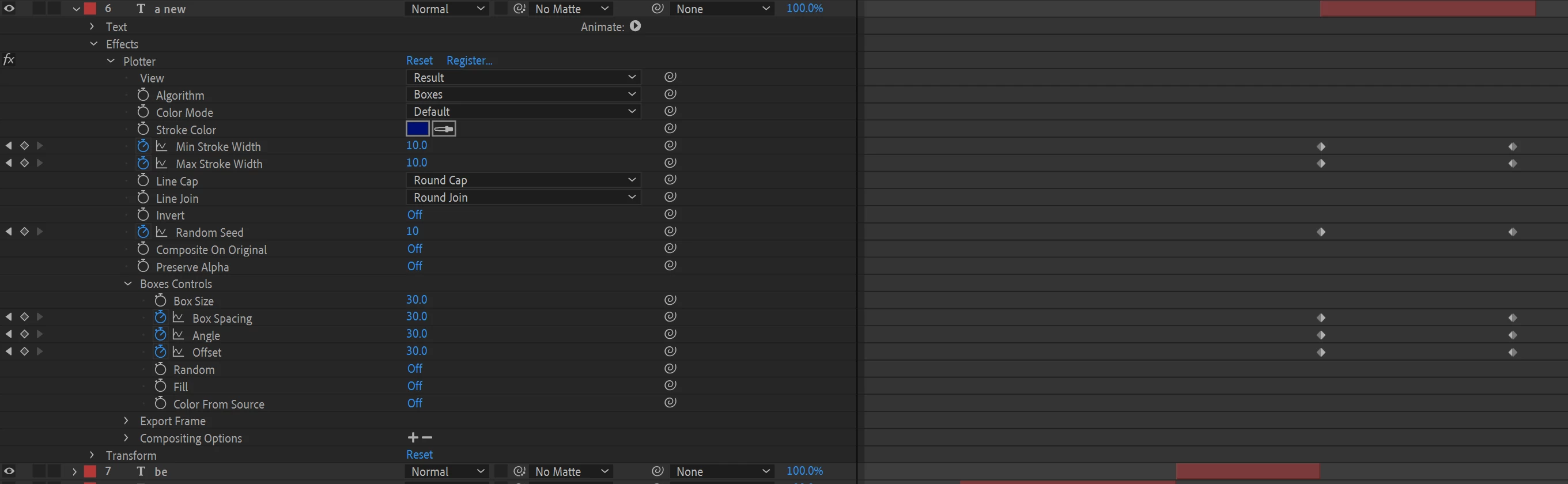
Go through the effects of a text layer and move all secondary keyframes to the second to last frame

  • August 9, 2024
  • 3 replies
  • 430 views

Is there code that could search through all the keyframes of a layer and push whatever secondary keyframes it finds to the second to last frame of the duration of the clip?
This topic has been closed for replies.

3 replies

Known Participant
August 10, 2024

Or you can just set expressions with inPoint and outPoint of each property and copy and paste the effect onto other layers.

ease(time,inPoint,outPoint,3.0,10)


Known Participant
August 10, 2024
Legend
August 10, 2024

In reality, all the answers are in the scripting guides:

After Effects Scripting Guide 

After Effects Expression Reference 


If you want to manipulate layers using a script, go to the layers section,

and you will find all the parameters that you can read or modify.

Known Participant
August 9, 2024

Another setup that would be just helpful, is if you could select all the keyframes of a layer and have the first set of keyframes move to the biginning of the clip and the second set to find the second to last frame.

Known Participant
August 9, 2024

okay, i think i can just settle for tapping "u" twice to show all the keyframes for a layer and then just copy and paste the keyframes to a new layer and playhead time ...that will be good enough.