


Participant
February 20, 2020
Question

gpu warning: GPU3 failed (previous) sanity test ***

  • February 20, 2020
  • 3 replies
  • 4022 views

aerender.exe commandline render error and delay time with this error .please tell solution for this error.
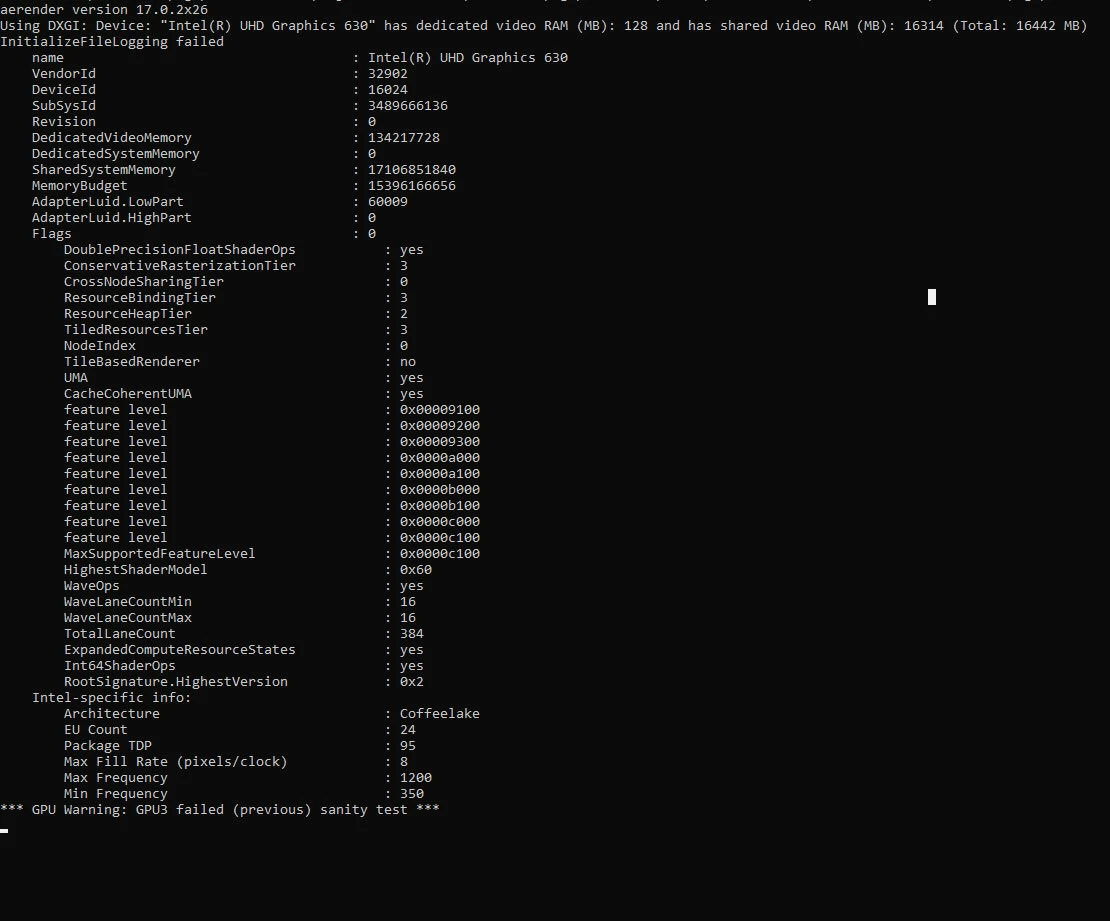
pc config:

windows 10 

cpu:i9 9900k

ram:32GB

ae version: after effects cc2020 (17.0.2)

This topic has been closed for replies.

3 replies

Participant
May 24, 2023

So I have this problem when I'm running after effects 2023
I also have an issue that when I open my project it runs normally but after a few seconds the prewiew screen turns into black screen.

It doesn't matter if I cleand the cache or switched between mercury software and mercury GPU acceleration CUDA.
I've the latest driver 


I don't know if this is related with the(GPU3 failed (previous) sanity test ***) or what 
pc config:
windows 10 
cpu: amd ryzen 5600x
ram:32 GB
GPU: NVIDIA Geforce RTX 3060 
ae version: After effects cc2023

Participant
May 24, 2023

Also I can't run aerender.


Participant
September 25, 2023

i have the same issue and the same config xd.


jxrgen
Participating Frequently
October 25, 2020

I have a quite similar problem her.

markusk90069483
Inspiring
October 27, 2020

same issue here. My trial period is running out in 4 days. Then i have to decide if I buy AE or not. This funktion is essential for me. Is there a chance to get it fixed? 

markusk90069483
Inspiring
October 29, 2020

Hi, 

I finally "solved" it. The bug is known and there is a workarround for it: run aerender in licence free mode. This can be done by simply safe an emty textfile with the name ae_render_only_node.txt into two folders:

  • Mac locations:

    /Users/<username>/Documents/

    /Users/Shared/Adobe/

  • Windows locations:

    C:\Users\<username>\Documents

    C:\Users\Public\Documents\Adobe

After that, aerender works fine. The only thing is if you want to use the GUI of AE you have to remane those files . For me it was enpough to remane the file in : C:\Users\Public\Documents\Adobe

Here some links to read further:

https://helpx.adobe.com/in/after-effects/kb/known-issues-after-effects.html

https://helpx.adobe.com/after-effects/user-guide.html/after-effects/using/automated-rendering-network-rendering.ug.html


Participant
May 14, 2020

I have the same issue...
Did you manage to fix it?

Participant
May 15, 2020

no