Question
Gradient fill doesn't appear to work on a merged path
I'm creating a marged path and attempting to apply a gradient fill to it. It ends up as a single color and the little bars to adjust the gradient don't appear.
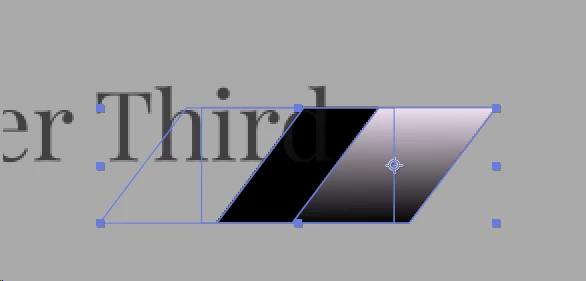
In the below setup the final Gradient Fill is the same as the one applied to "SmallSlantRight", yet it appears only as one color. If I move it to any object before the "Merge Paths 1" it'll also end up as black.
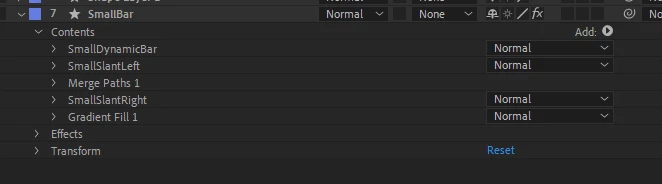
Attempting to modify the Start/End points of the gradient fill doesn't help. If I slide the Start over to 100 it'll suddenly flip colors to the other end of the gradient.
On an individual shape I get the little lines to adjust the gradient start/end ponits, but on this merged shape that UI doesn't appear.
How can I get a gradient fill on a merged shaped?
 AdChoices