
Participant
September 2, 2025
Answered

graph editor problem

  • September 2, 2025
  • 1 reply
  • 421 views

guys can anyone help with this issue i only wanna see blurmocurves graphs but twitch appears too that blue and pink thing .  when I only select blurmocurves, all the effects on that layer are automatically selected when I enter the graphs, even if I don't select them, and even the sound graphs are visible. I just select blurmocurves and click on the graphics editor
Correct answer Rick Gerard

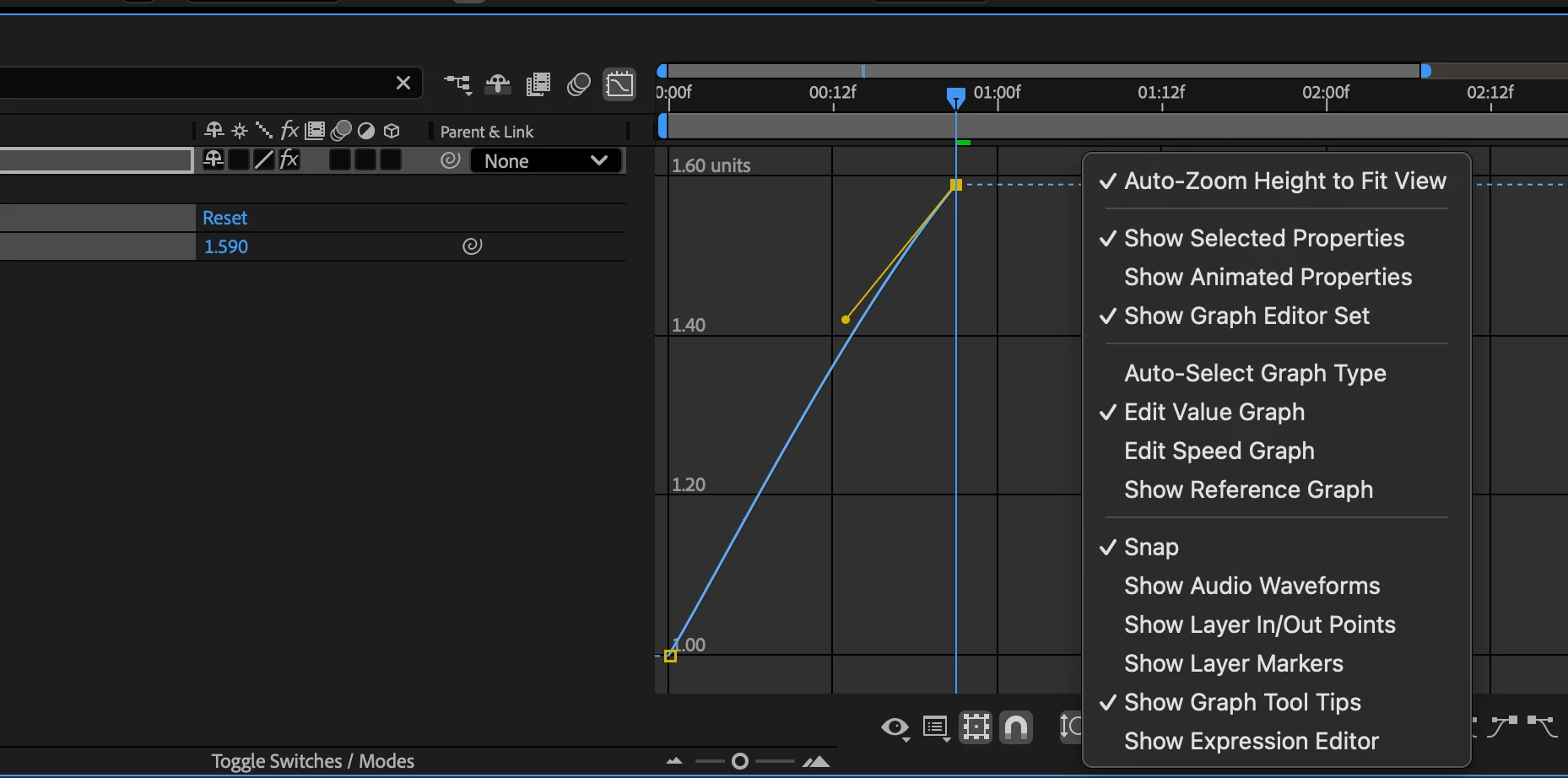
Right-click or click on the second icon from the bottom of the graph editor and make selections of what you want to see. I always only have Show Selected Properties checked, so only the property in the timeline that is selected shows in the Graph Editor. You can Ctrl/Cmnd + Click other animated properties if you want to see more than one.


1 reply

Community Expert
September 2, 2025

Try selecting the layer, then type the name of the property you want to reveal in the Timeline Search Tab. That should give you only one property to look at in the Graph Editor. Something like this:


rexnnAuthor
Participant
September 2, 2025

i did it now. its true that it only shows the z dist but   as you can see  the graphs of those other effects  are still visible in the graph editor 

Rick GerardCommunity ExpertCorrect answer
Community Expert
September 3, 2025

Right-click or click on the second icon from the bottom of the graph editor and make selections of what you want to see. I always only have Show Selected Properties checked, so only the property in the timeline that is selected shows in the Graph Editor. You can Ctrl/Cmnd + Click other animated properties if you want to see more than one.