Participant
July 24, 2026
Question

Green screen have a gray halo around the hair

  • July 24, 2026
  • 1 reply
  • 15 views

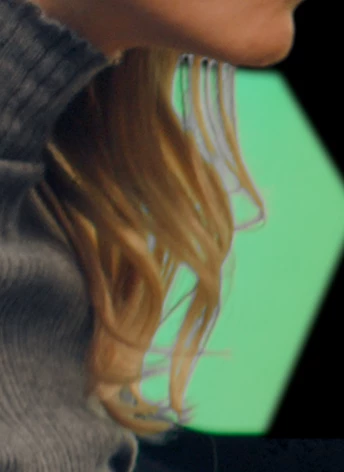
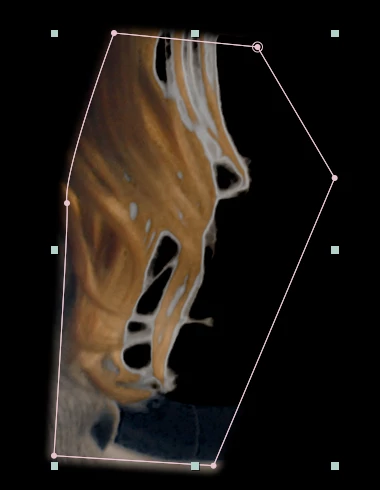
Hi guys, I’m running into a problem with my green screen. When I key it out with Keylight, a grey area is left behind, probably from a glass reflection behind the girl.

I have no idea how to get rid of it. I also tried changing that grey area to green, but I still end up with visible edges because the hair is slightly out of focus. Any ideas?


    1 reply

    Nishu Kushwaha
    Community Manager
    Community Manager
    July 24, 2026

    Hi there,


    Thanks for reaching out. Here's a detailed tutorial on the effects you can use to remove the green screen: https://adobe.ly/4wk8hlc

    Hope it helps. Let me know how it goes.


    Thanks,

    Nishu


    s3n3c4Author
    Participant
    July 24, 2026

    Hi Nishu, thank you for the suggestion. Unfortunately, in this case the background itself is gray in those areas, and when it moves the gray spots become even more noticeable. I tried removing the borders, but it has no effect in those parts.

    Nishu Kushwaha
    Community Manager
    Community Manager
    July 24, 2026

    Thanks for getting back.

    Can you try using the new Object Matte in combination with the Refine Edge tool? The Refine Edge tool is built specifically to isolate the soft edges like hair and fur. Here’s how: 

    Let me know the outcome.


    Thanks,

    Nishu