moniertto
Participant
February 17, 2022
Answered

Grow Bounds bug

  • February 17, 2022
  • 2 replies
  • 3447 views

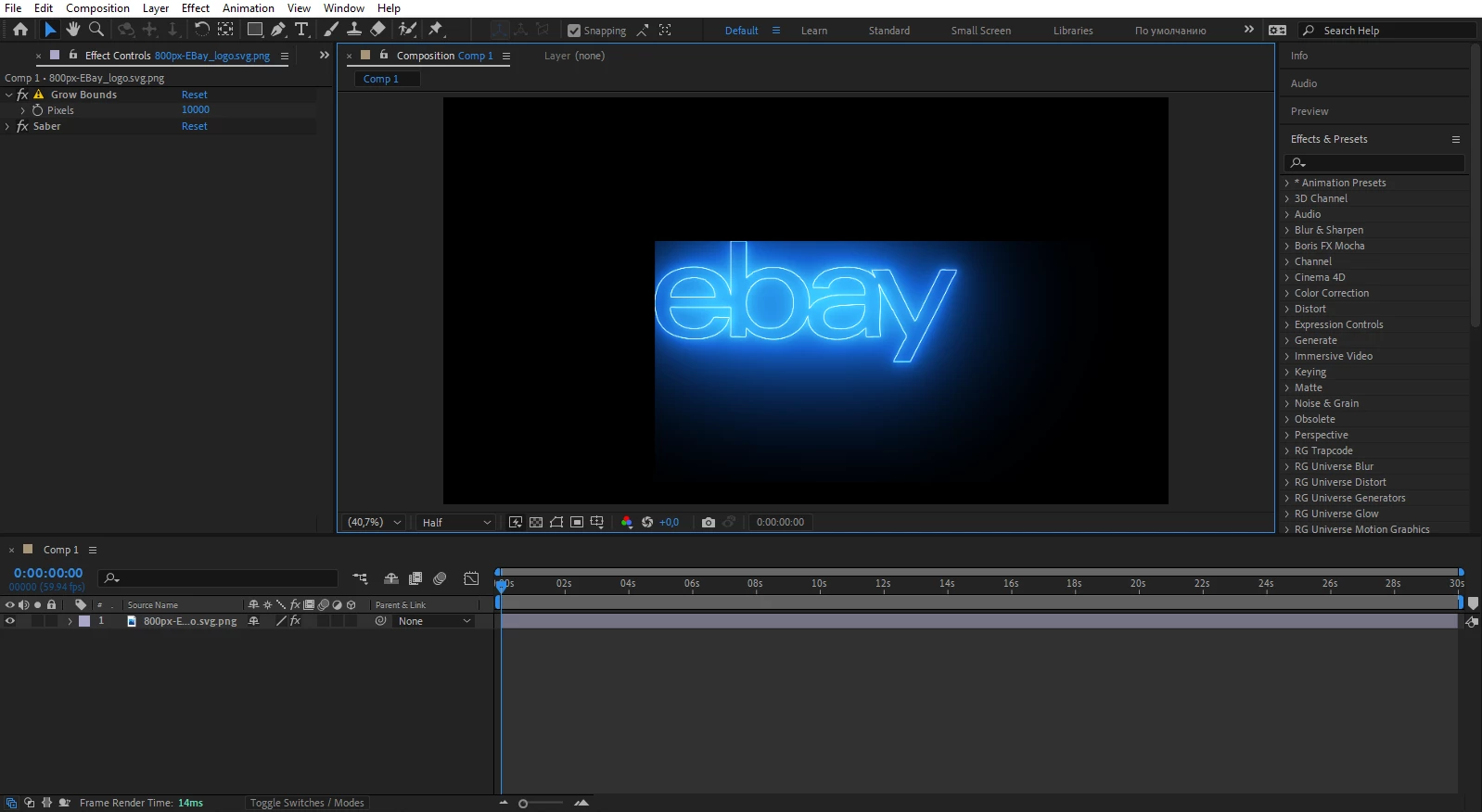
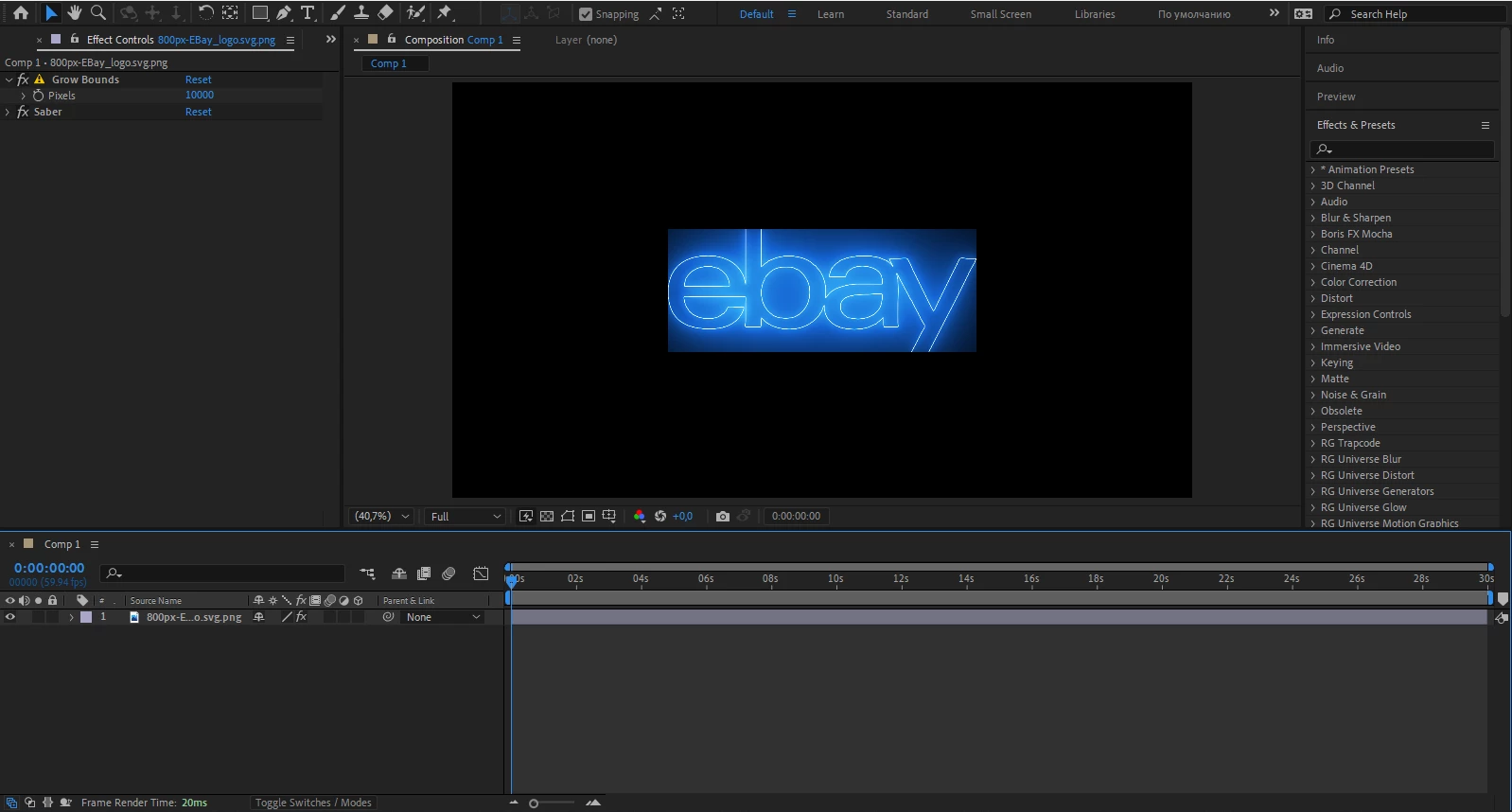
Maybe my question is stupid for you. But I have a problem with Grow Bounds. Problem: When using Grow Bounds in combination with the Saber plugin in a full preview rendering, it doesn't work, but if you select half, it applies, but only to the bottom and right parts of the object. Used GrowBounds from Red Giant (does not work with stock). Screenshots attached
This topic has been closed for replies.
Correct answer Rick Gerard

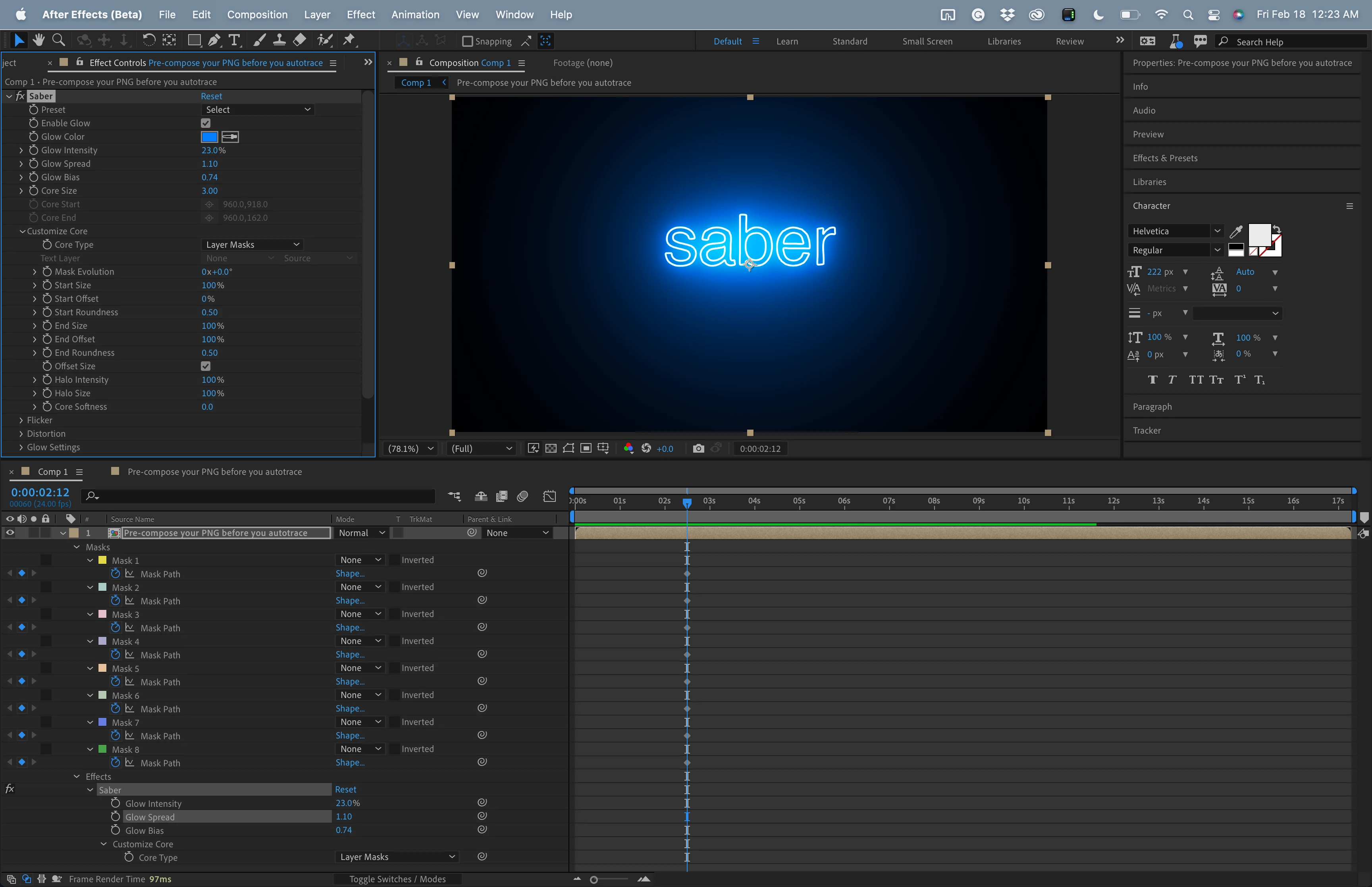
Either use a text layer or Pre-compose your PNG before using Auto-trace to create masks and forget Grow Bounds. The effect will render faster.

I'm showing everything that has been modified on the layer.

2 replies

Rick GerardCommunity ExpertCorrect answer
Community Expert
February 18, 2022

Either use a text layer or Pre-compose your PNG before using Auto-trace to create masks and forget Grow Bounds. The effect will render faster.

I'm showing everything that has been modified on the layer.

moniertto
monierttoAuthor
Participant
February 19, 2022

Many thanks!

Mylenium
Legend
February 17, 2022

Probably just one of those gazillion oddities in relation to hardware acceleration, compounded by Sabers own GPU functions. Grow Bounds has always been just a sloppy workaround, anyway, so why not make your life easy and simply pre-compose your image to a larger comp?


Mylenium