Participating Frequently
January 3, 2024
Question

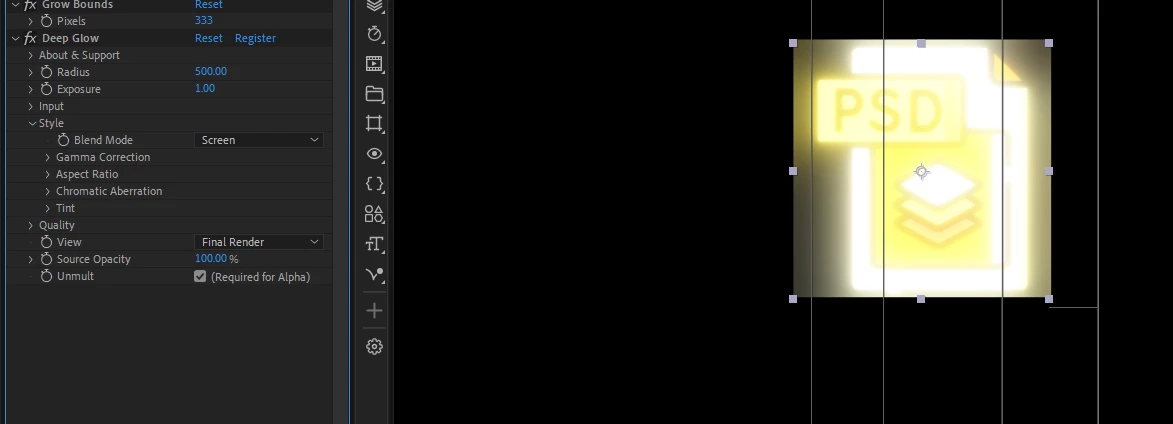
Grow Bounds Not Working
  • January 3, 2024
  • 6 replies
  • 5481 views

I can't seem to get grow bounds to work these days. I might have done something? or is anyone else having this bug?

using 24.1.0
Windows

6 replies

Known Participant
March 30, 2025

If nothing works, you can use CC repetile with set to "none" instead of grow bounds. But I do not have issue with deep glow 2 and croped borders.. Even when set very big radius. Tested on text, shape and precomp. Everything ok without any adjustment of bnounding box.


Participant
March 14, 2025

I don't have grow bounds in my after effects, how do I install it and be able to use it?

Participant
November 28, 2024

Maybe it will help you. Add After grow bounds add “solid composite” but set the composite’s opacity to 0%.

Known Participant
February 21, 2024

Grow bounds just stopped working.. AE 24 shows me that effects is missing. And there is also strange, that the missing one is 8bpc and if I try to add effect it is 16/32bpc. But replacing missing effect does nothing..

Community Expert
January 4, 2024

I do not see any problems with the Grow Bounds/Deep Glow combination. Try adding a mask to the layer. Is the footage layer a nested comp? Without seeing the timeline with all modified properties showing I can't be of much help.

Community Expert
January 5, 2024

I don't own Deep Glow because I have other 3rd party glow effects that I like better, but here it is with a PNG file. Works just fine. The X comes from the unlicensed plugin.

Check the GPU settings in Project Settings. Shift + Alt/Option + Ctrl/Cmnd + K will get you there instantly.

Participating Frequently
January 6, 2024

This usually how I do it, but like I said for some reason it just doesn't work like it used to. There could be settings I changed? I'm still trying to make it work.


Ishan Y
Community Manager
Community Manager
January 4, 2024

Hey David,

I'm moving this thread to the Discussions section to collect more information. Please let us know if you're using a rasterized or vector layer. If it's a vector layer, have you enabled the continuously rasterize option? What happens if you pre-compose the layer and add the effect on the composition? Does that work for you?


Thanks,

Ishan

Participating Frequently
January 4, 2024

It's a png file. It does work if I precomp it but this method(grow bounds + deep glow) used to work before. There are times when I don't want to precomp a certain layer.

Ishan Y
Community Manager
Community Manager
January 5, 2024

Could you share the PNG file here or through a private message so I can test it? Do you also see this with vector layers?