
kostafotograf
Inspiring
July 4, 2020
Question

Handles for bezier curves (spacial interpolation) missing

  • July 4, 2020
  • 2 replies
  • 831 views

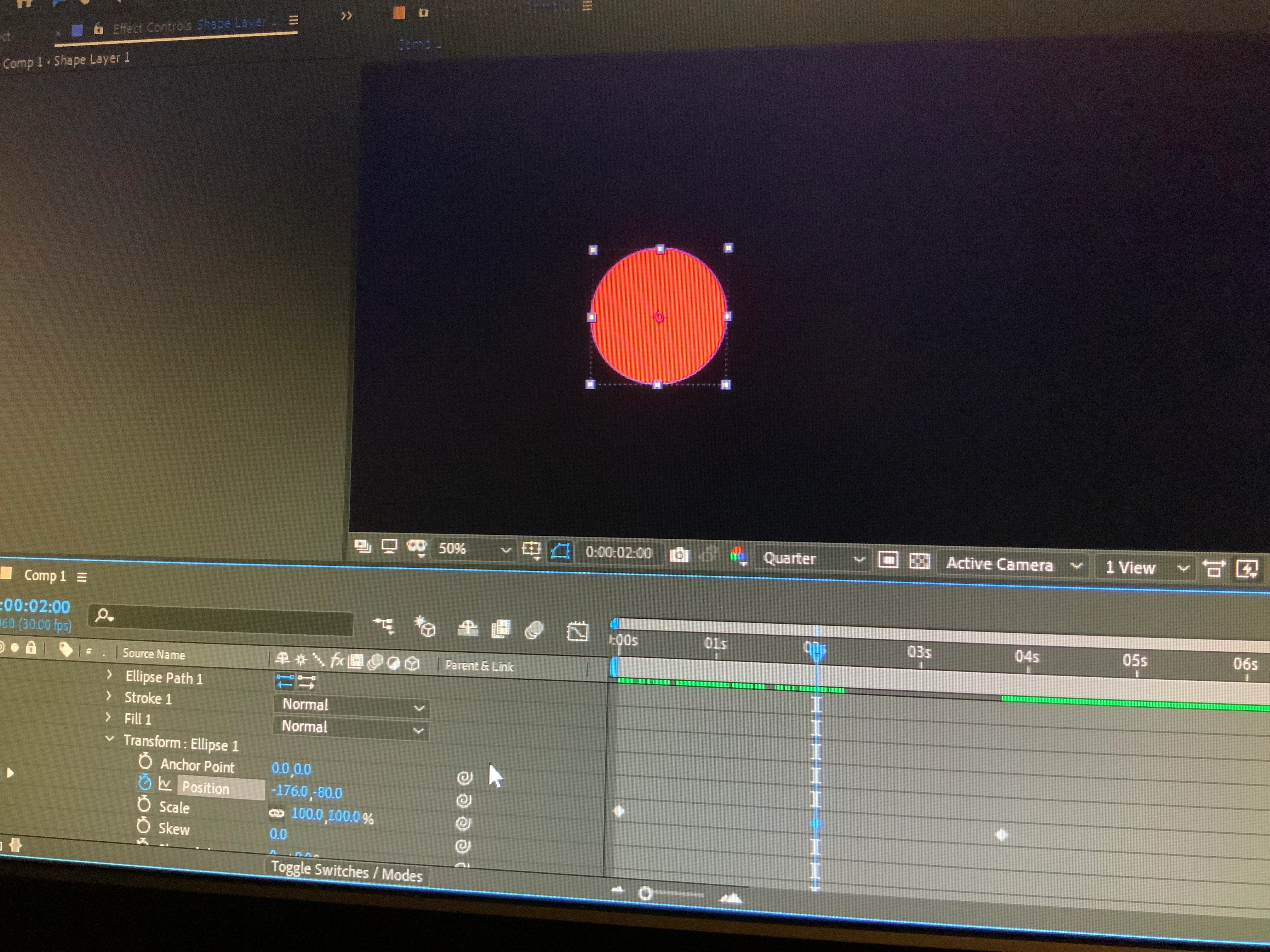
Handles for position adjustment are missing under Shape Layer 1>Elipse 1>Transform>Position


But they are visible under Layer>Transform>Position
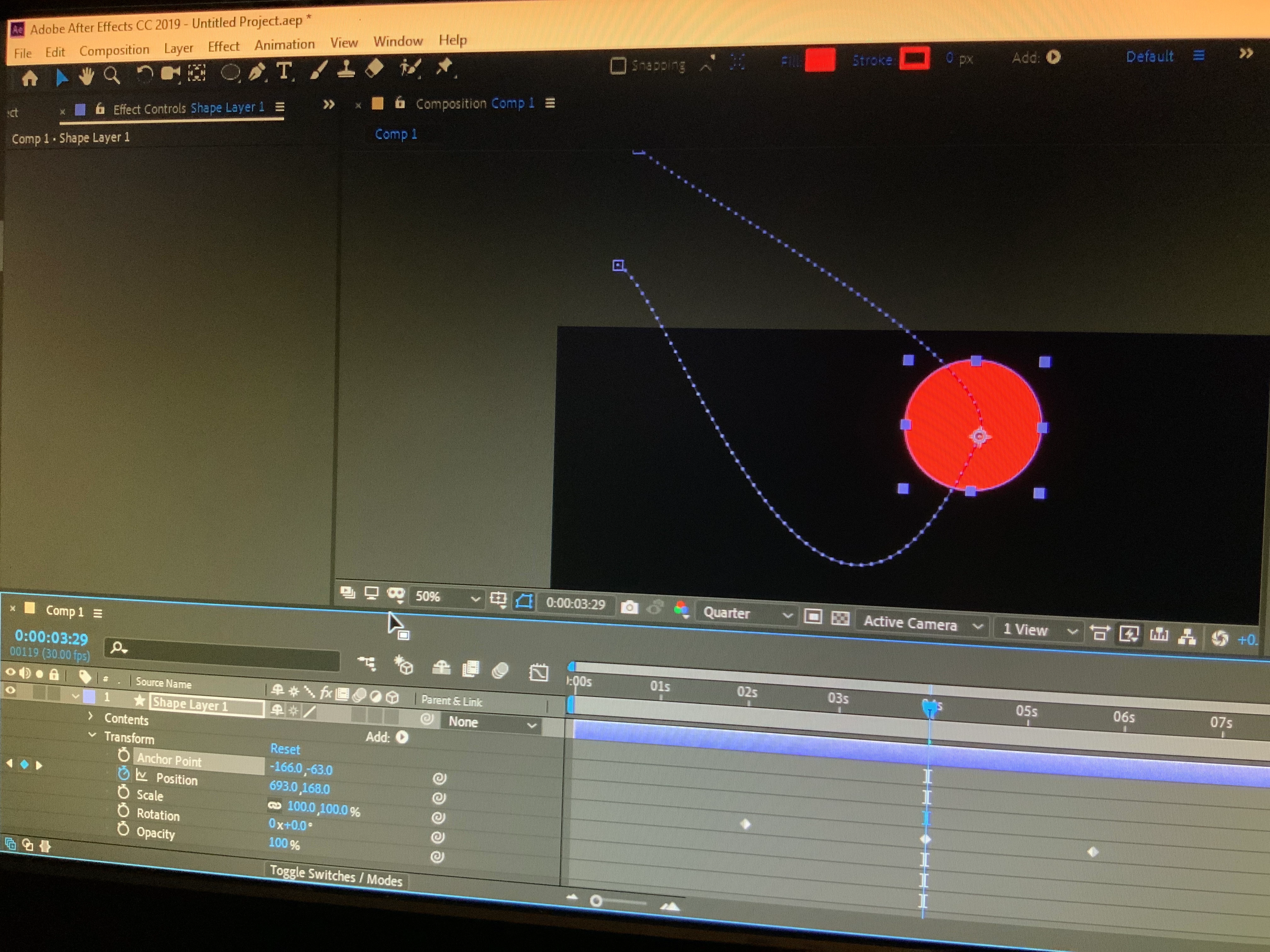


How can I make these curves and handles visible under the first position keyframes? Or is this handles/bezier curves feature only available for "master transform" and not individual shape elements

This topic has been closed for replies.

2 replies

Community Expert
July 5, 2020

Only the layer/transform/position path is visible in the comp panel. Other properties like Anchor Point and effects that have position properties are visible in the Layer Panel if you choose the correct option. Unfortunately, there is no way to open a Shape layer in the Layer panel. It's a feature request that I have filed numerous times.


The only real option is to tie the position of a null to the Transform Elipse 1/Position property with an expression. This one will work if the Shape Layer Anchor Point and position property are at the default values.

p = thisComp.layer("Null 1").transform.position;
p - ([width, height]/2) 

The expression gets a lot more complicated if you need more or to also animate the shape layer's position. I don't want to try and write it without testing it in AE first.

Community Expert
July 4, 2020

Try highlighting or clicking on the keyframes which you would like a handle on.

kostafotograf
Inspiring
July 4, 2020

That's not working either, it just shows a box around the circle and no path or handles