

hard corner angle change with a png layer path help
Hi guys,
I am looking for a few definitions and someone to point me in the right direction. I am a newbie at after effects so the real problem is my lack of vocabulary.
I am trying to take this png of the words Attack Theatre and have the image change angle about mid screen and move forward and the left of the screen while also having the top left corner increase its angle upward, so the image looks like it is moving left and towards the foreground.
I cannot figure out how to make the image break at the center and transform into a bigger taller image as it leaves the left of the screen. I have attached an image of where I am at. I rotoscoped the guy in the image. When it is done there will be three versions of the guy. The text should move across along the path lines of the cement in the image. From screen right to screen left, with a sharp change of direction in the center are where I added the middle point.
Is there a tutorial that can help me? Everything I can find has a an image staying the same dimension and moving along the path. This is not what I need.
Thanks in advance. Here is a picture of what it looks like. The text is behind the foreground dude. 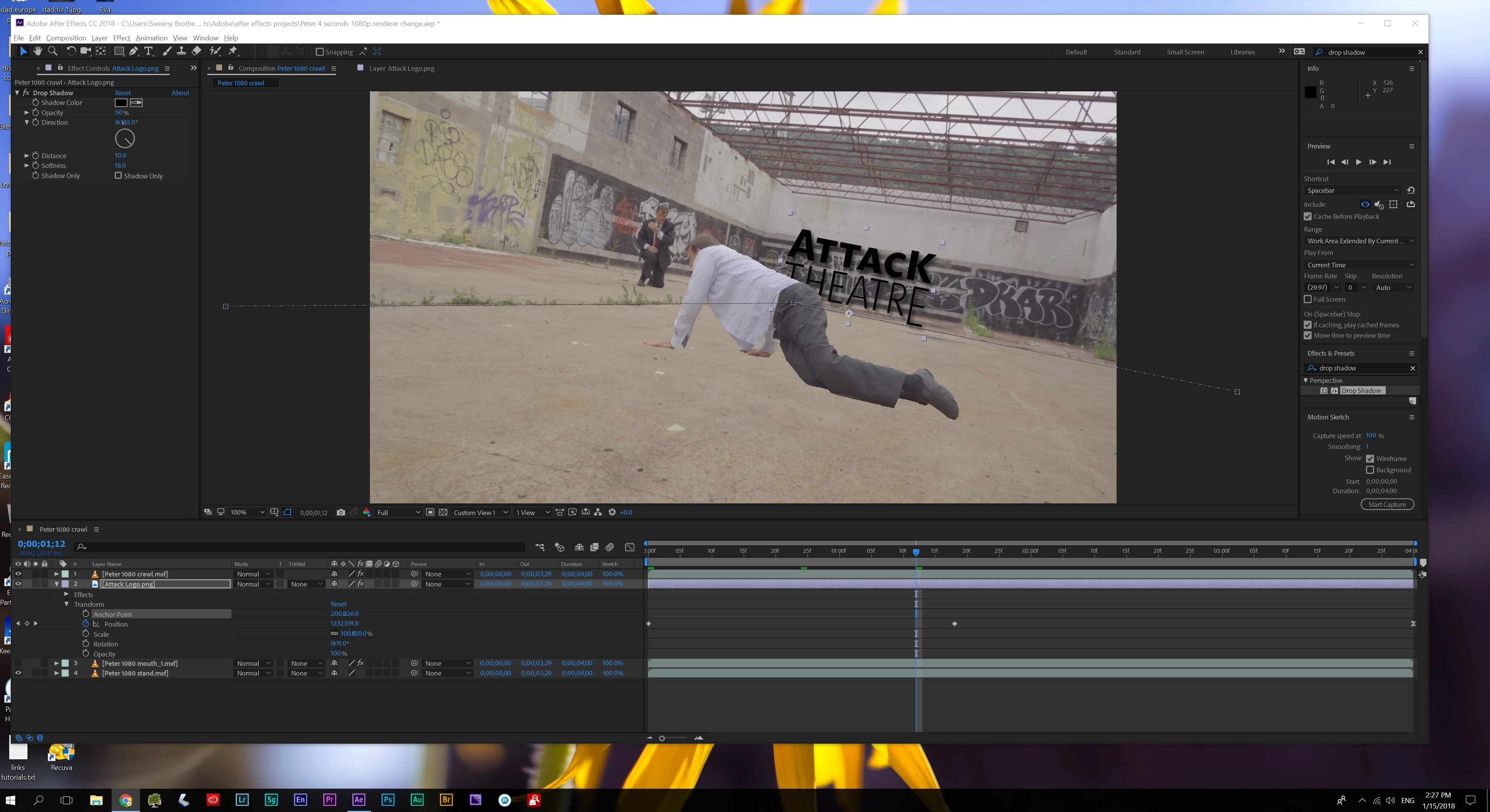

 AdChoices