

Have render details disappeared from the info panel in CC 2017?
Hi all
The AE info panel used to display which exact layer / effect it was working through when rendering, it was really useful for slow-rendering frames as you could tell at a glance which were the render-heavy elements.
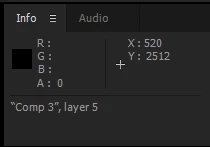
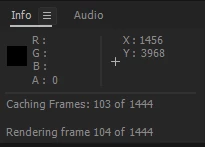
I've checked the Show Rendering Progress in Info Panel and Flowchart (weird how many words use a capital letter in the preferences panel) but it doesn't seem to make any difference, is this no longer possible? If you move through a composition frame by frame the Info Panel sometimes displays the final thing it did (usually 'cleaning up') but nothing more. I've tested it with minute-long frames and there's never any detail, it doesn't matter if layers and effects are pre-comped or not.
Is this just me or is it the same for everyone? I'm on a 2013 27" iMac running 10.12.4 and AE is whatever the most recent version 2017 is, I pretty much skipped AE 2015 so have only got CC 2017 and CC 2014 installed but it's still working in CC 2014, I just tested it.
Any ideas? I've got a really complicated project (no 3rd party plugins used) and something is slowing it down, I can figure it out by soloing and hiding layers but it would be much quicker to see what's going on as AE chews through it.
Thanks!


 AdChoices