This topic has been closed for replies.
Correct answer Oussama35539178aml1

hey i find a solution

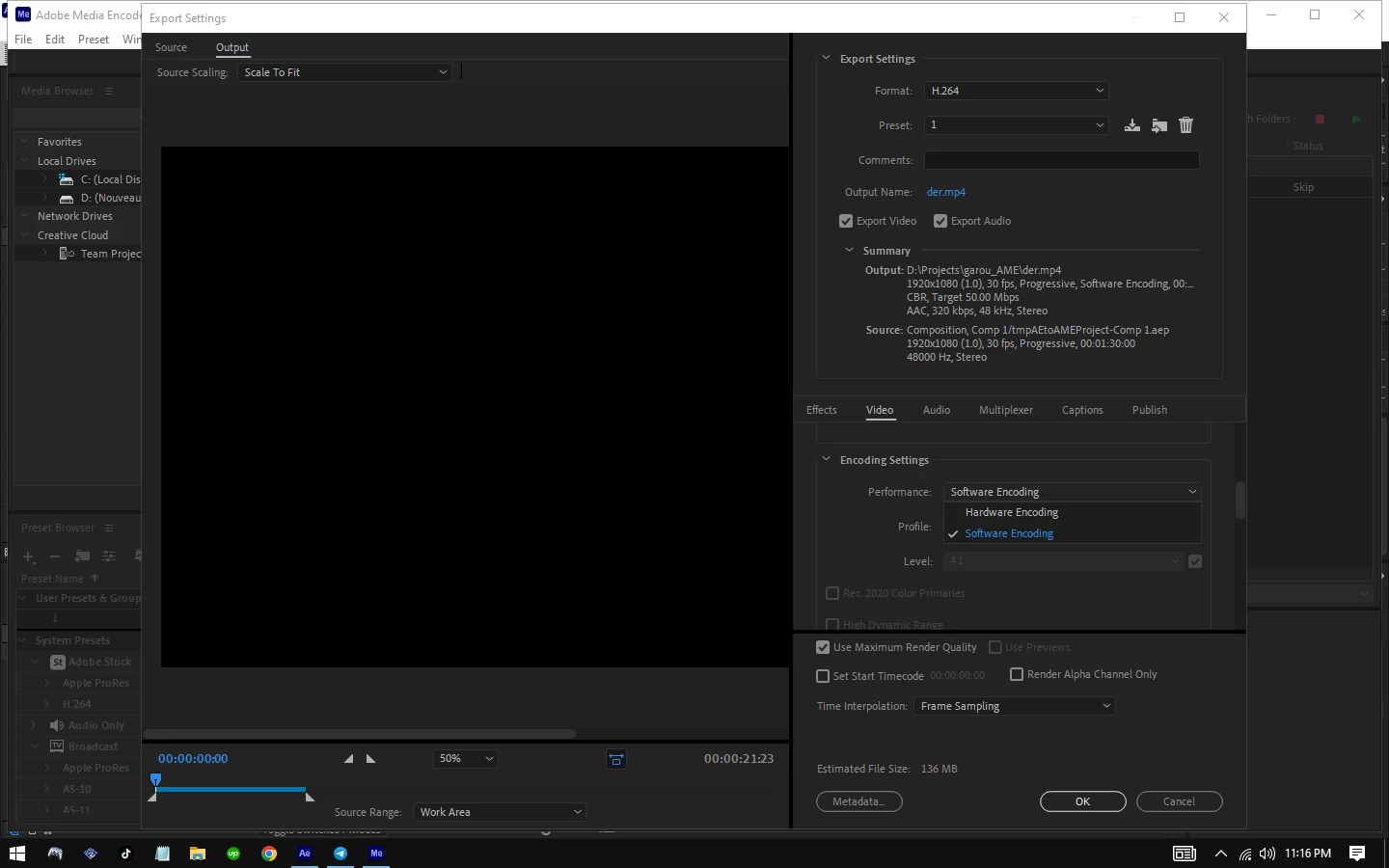
You Just Need To Go To Encodre Settings And Change Performance From Hardware Encoding To Software Encoding

5 replies

nishu_kush
Community Manager
Community Manager
March 8, 2024

Glad to hear that you found a workaround.

Some users have reported similar issues with the latest version of the Nvidia GPU driver. Downgrading it a version has helped. You can give it a try if you're using a Nvidia GPU.

Let us know how it goes.

Note: Moving this thread from Bugs to Discussions for troubleshooting.


Thanks,

Nishu

Oussama35539178aml1AuthorCorrect answer
Participant
March 6, 2024

hey i find a solution

You Just Need To Go To Encodre Settings And Change Performance From Hardware Encoding To Software Encoding

Participant
March 6, 2024

it's supposed to be a edit

im exporting from media encoder

adobe after effect 2020

the export format is h.264

all the frame 

Participant
March 5, 2024

I'm having a similar problem where I made a video but when I export it, it's not the video I made, its some bugged out version. I'm trying to find a solution but I can't find one.


Jenkmeister
March 4, 2024
  • What's it supposed to look like?
  • Are you exporting from within AE or via Media Encoder?
  • What versions of the Adobe products do you have installed?
  • What is your export format?
  • Is it just one frame or all the frames?