Participating Frequently
November 15, 2016
Answered

Hello Dear friends, Please need help I'm a beginner
  • November 15, 2016
  • 1 reply
  • 630 views

    This topic has been closed for replies.
    Correct answer Roei Tzoref

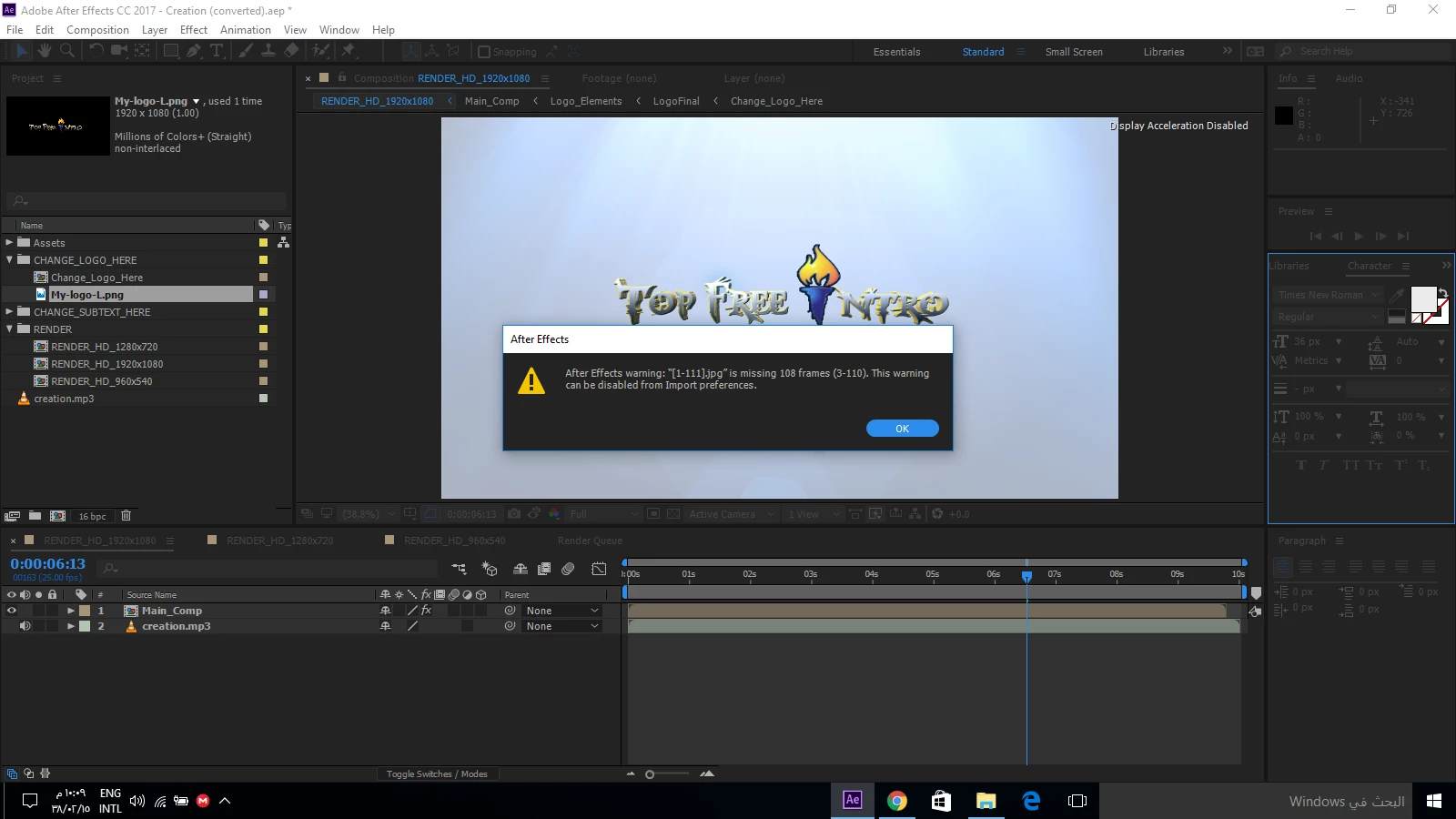
    1. the error window tells you you have a jpg sequence with missing frames. if you planned to import your jpgs as a jpg sequence, then you have missing frames and should look into it. we need more information about your setup. what exactly do you have there and how did this happen in relation to your workflow (the steps you took, what you planned to accomplish)

    2. the second message appears to be something related to your display. is this the first time you are seeing this? did you try to reboot your computer? give us more information about your OS version and GPU. have you changed certain settings in the preferences. if reboot does not resolve this I would try to reset my Ae preferences: Reset After Effects Preferences

    1 reply

    Roei Tzoref
    Roei TzorefCorrect answer
    Legend
    November 15, 2016

    1. the error window tells you you have a jpg sequence with missing frames. if you planned to import your jpgs as a jpg sequence, then you have missing frames and should look into it. we need more information about your setup. what exactly do you have there and how did this happen in relation to your workflow (the steps you took, what you planned to accomplish)

    2. the second message appears to be something related to your display. is this the first time you are seeing this? did you try to reboot your computer? give us more information about your OS version and GPU. have you changed certain settings in the preferences. if reboot does not resolve this I would try to reset my Ae preferences: Reset After Effects Preferences

    Participating Frequently
    November 16, 2016

    I have Intel(R)HD Graphics 3000

    And I have downloaded a free template project for after effects

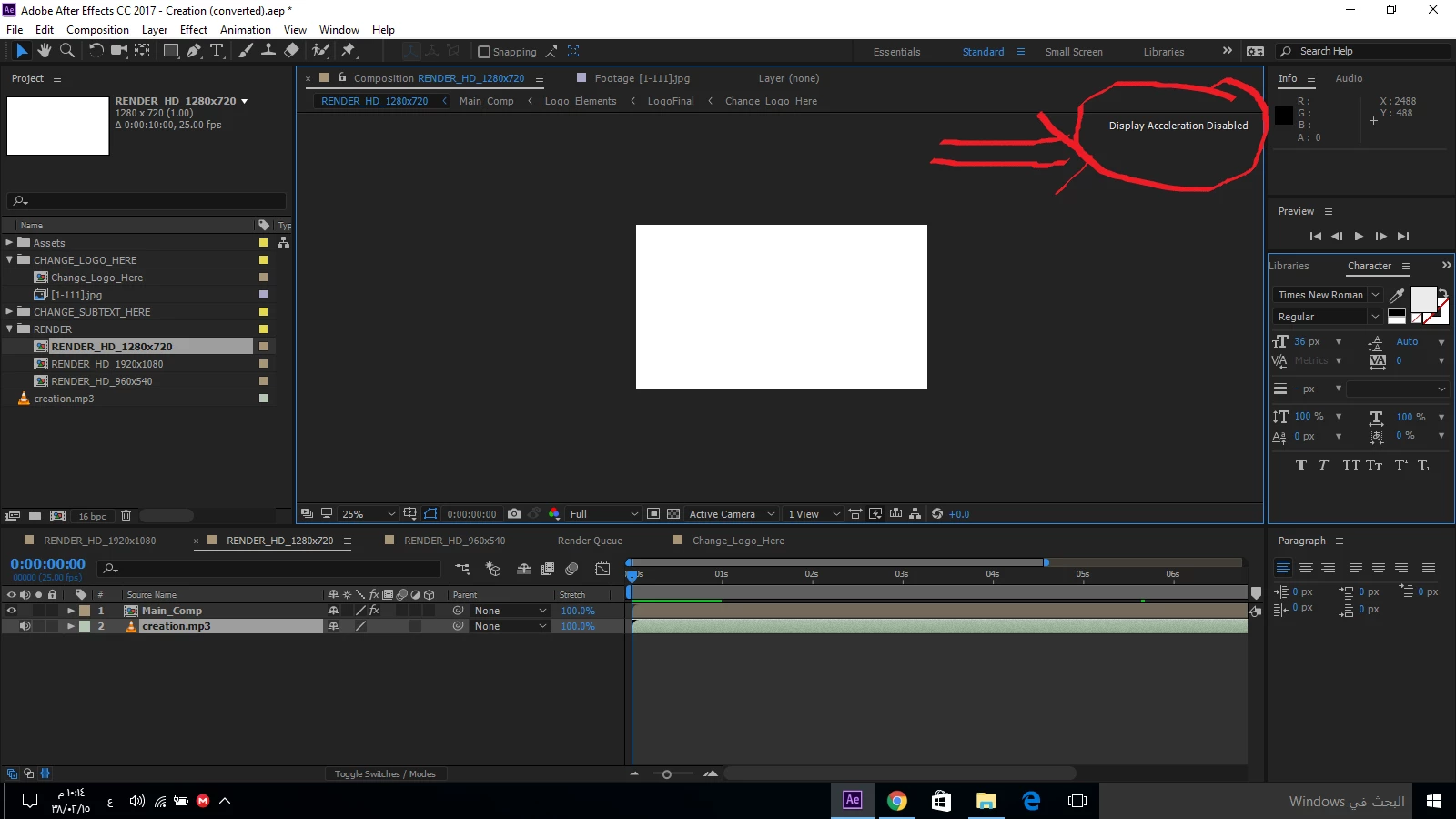
    When I open the template I got this message :

    Then I want to replace footage with my logo and I got this message :

    So please tell me what should I do with this

    And also how can I activate the acceleration engine in my laptop ?

    Roei Tzoref
    Legend
    November 16, 2016

    the template you have downloaded appears to have missing files. make sure you have not changed the folder structure of this template files when you downloaded them. other than that it's hard to say where those missing files are. maybe you could contact this template provider for the answers. this template is quite old (from at least 2008) - this could be related to the display message. I would try reset my Ae preferences first. then try to open the project again. does this display acceleration message appear in a new project or just this one? if it's just this one I would not worry about it.

    if you want you can upload the template here via dropbox or other legit cloud services and we can take a look what's wrong here.