ItsaShawnGray
Participant
May 8, 2020
Answered

Help animating double sided, folding pamphlet

  • May 8, 2020
  • 1 reply
  • 466 views

Hello!


I have been given the front and back cover, as well as the inside pages, of a pamphlet that I need to animate folding closed. I  put the inside and the outside into a composition and made them 3D layers so I could rotate 360 degrees around and see both sides. I then divded the composition into one comp for the front page and one comp for the back page so that I could fold it along the central crease.


I then brought both comps (pages) into a new composition, but when I try to rotate each page, I no longer see the other side. Is there a way to maintain the 3D elements of a composition once it is pre-comped? Or perhaps a better way to do this kind of thing?


Hoping that description made sense! Any assistance would be most appreciated. Thanks!
This topic has been closed for replies.
Correct answer Rick Gerard

The workflow is a little convoluted.


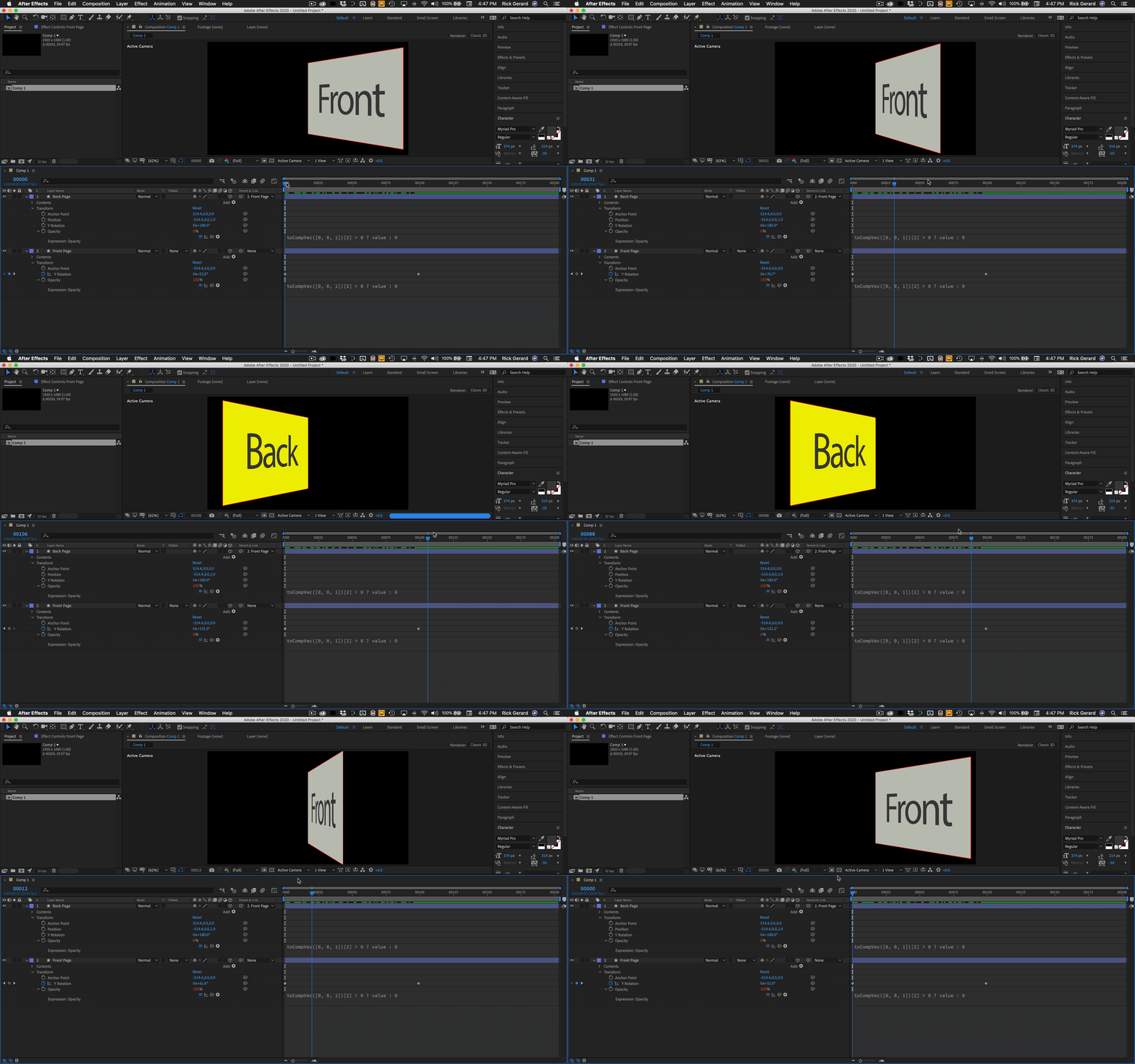
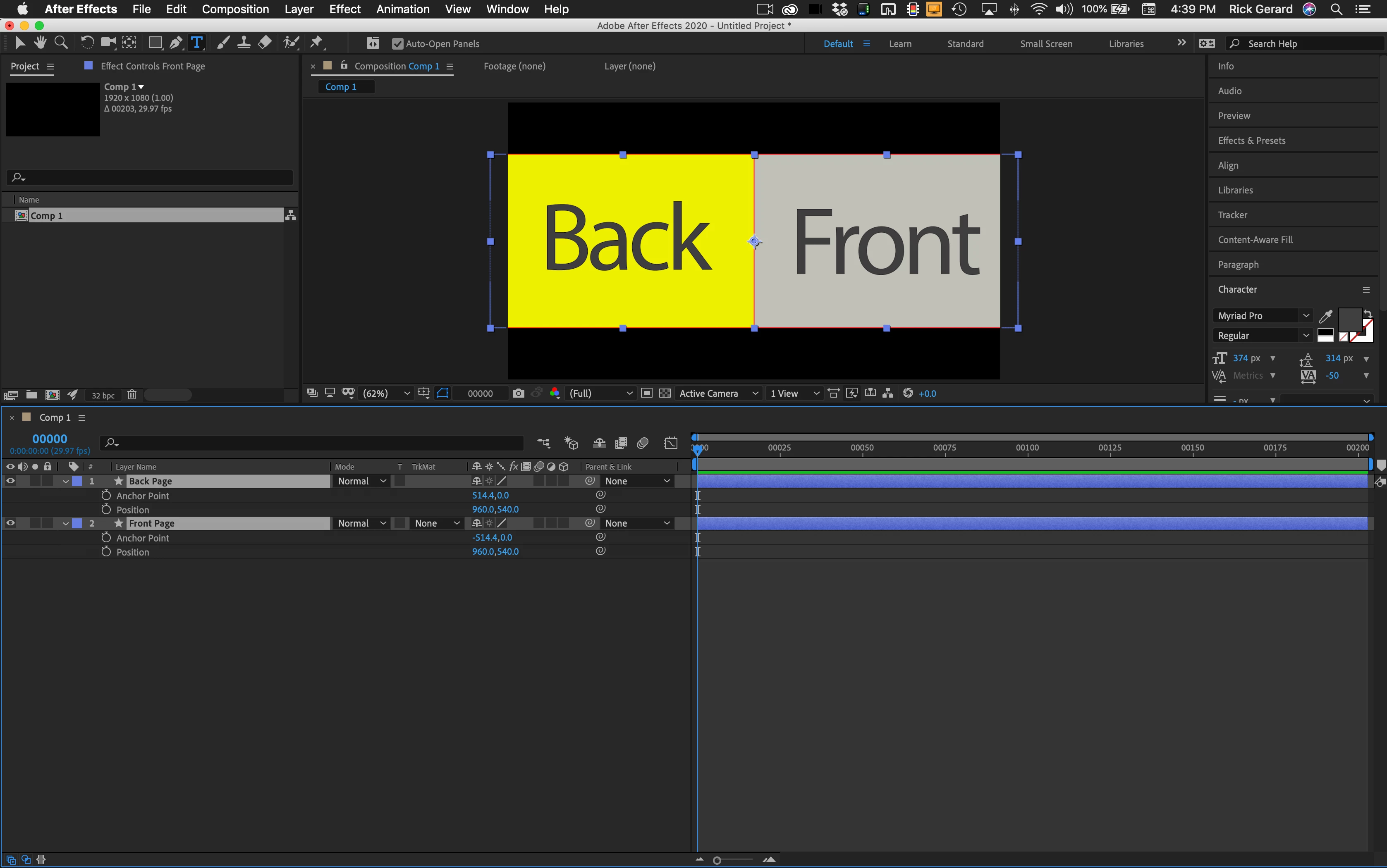
The proper setup is to set the anchor point for the pages you want to turn on their appropriate edge. The next step is to line up the anchor points of the front and back page. Step 3 is to make both layers 3D, offset the back page 1 pixel in Z, rotate the back page 180º, then parent the front and back page together. Now when you rotate the front page the back page follows and is perfectly lined up.


If you want to get even fancier Dan Ebberts has a simple expression that will turn off the visibility of any page that is not facing the camera. This extra step eliminates the possibility of interference between front and back pages. Here's a link. Invisible-facing-away. This is one of my most used animation presets.


This is what the workflow looks like:

If you want to stick with the Pre-comp idea the workflow gets pretty complicated pretty quickly. Collapsing transformations won't do it. You will need to set the layers up as I indicated then add an Expression Control Rotation effect to the main comp, tie that to the pre-comp and then rotate the pages from the main comp or do the page turns in the Pre-comp.  Here's a project file for you to play with: Open Book.aep

1 reply

Rick GerardCommunity ExpertCorrect answer
Community Expert
May 8, 2020

The workflow is a little convoluted.


The proper setup is to set the anchor point for the pages you want to turn on their appropriate edge. The next step is to line up the anchor points of the front and back page. Step 3 is to make both layers 3D, offset the back page 1 pixel in Z, rotate the back page 180º, then parent the front and back page together. Now when you rotate the front page the back page follows and is perfectly lined up.


If you want to get even fancier Dan Ebberts has a simple expression that will turn off the visibility of any page that is not facing the camera. This extra step eliminates the possibility of interference between front and back pages. Here's a link. Invisible-facing-away. This is one of my most used animation presets.


This is what the workflow looks like:

If you want to stick with the Pre-comp idea the workflow gets pretty complicated pretty quickly. Collapsing transformations won't do it. You will need to set the layers up as I indicated then add an Expression Control Rotation effect to the main comp, tie that to the pre-comp and then rotate the pages from the main comp or do the page turns in the Pre-comp.  Here's a project file for you to play with: Open Book.aep

ItsaShawnGray
Participant
May 11, 2020

Thanks! Much appreciated. Still getting used to the ins and outs of After Effects, and often end up making things more difficult for myself.