Participant
September 6, 2017
Question

Help duplicating a placeholder and animation from template

  • September 6, 2017
  • 2 replies
  • 1885 views

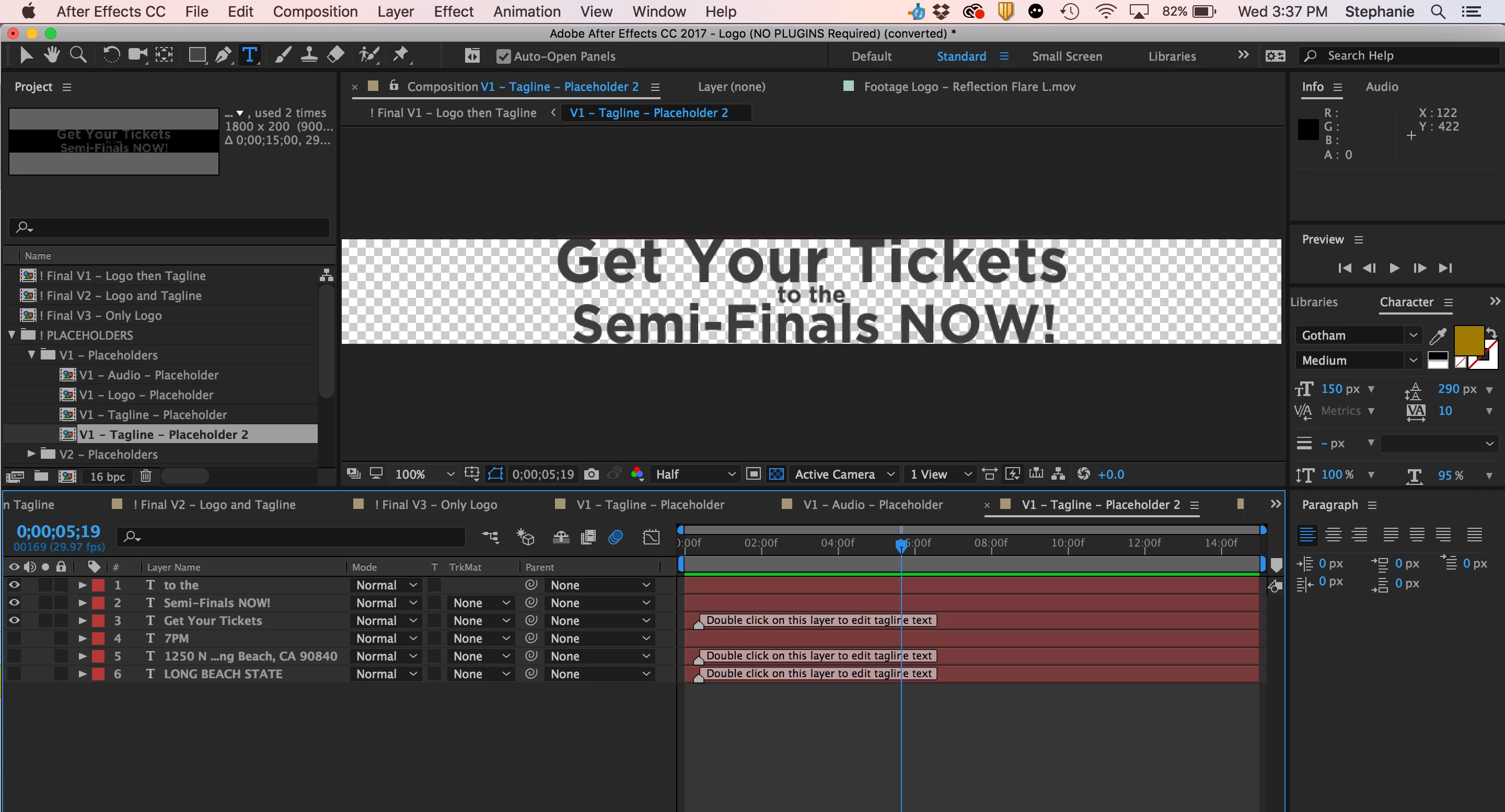
I'm using a template for an endcard and pretty much I want the Tagline- Placeholder 2 (that I created) to play immediately after Tagline- Placeholder (came with the template purchased) and include the same animation that happens on the first tagline placeholder. I've been able to create the second placeholder, however when I add it to my workspace it can't be viewed and has no animation attached. I believe it's something with my keyframes, however I'm really not sure. Just need to be able to add an extra placeholder for additional information on the endcard. I've attached a screen recording of the current state of my project. The one in the video is the original tagline- placeholder that came with the template and the screenshot attached is the placeholder 2 that I've created and want to play immediately after the first placeholder with the same animation.
This topic has been closed for replies.

2 replies

Kevin J. Monahan Jr.
Legend
September 11, 2017

Hi Lovell2,

Sorry for this issue. Did you ever find a solution? Please let us know if you have or if you still need help.

Thanks,

Kevin

Kevin Monahan - Sr. Community and Engagement Strategist – Adobe Pro Video and Audio
Andrew Yoole
Inspiring
September 7, 2017

It's not too clear what's going on with the limited details provided, but my initial thoughts:

It looks like you've added new text layers in your Placeholder 2 comp.  It would make sense to me that you should edit the original text layers, rather than create new ones, so that any animation on those layers is also included.  Are there keyframes, expressions or text animators on any of the text layers?

Your image and video doesn't show whether you've added your Placeholder 2 comp into the output comp ( !Final V1 - Logo then Tagline ).   It will need to be added to the comp, which may entail extending the length of the comp overall.

Lovell2Author
Participant
September 7, 2017

Hi Andrew,

Thanks so much for trying to help me out with my issue and my apologies for

the confusion with the wording of my question. Basically the template I

have only came with one placeholder for a tagline. I have additional

information I need to add to my endcard however. My goal is to duplicate

the original tagline and animations that came with the template and add it

to the end of my video. I also would like to increase the height of my

tagline and am having difficulty doing so (every time I go to composition

settings and adjust the height, it changes on the placeholder composition,

but not the main).

Hope this helped provide more information, let me know if I can clarify

anymore. Thank you so much for taking the time to help me with this issue.

I'm currently a beginner trying to improve my proficiency with the program,

but don't really know all of the technical terms or how to perform a lot of

aspects.

Your help is extremely appreciated!

Best,

Stephanie

On Wed, Sep 6, 2017 at 5:25 PM, Andrew Yoole <forums_noreply@adobe.com>

Dave_LaRonde
Inspiring
September 7, 2017

If you have limited After Effects experience, you're going to find it exceedingly difficult to do what you want on a deadline.

Simple possession of a template is NO guarantee of AE success for the newcomer.  Templates are easy if you use IF you follow directions precisely to the letter.  But if you decide to modify them in some way, they can be a Right Royal Pain in the worst-imaginable part of the human anatomy.l