
Help needed: Insufficient memory when pre-rendering in After Effects 2020
Hi everyone!
Since 2 days ago I have been getting an error message saying "error: insufficient memory for Wave Warp. (4) (25 :: 60)" whenever I try to pre-render my composition.
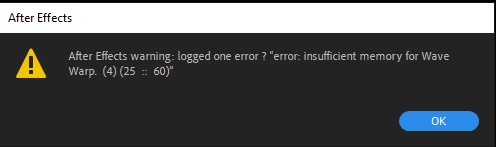
I have pre-rendered the same comp 3 days ago with no problems (though it did take me 20+ hours). However, I had to tweak a few things. Then I proceeded to pre-render it again (saving with a different file name).
This error message first appeared 8h into my pre-render, and then in 1-2h into it, and now it appears almost as soon as I try to pre-render the comp (it seems to be coming up faster).
I have constantly emptied my disk cache for this project to try to keep things going smoothly but it does not seem to help (and disk cache is not even full, as shown in the image). I also tried to Purge All memory.
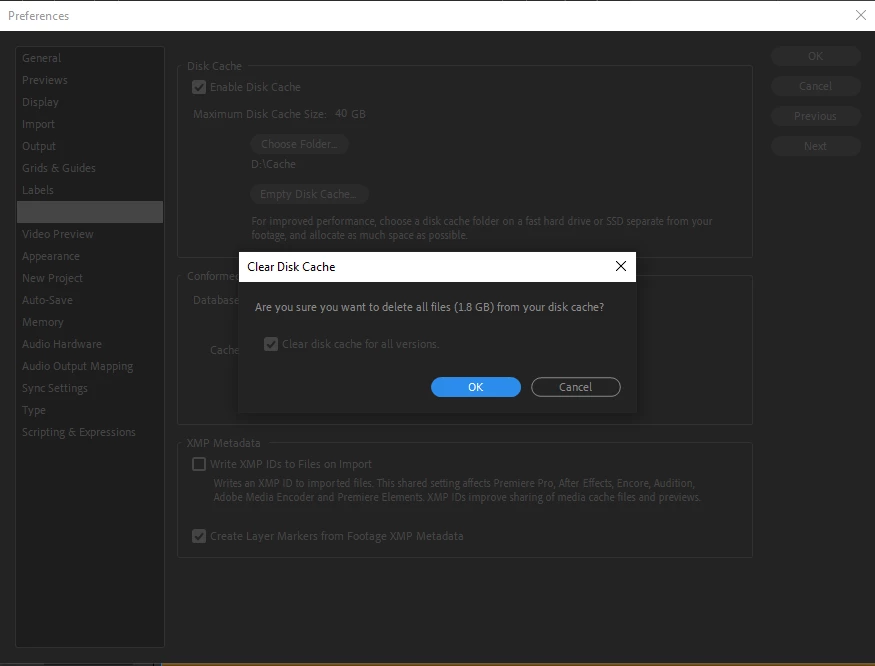
I have 40gb out of a 1tb SSD drive allocated for disk cache (550gb is free in this SSD). My footage and disk cache are in the same SSD, but that's my only one so I can't help it for now.
I also have been pre-rendering most smaller pre-comps inside this bigger composition in an attempt to ease the rendering process. It seemed to help at first until I came across this error.
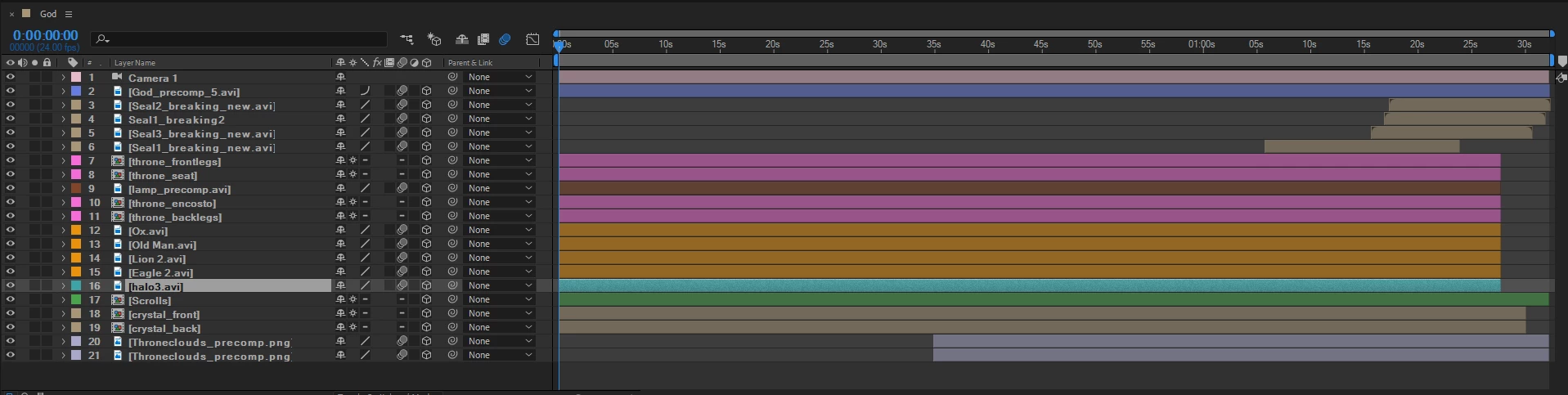
I have Wave Warp applied to one of the pre-comps, but since I have rendered almost the same composition (with said effect on even more pre-comps) before with no issues, it seems strange to me that this error popped up now.
Mine is a PC: Intel Core i7-8700 CPU 3.20GHz with 16GB of RAM running Windows 10.
I am kinda new to After Effects so I think I must be missing something here. This is my graduation project, so I'm 'slightly' worried. Any help would be very much appreciated!
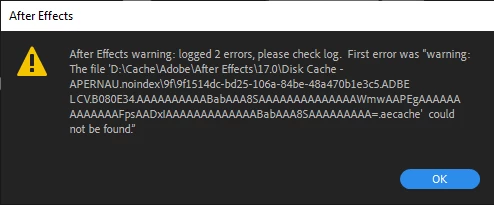
PS: Maybe it is unrelated, but I have also gotten this warning after successfully pre-rendering my comps:
 AdChoices