

Help remove color cast with GH5 V-Log L footage
I am working with correcting footage I have taken with my Panasonic GH5 in V-Log L 4K 10-bit 4:2:2. All the videos start of with the RGB levels being level on Lumetri scopes (RGB Parade) in AE.
I have created a custom LUT in Davinci Resolve using a Color Checker Passport to get more accurate colours in my videos. In AE I used Lumetri Color to import the LUT and I put it in Basic Correction Input LUT. That works fine and I am close to getting the colors and brightness levels how I want them. I just have to adjust the contrast, highlights, shadows, saturation and sharpness.
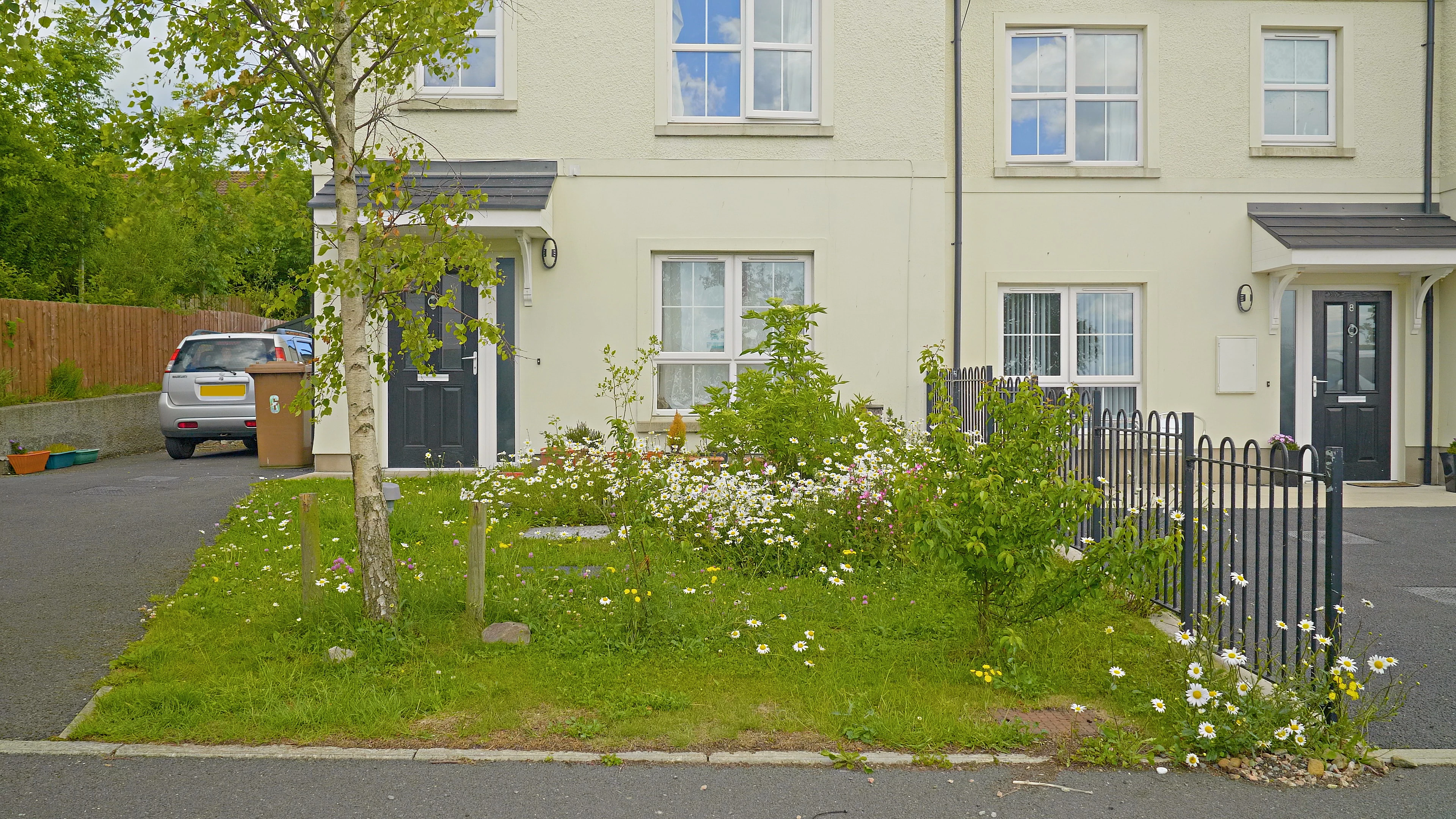
The issue I am having is that I use a SLR Magic Variable ND II when shooting my videos and that creates a slight warmish cast to the videos wwhich is what I am seeing after applying the LUT. Here is what I mean.
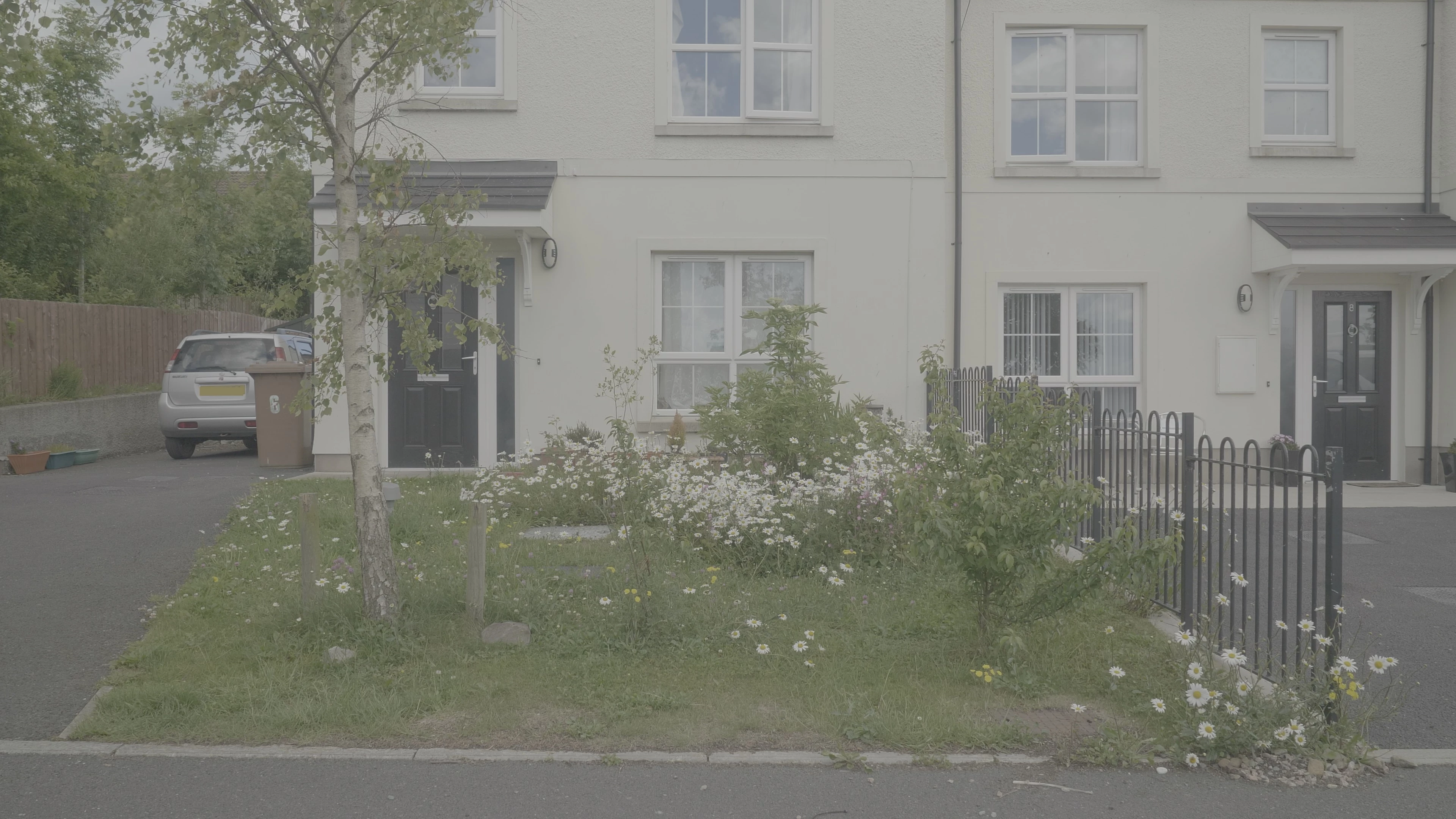
Ungraded footage in AE:
Edited footage looking slightly on the reddish/yellow side
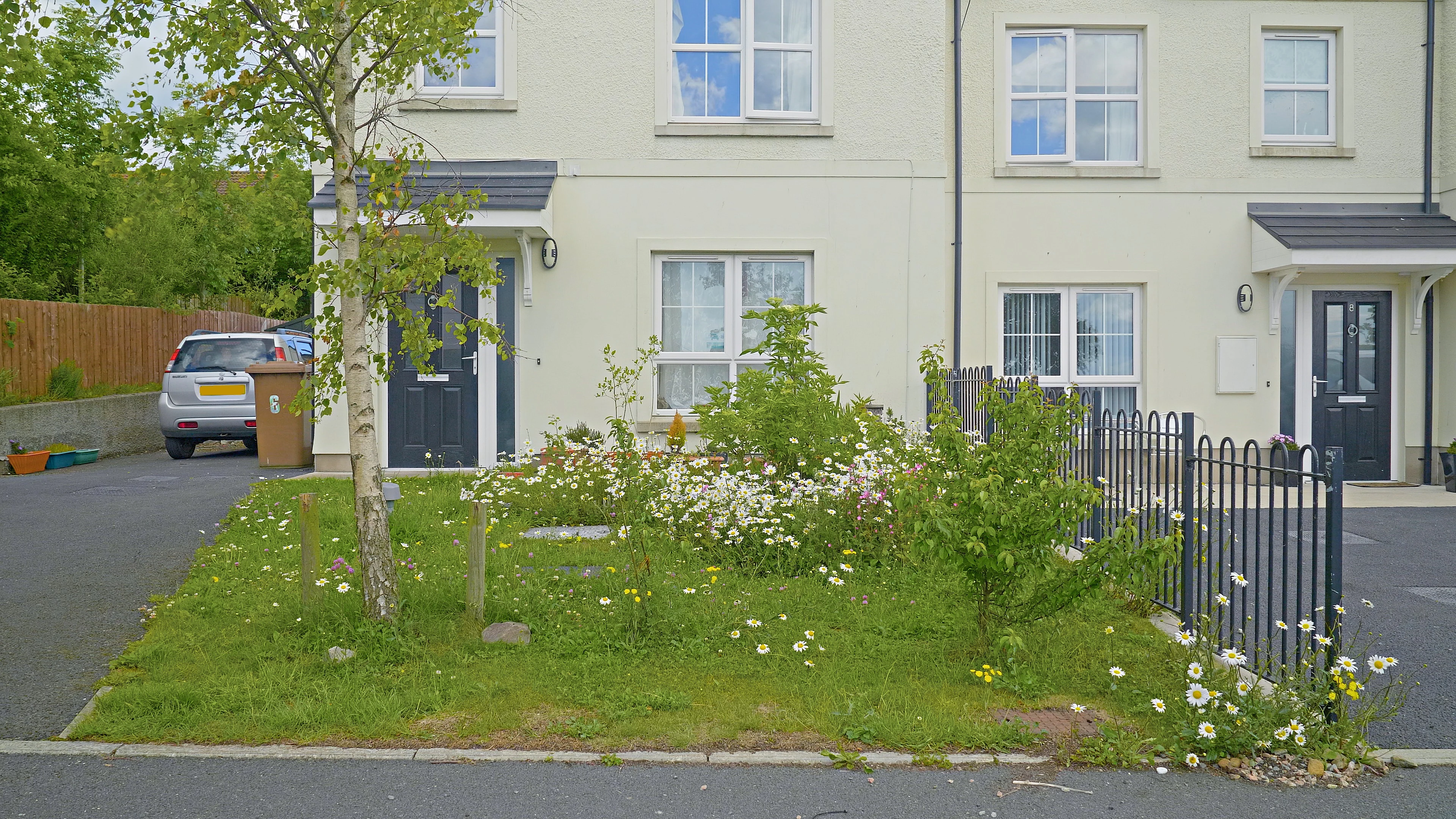
The cast may not look that obvious here, I tried adjusting the curves in Lumetri and got the video more to how it should look to give you an idea of how the footage is supposed to look (maybe be slightly on the blue side):
Is there an accurate way of getting rid of the color cast? using Lumetri curves, I am not sure if I am adding too much blue or too less red etc... to the image and need a better way of correcting the color cast. I can't use the White Balance WB Selector in Lumetri Color since many of my videos don't have any noticeable areas of white in them so can't select an area of white, so is there another way of correcting it?
 AdChoices