kimw24437252
Known Participant
May 14, 2021
Answered

Help! Transparent background needed when exporting...

  • May 14, 2021
  • 2 replies
  • 3009 views

Hi,


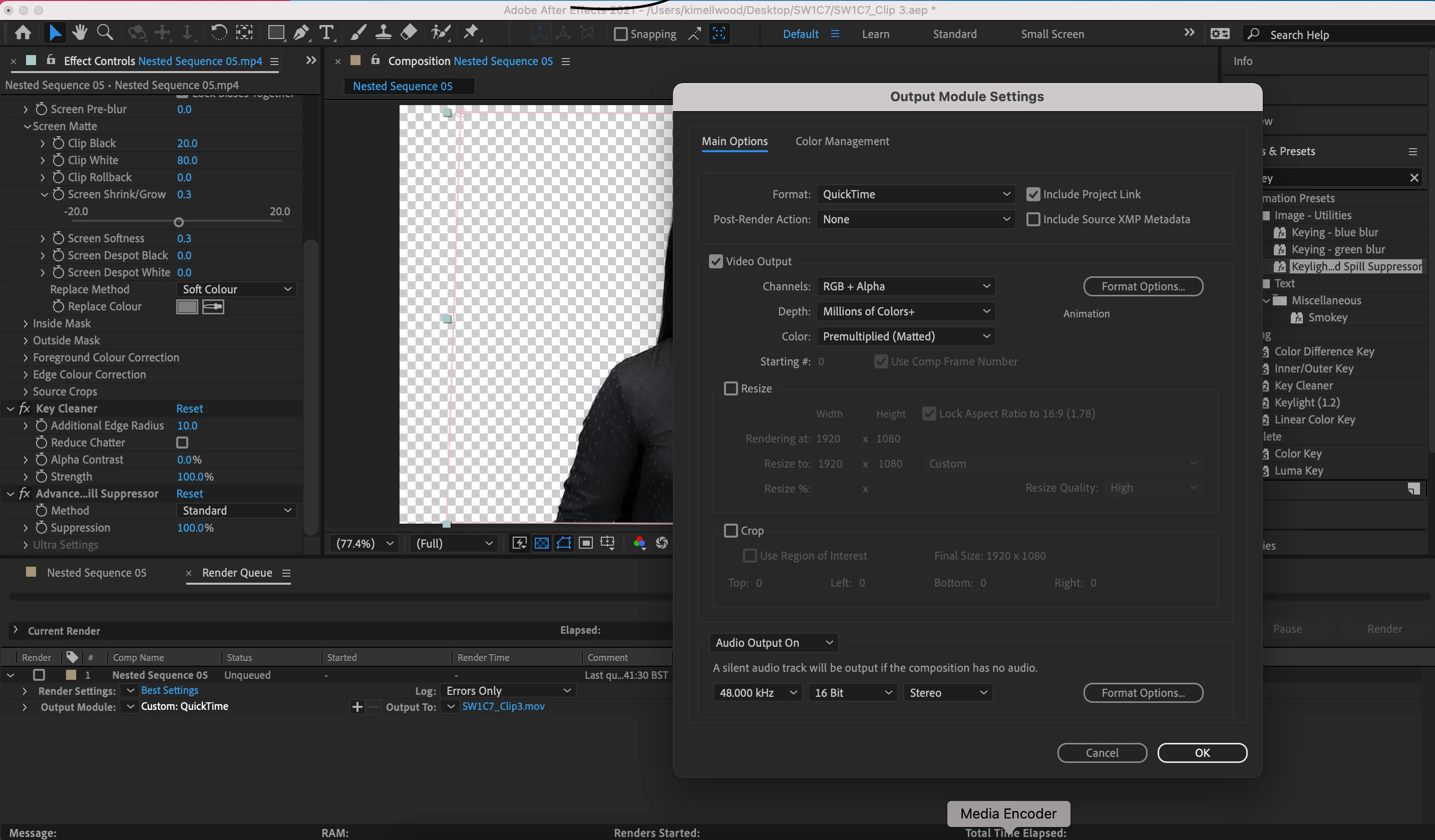
I've been using After Effects to edit some green screen footage, I now want to export my files with a transparent background so I can use in Premiere. However I must be doing something wrong as it just exports with a black background rather than transparent, I've followed tutorials (exported as rgb+alpha) but it just isn't working. What's odd is it worked a few days ago. Screenshot attached can anyone advise please?


Thank you so much! 


Also all tutorials say to export as Quicktime... is that correct? Which other video file formats can retain transparency?
This topic has been closed for replies.
Correct answer Byron Cortez

If you put it in the Premiere Pro Timeline over a video that should be seen in the background and you still see it black then you don't have the alpha. This would be the easy way to check if you have the alpha. What you're doing is a better option, insert the After Effects composition directly into the Timeline, so you don't even use additional space on your storage disk. 

2 replies

Community Expert
May 17, 2021

Does it appear with a black background within Premiere Pro, or when you export it do you reproduce it from the Finder? It might seem logical but remember that you should import it into Premiere Pro and verify whether or not it has the alpha, not from the Finder. If that does not help, try QuickTime but with the Apple ProRes 4444 codec, this supports alpha.


Byron.
kimw24437252
Known Participant
May 17, 2021

This is really helpful advice thank you so much.  I've been getting around it by importing my sequence from AE directly into Premiere.... I'll try the settings above but when you say I have to 'verify whether or not it has the alpha' can you tell me how I do that please? The black appears when I place on my timeline in Premiere... 

Byron CortezCommunity ExpertCorrect answer
Community Expert
May 17, 2021

If you put it in the Premiere Pro Timeline over a video that should be seen in the background and you still see it black then you don't have the alpha. This would be the easy way to check if you have the alpha. What you're doing is a better option, insert the After Effects composition directly into the Timeline, so you don't even use additional space on your storage disk. 

Byron.
Mylenium
Legend
May 14, 2021

Quicktime seems pretty much broken. Use another format like the native ProRes or DNxHD exports or an image sequence.


Mylenium

kimw24437252
Known Participant
May 17, 2021

Thank you so much although I'm still strugging...i can't seem to export video and audio together with a transparent background 😞 My computer takes so long to export and then I discover it hasn't worked....