

Help with After Effects & Cinema 4D that's CURRENT?
I've used Cinema 4D with After Effects back in 2018, but altho I saw many people on YouTube insisting that it came WITH After Effects I never actually experienced this. I actually had some kind of demo version, or something. 9It's been a while, i don;t recall everything.) It also didn't function like anything in the videos by experts on YouTube.
I use After Effects often, BUT I DON'T KNOW EVERYTHING, n often times instructions presume u know what they're talking about.
I've spent ALL DAY trying to figure this out and, my internet STINKS, which makes it more frustrating.
Also, whenever I look up any references, or tutorials on ANY SEARCH ENGINE I just get old outdated ones, like 2013.
Based on lots of stuff I read through (the most recent one from last year) claimed that if you went to the Maxon website, then "download the demo version" it would somehow change overtime into Cinema 4D Light... But each thing I did required me to do all these other things, like connecting Google, and some weird Captcha account thing, then eventually, hours later, I installed Cinema 4D, but it told me my video card drivers weren't updated? HUH???
So, then I had to update my drivers, and that required all these other things to be installed.... i have no memory of this being THIS MUCH WORK back in 2018.
So, I FINALLY did all the things.
But I STILL have THIS PROBLEM:
So, I do THIS:
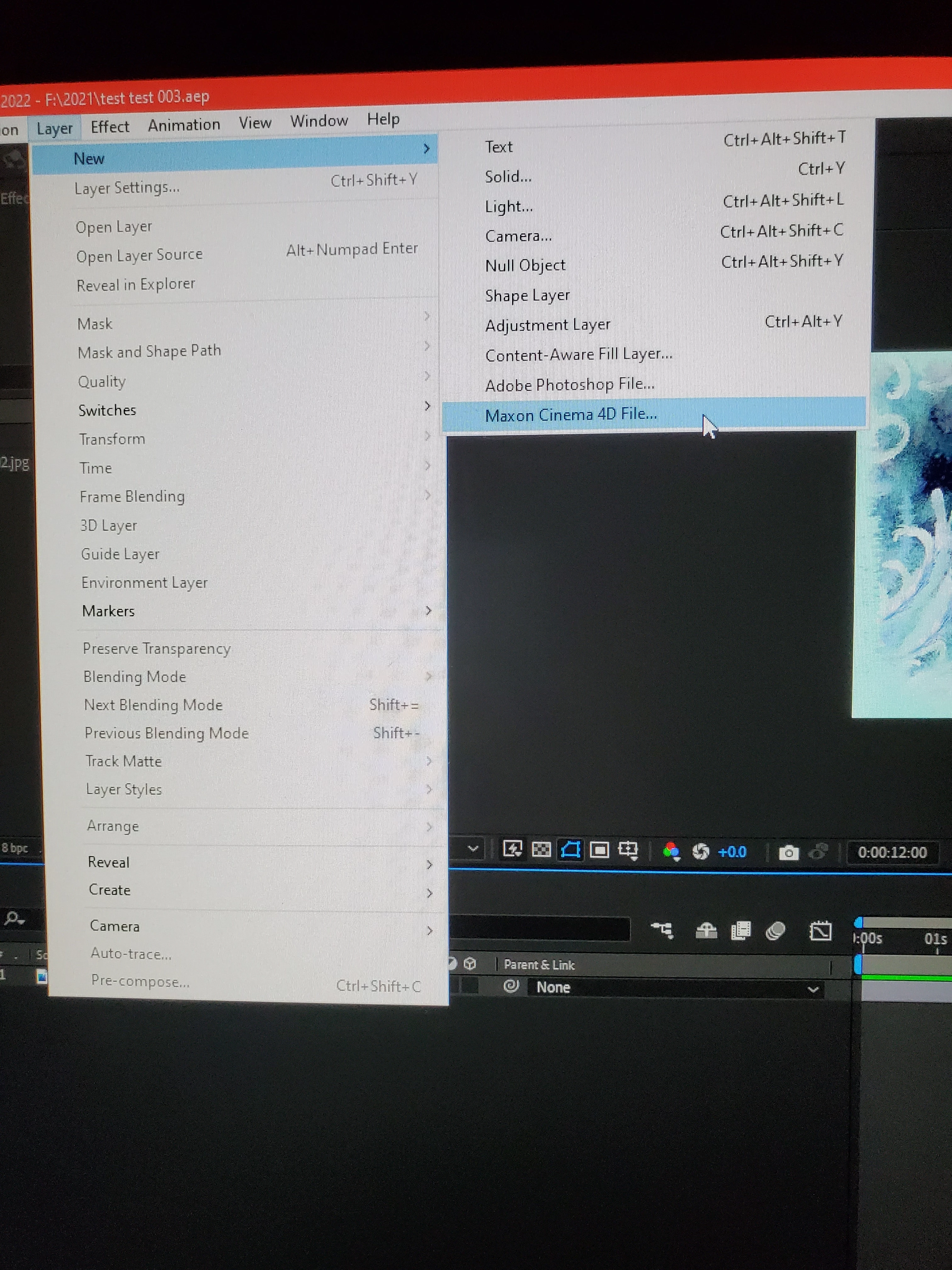
But then THIS STILL HAPPENS:
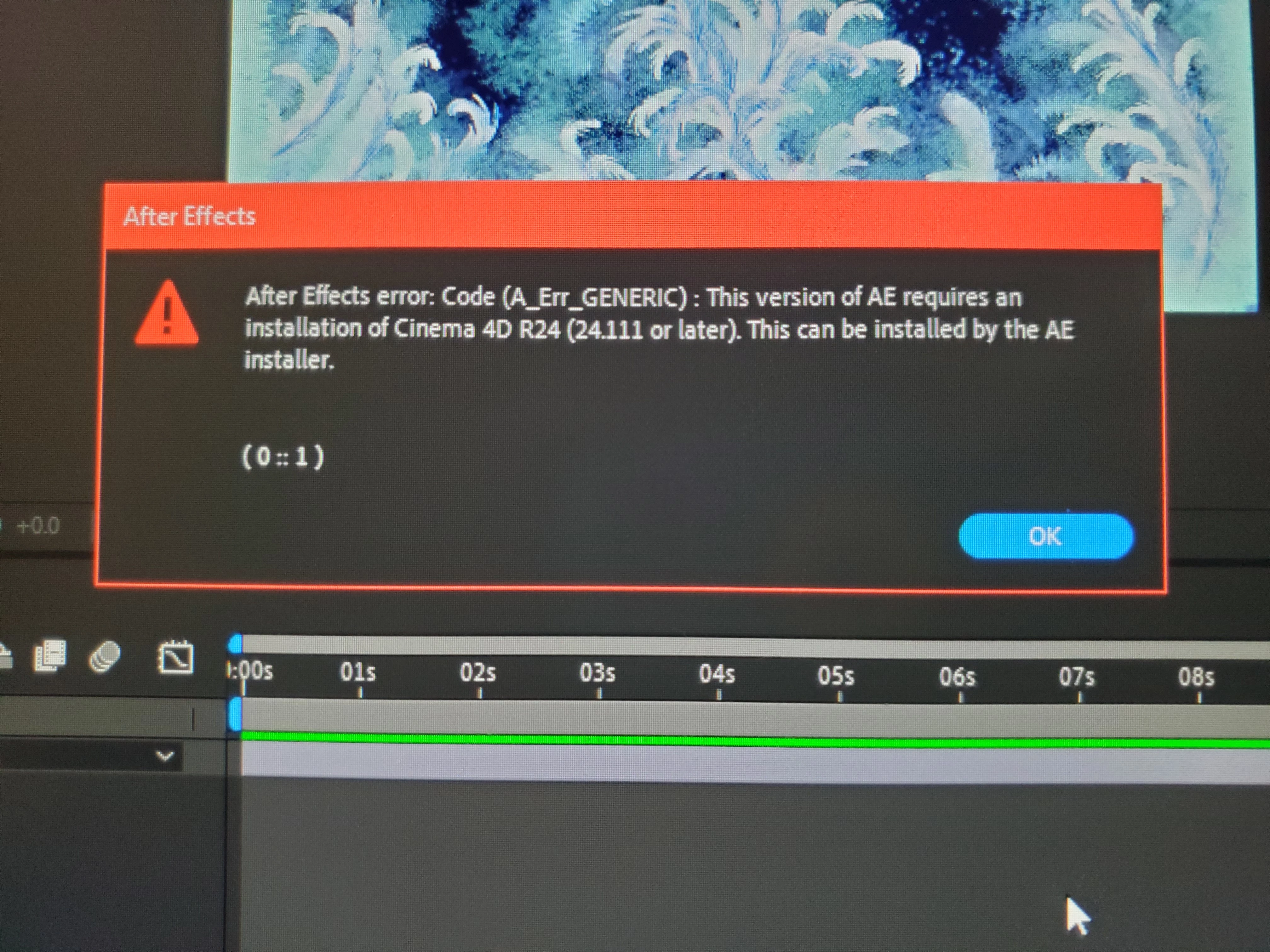
So, WHAT exactly is an "AE installer", and WHERE DO I FIND IT?????
I SEARCHED, N SEARCHED, N SEARCHED....
NO IDEA.
I typed & searched all kinds of combinations of keywords, checked all the menues. I'm SO LOST.
What should I do now???


 AdChoices