
gasparg94033917
Inspiring
May 8, 2017
Question

Help with color grading in AE

  • May 8, 2017
  • 3 replies
  • 1116 views

Hello, i'm using adobe after effect and i very bad in color grading and i  have this clip :
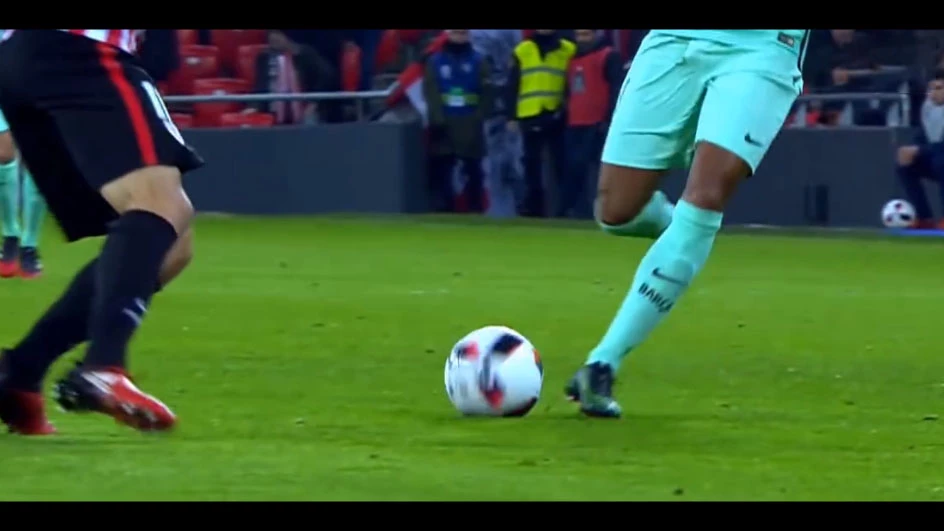
and i want to get a result close to this :
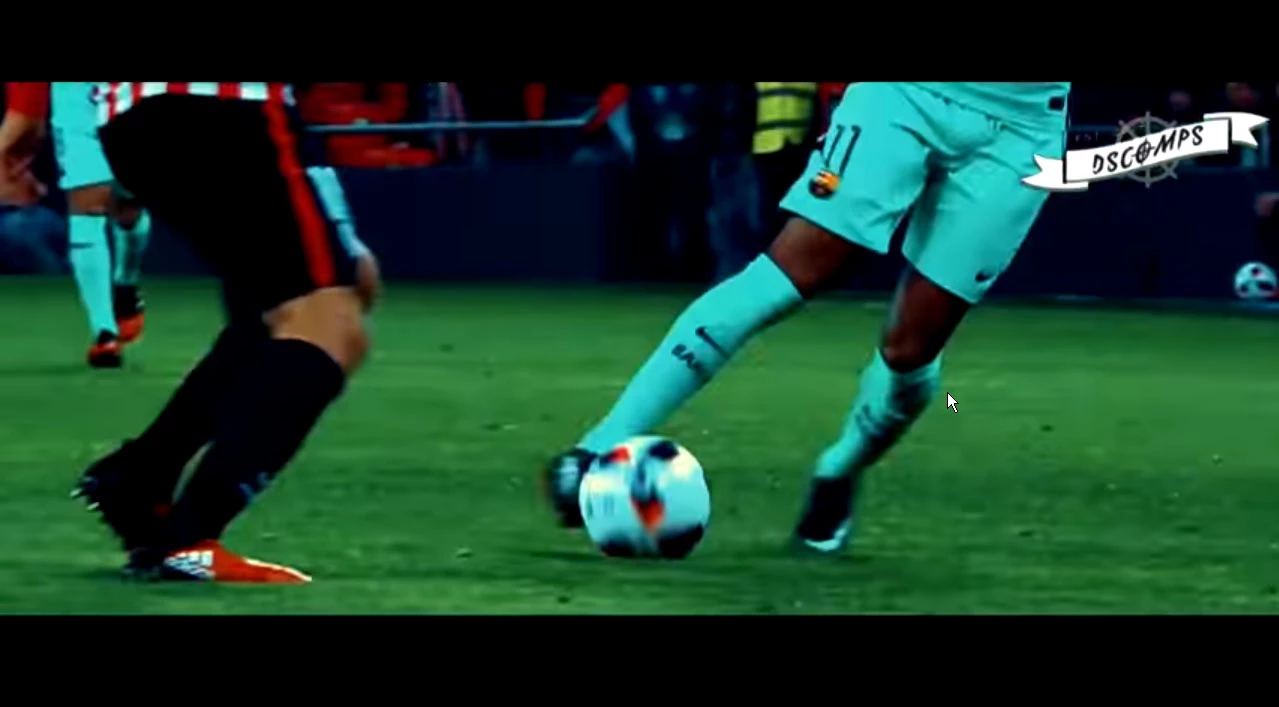
thank you so much if you answer and if you've got more time to spend it would be so nice of you if you could explain/teach me how to use color grading. Thanks !

This topic has been closed for replies.

3 replies

chrisw44157881
Inspiring
June 29, 2017

im gonna just blurt out what it seems to me. a hue/saturation angle on just the greens rotated 15 degrees. then an overall blue tint adjustment layer opacity soft light 30% amaright?

gasparg94033917
Inspiring
May 8, 2017

I watched this tutorial and tried some stuff and play arround with all the functionality but i can't get any thing like it.

Community Expert
May 8, 2017

Color grading takes a lot of time to learn and requires both knowledge and experience so you know what to tweak to get the results you want. The first thing you want to do is to set some kind of standard and then work all of your shots to that standard. The standard should comply with video standards for white level, black level and saturation. From there it's a matter of usually matching the whites first, then the blacks, then adjusting the gamma. The Info Panel, and now the vector scope and waveform (Lumetri Scopes) are your friends, but it takes some study to understand what you are looking at and quite a bit of experience to know what to tweak to get to look you want.

I hope this helps. If you are interested in the subject I would suggest that you plan on spending about 40 hours in serious study and experimentation using some good training resources (books and maybe Lynda.com) to get a basic understanding of color correction and develop a reasonable proficiency in the process. The guy I rely on for most of my feature film work has been color grading for more than 40 years and he can do in 2 minutes what would take me 20 because 1, his eye is very well trained, and 2, he can tell exactly where the problems lie by just looking at a waveform and vector scope.

gasparg94033917
Inspiring
May 8, 2017

Thanks i think a anderstood that i'll take me sometime to figure out how to use color corrections, I'll start reading about it now

thanks

Roei Tzoref
Legend
May 8, 2017

this 15 min tutorial will show you the basics and more:

it does reference premiere but you have both lumetri and lumetri scopes in Ae as of 14.2

gasparg94033917
Inspiring
May 8, 2017

thank you i'll watch this