Participant
April 8, 2017
Answered

Help with roto-brush

  • April 8, 2017
  • 1 reply
  • 2084 views

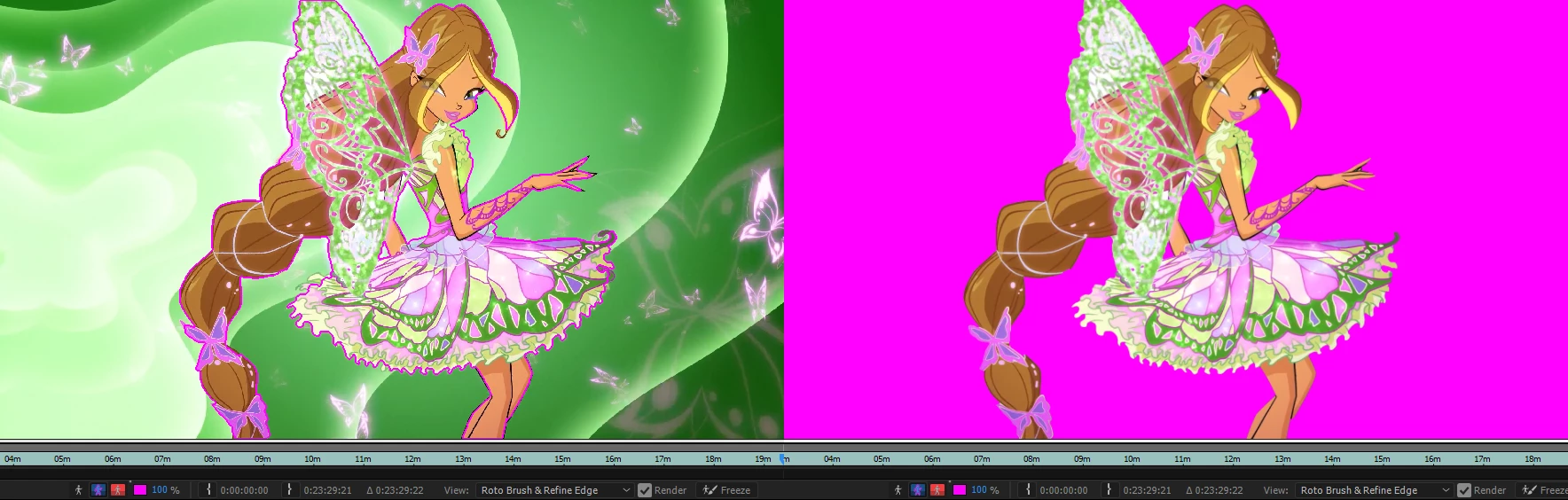
I use the toggle alpha boundary to rotobrush my mask in after effects but when I grab the hand tool to move the clip the toggle alpha boundary go into a solid color.

I don't know why it doing this.
This topic has been closed for replies.
Correct answer Roei Tzoref

yes, it's a bug ever since CC2015 that relates to when hardware acceleration is turned On in the preferences->display.
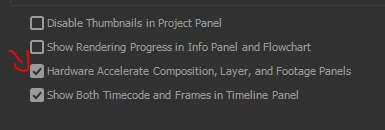
as of CC2015, using Alpha Boundary or Alpha Overlay in the layer panel when viewing masks shows 100% fill background in the overlay color when hardware acceleration is turned On, so just turn it off.

1 reply

Roei Tzoref
Roei TzorefCorrect answer
Legend
April 8, 2017

yes, it's a bug ever since CC2015 that relates to when hardware acceleration is turned On in the preferences->display.

as of CC2015, using Alpha Boundary or Alpha Overlay in the layer panel when viewing masks shows 100% fill background in the overlay color when hardware acceleration is turned On, so just turn it off.

Participant
April 9, 2017

Thank you so much

Community Expert
April 9, 2017

Your problem may be a bug but for others that run into this problem here's how the Rotobrush Preview options work.

The icons at the bottom of the Layer Panel when you have the Rotobrush tool selected are options for previewing the selection. The first gives you an alpha channel view which is black and white. The second gives you an outline. The third which gives you a solid color background but if you have the opacity set to 100% and you pick a hot color you can also get what you are seeing. This info is in the help files and anyone using Rotobrush should take the time to learn how to use the tool. Rotobrush doesn't work as you think it would and the ON stage for these three little icons is awfully subtle. Even experienced users have been caught using the wrong option

Here's mine set to green at 25%...
