Known Participant
August 19, 2018
Answered

Help with RTL language support

  • August 19, 2018
  • 1 reply
  • 3691 views

Hi all,

I know that as of version 14.2 AE has built in RTL language support.

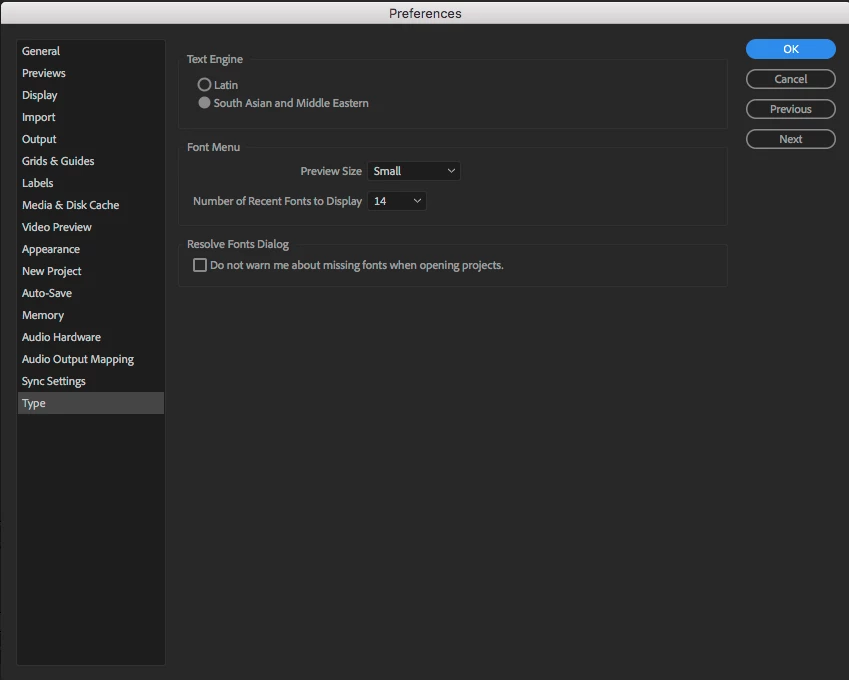
I've set the correct language engine in the text preferences and pressed the RTL button in the Paragraph tab.

AE insists on rendering my texts as LTR and it doesn't use ligatures.

It's as if AE is still using the Latin engine in spite of the engine that is set in the preferences.

I did restart AE and even tried to reinstall it.

Any ideas?
    This topic has been closed for replies.
    Correct answer Roei Tzoref

    Here it is:


    very puzzling. restart Ae and open a new composition. create a new text layer (layer->new->text layer) choose a typical hebrew font like Arial hebrew regular and try again

    1 reply

    Roei Tzoref
    Legend
    August 19, 2018

    make sure you create a new text layer:
    1.  do not copy paste from another text layer
    2. do not have a text layer highlighted when you create a new text layer.


    please show an example with screenshots of the issue

    egeller7Author
    Known Participant
    August 19, 2018

    Hi Roei,

    I set up an new project, then add a new composition, and finally a new text layer.

    Text is shown Left to Right.

    Here's a screen shot: http://gezer.co.il/images/screen.png

    Thanks

    Roei Tzoref
    Legend
    August 19, 2018

    show the type preferences in the preferences window