
Mugen777
Inspiring
February 20, 2019
Answered

Hey, i need help about parenting layers to a null with a delay

  • February 20, 2019
  • 1 reply
  • 5943 views

Hey everyone. I am trying to parent several shapes to a null with a delay between them. So i wish to control several layers with only one null.

I asked in AE discord channel and someone helped me with this code

  • p = thisComp.layer("Control");
  • delay = thisComp.layer("Control").effect("Delay")("Slider")/100;
  • value+p.transform.position.valueAtTime(time-delay);

For this code, i have a null named Control with a slider control named Delay. I used this code on shape's position.

This code works but there is a kinda big problem. When i use the expression, my layer moves somewhere else and start to follow my null from that point. I create an example project to explain.

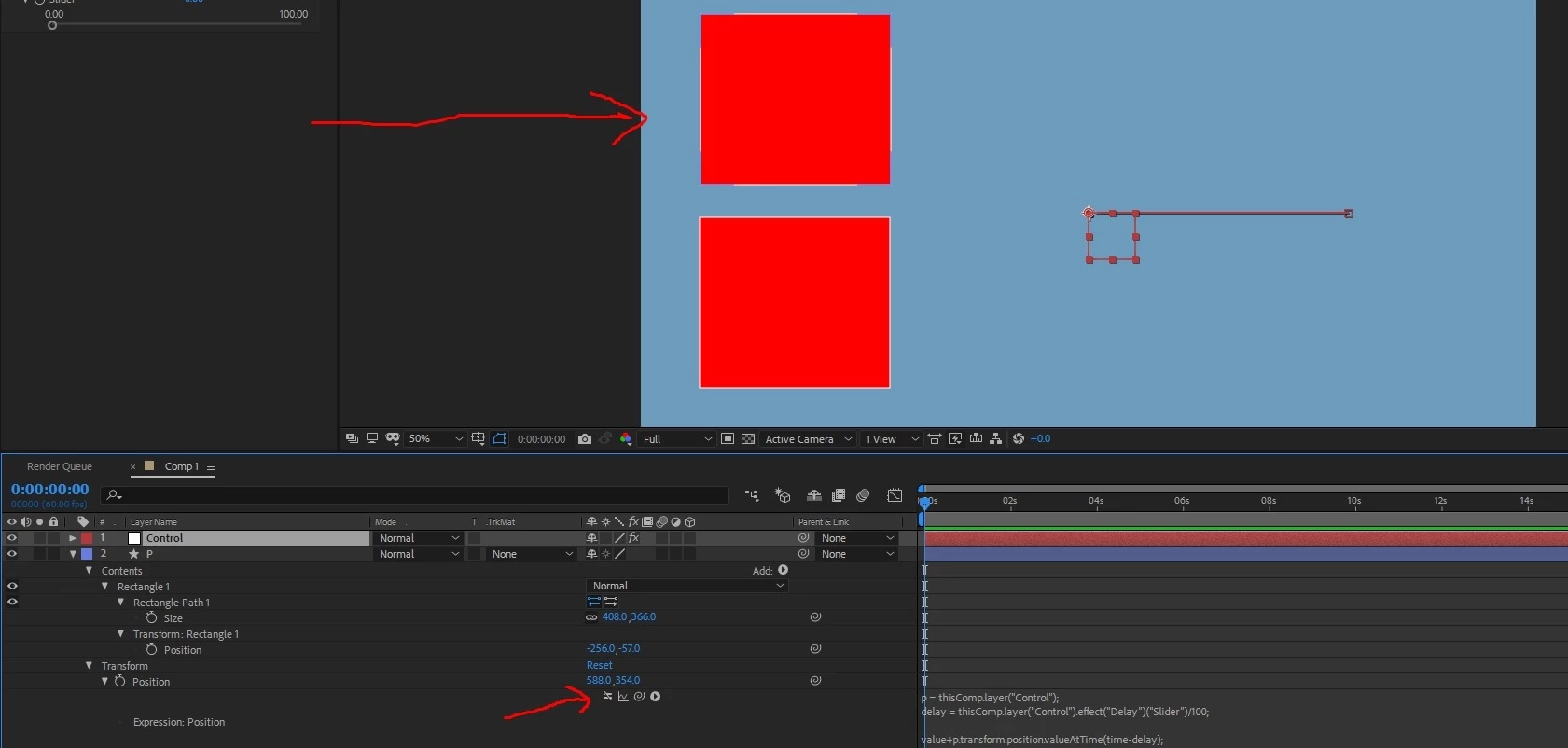
This is what happens when the expression disabled
And this is what happens when the expression enabled
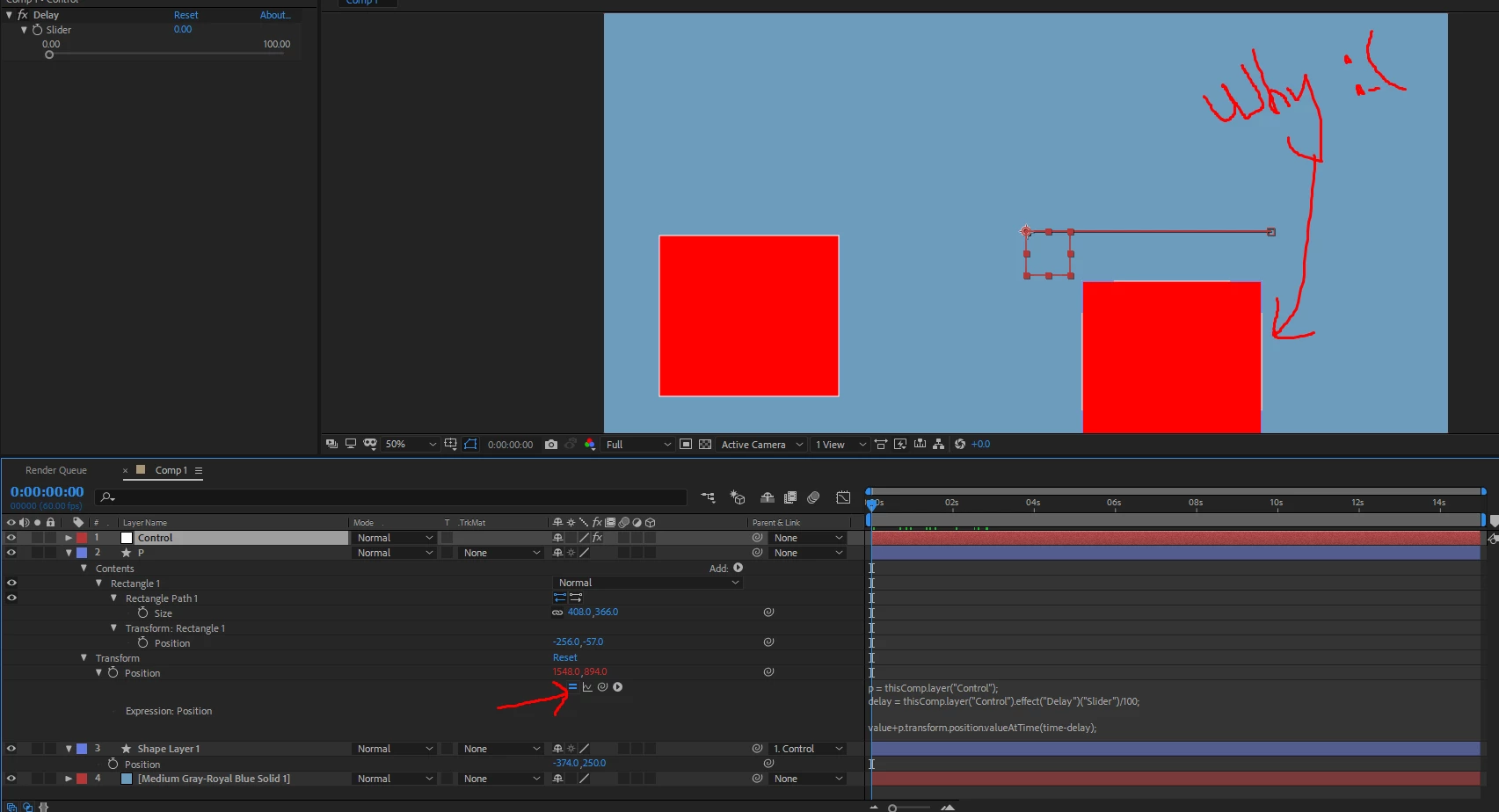
I am not sure how can i fix this / is it possible to fix. I hope someone can help me : D

(or maybe another way that i can parent layers to a null with delay : )

Thank you for reading.

    This topic has been closed for replies.
    Correct answer Dan Ebberts

    See if this works closer to what you want:

    p = thisComp.layer("Control").transform.position;

    delay = thisComp.layer("Control").effect("Delay")("Slider")/100;

    delta = p.valueAtTime(time-delay) - p.valueAtTime(0);

    value+delta;

    Dan

    1 reply

    Dan Ebberts
    Community Expert
    Dan EbbertsCommunity ExpertCorrect answer
    Community Expert
    February 20, 2019

    See if this works closer to what you want:

    p = thisComp.layer("Control").transform.position;

    delay = thisComp.layer("Control").effect("Delay")("Slider")/100;

    delta = p.valueAtTime(time-delay) - p.valueAtTime(0);

    value+delta;

    Dan

    Mugen777
    Mugen777Author
    Inspiring
    February 20, 2019

    Hey Dan, that worked great : )

    May i ask you about what did we wrong, what did you do to correct it?

    ps. And one more small question, since slider only let me values 0-100, how can i use values more than 100?

    Thank you : )

    Dan Ebberts
    Community Expert
    Community Expert
    February 20, 2019

    The trick is that you need to add to your follower layer's position, the amount that the control layer has moved since time zero.

    For the slider, you can just right click on the value and select Edit Value, where you can enter numbers outside the slider's range, or even change the range.

    Dan