
Participant
March 13, 2022
Question

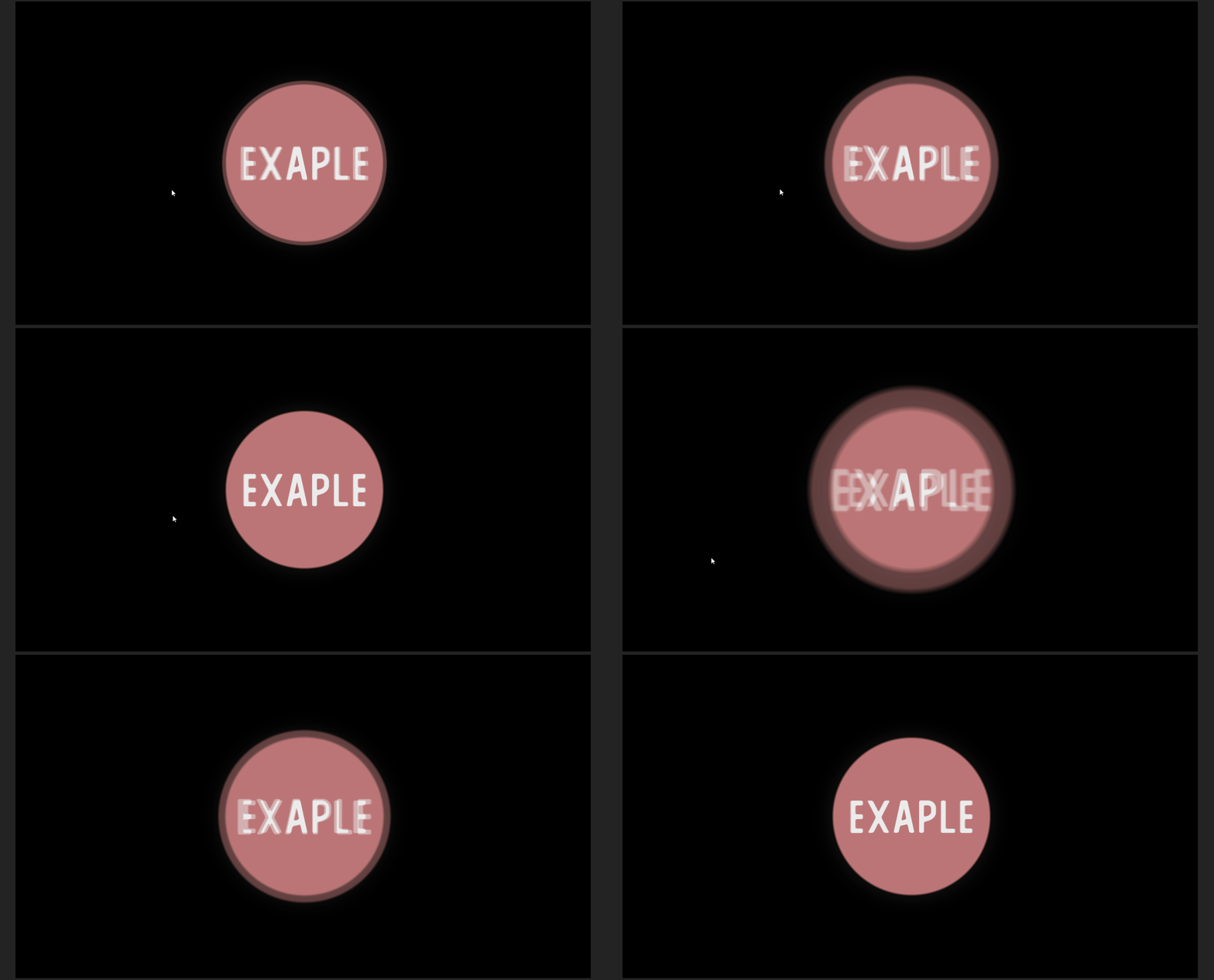
Hi, motion blur F**k up.. help?
  • March 13, 2022
  • 2 replies
  • 463 views


I just updated after effect to 2022.
and on this save i have had for years now started doing this?

it is only there when motion blur is on, on that layer


It is a scale expression and the line is:

temp = thisComp.layer("soundkey").effect("Sound Keys")("Output 1");
value+[temp, temp]


I have tryed to add a transform effect insted of the main transform but is is the same.


my comp settings is :
1920x1080 60fps


And my miton blur settings are:
shutter angle 180  shutter Phase -90

Samples per frame 64   adaptive sample limit 128


3D render is set to Calssic 3D


Can someone help?

This topic has been closed for replies.

2 replies

Dr.SqAuthor
Participant
March 16, 2022

Hi, i think i figured it out.


I make vizulaiser for my music on youtube and i use " Trapcode Suite "


if you use the plug in " Trapcode Soundkeys " after you have " applyed " every time you for new songs then the keyframes it makes be a bit glitchy.


what i did was open the layer and delete all the keyframes it makes and apply it again


that fixed it for me 

Best.
Dr.Sq

Community Manager
March 16, 2022

Hi Dr.Sq,


Thank you for taking the time to post about this issue. It doesn't look familiar. Can you post an example project so we can take a look and figure out what is going on?


Thank you,

Jason

Dr.SqAuthor
Participant
March 16, 2022

Hi Jason,


i think a found the problem but thanks anyway 😄

best

Dr.Sq

P.M.B
Legend
March 16, 2022

It might be helpful to others if you can explain what the problem was.  You'll get a "correct answer" added to your profile

~Gutterfish