
Hi! Re: deleting background after rotor superimposition
Hi! Bear with me i am still fairly new to After Effects. Basically I have used the Rotor brush to create a small clip and superimpose Phil against my own background. (below) I want to slow motion the 2 sec clip i have into 8 sec but every time i drag the timewarp effect onto Phil's clip the original background comes up even though i already put him against white and it still seems to play with him against the park pitch in real time. Only thing is i need slow mo and also opacity for Phil as well since he passed. So basically every time i add the timewarp the old original background comes up in a square even though it plays together at normal speed. And i wanna make him transparent opacity ghostly as well. What do I do? Thanks in advance look below for 4 screenshots.
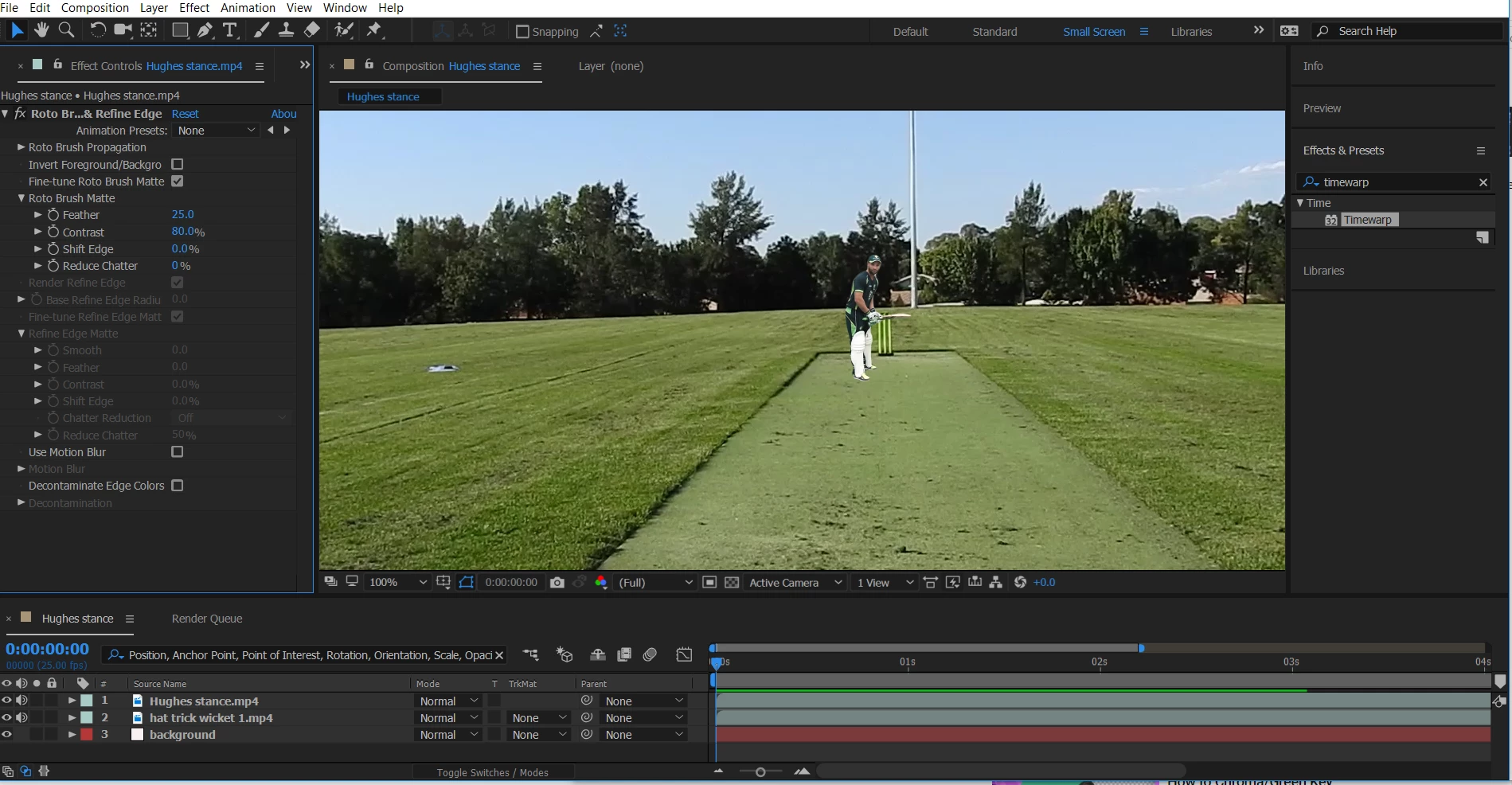
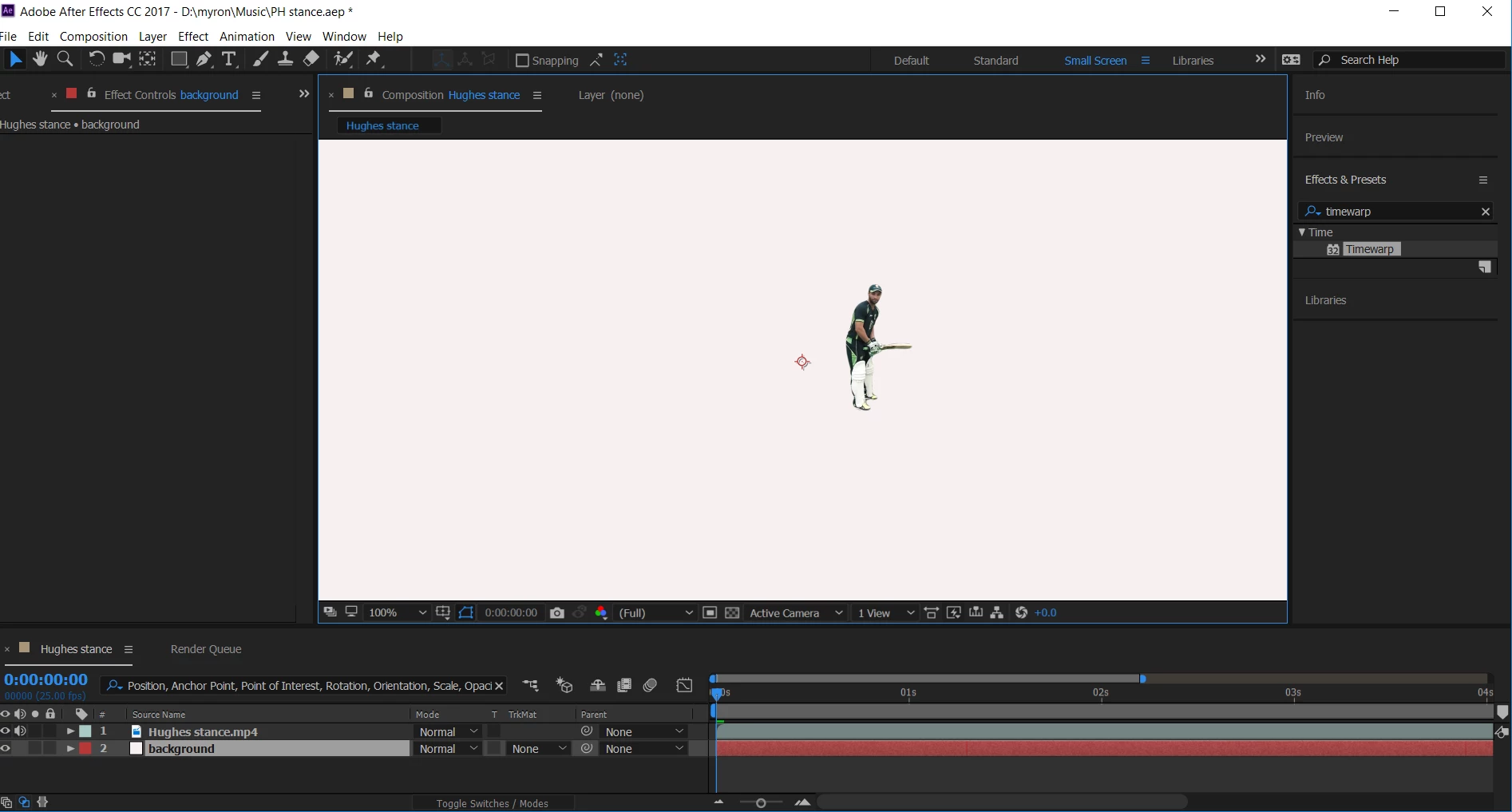
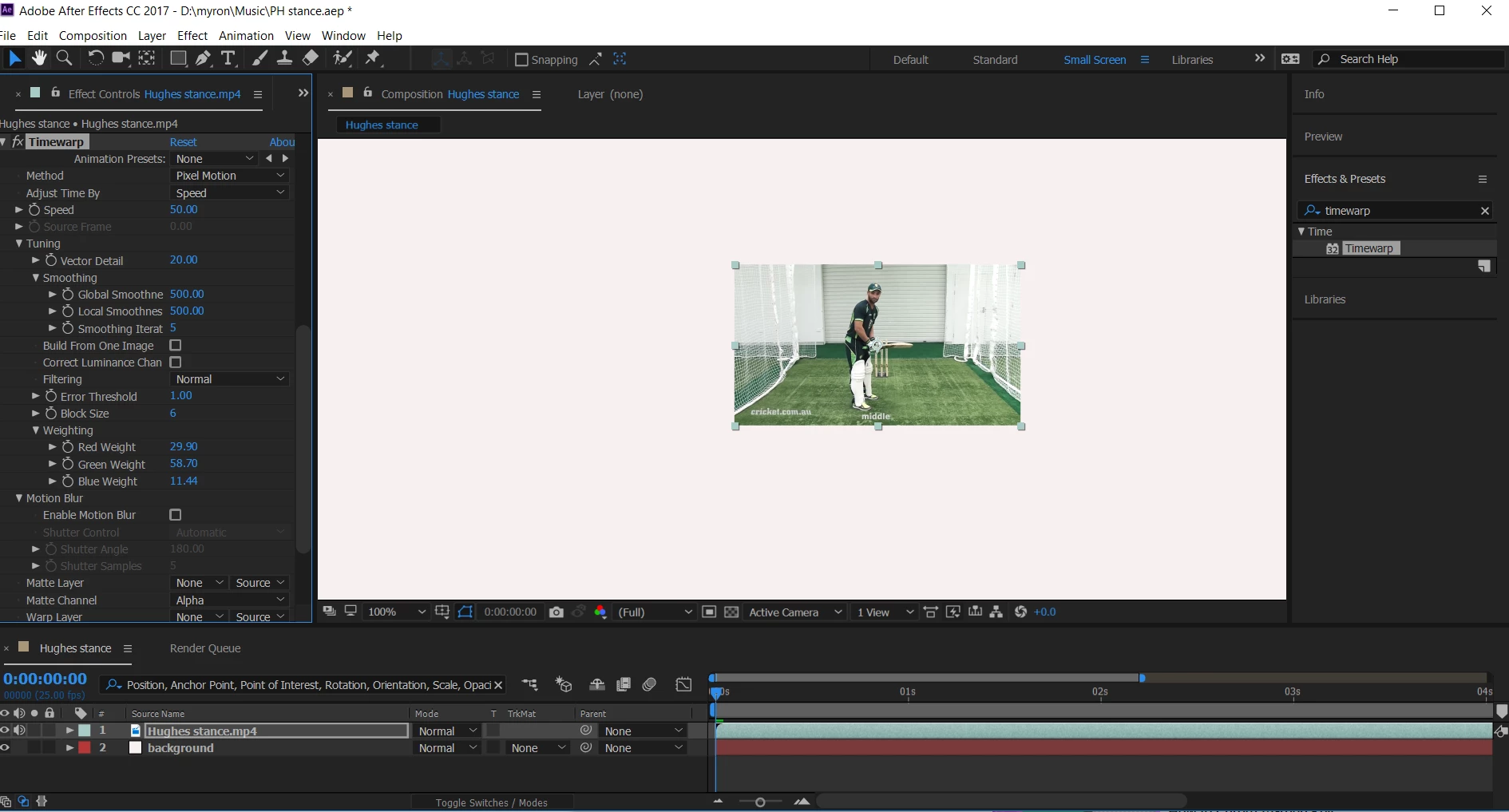 This is where i have the problem.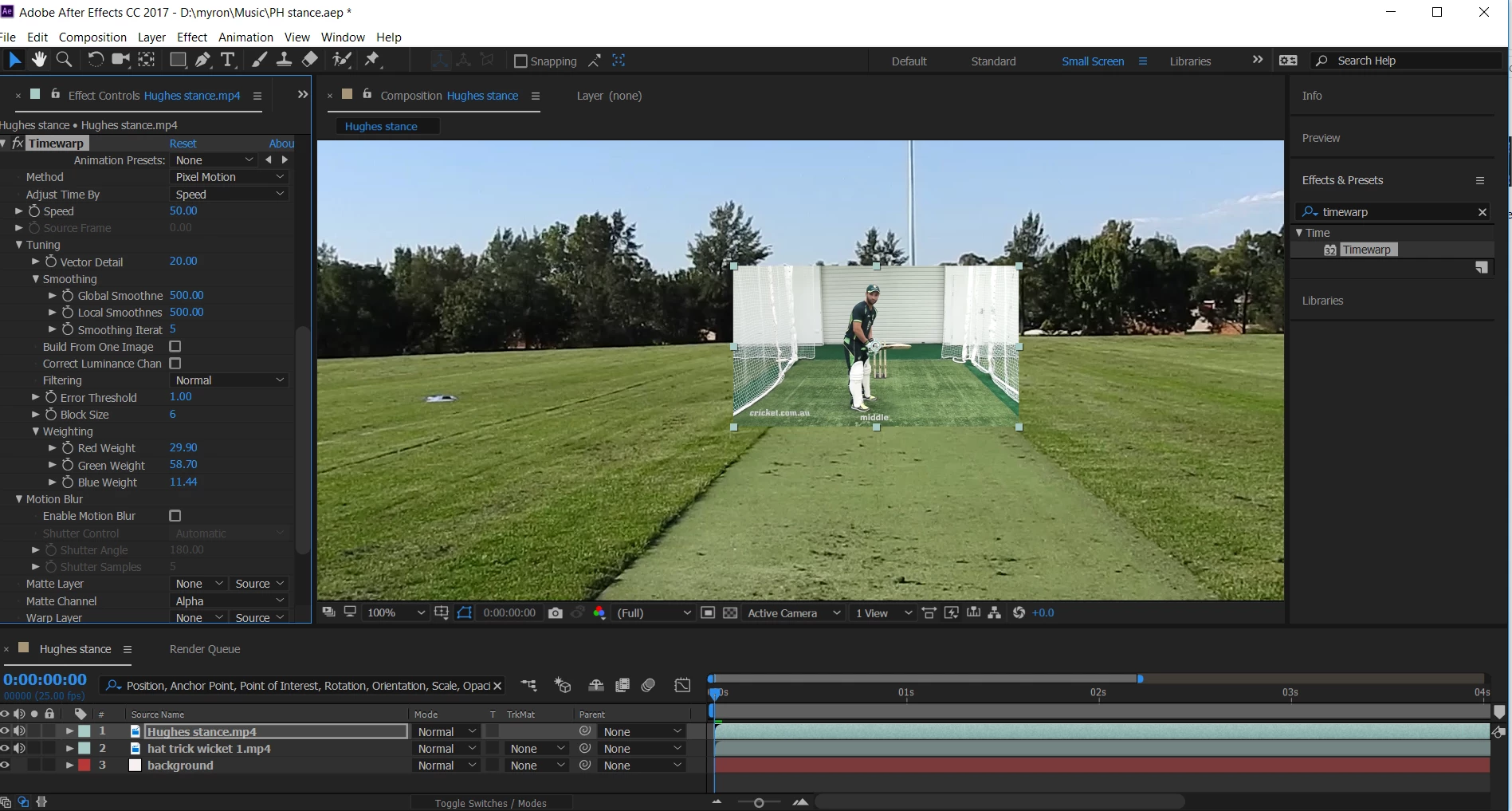
 AdChoices