

MahaMN
April 22, 2025
Answered

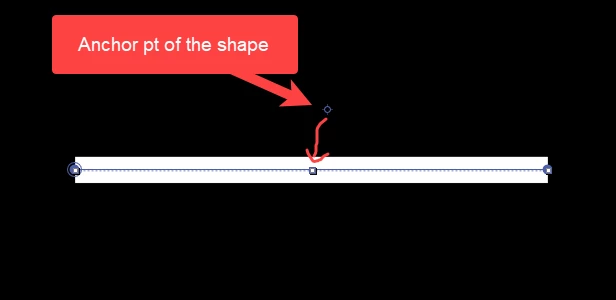
Hot key to snap anchor point of a shape.

  • April 22, 2025
  • 4 replies
  • 602 views

Is there any hot key to snap anchor point of a shape to the center of the shap? video also attached.

 

Correct answer Ishan Y

Rick's answer here seems very helpful for this purpose: https://adobe.ly/4cIR5gd. The included expression works well when you add it to the Anchor Point under Transform.


4 replies

Ishan Y
Inspiring
April 22, 2025

Hi! Does Ctrl + Alt + Home work? You can find that shortcut key in the Keyboard Shortcuts window under "Center Anchor Point In Layer Content".


Thanks,

Ishan

Please tag me (@) in your replies so that it notifies me and helps me respond promptly.
MahaMN
MahaMNAuthor
April 22, 2025

[Ctrl + Alt + Home] is for Shape Layer not for Shape

Ishan Y
Ishan YCorrect answer
Inspiring
April 22, 2025

Rick's answer here seems very helpful for this purpose: https://adobe.ly/4cIR5gd. The included expression works well when you add it to the Anchor Point under Transform.
