Inspiring
May 30, 2022
Question

How can I backup a new created Preset.

  • May 30, 2022
  • 2 replies
  • 429 views

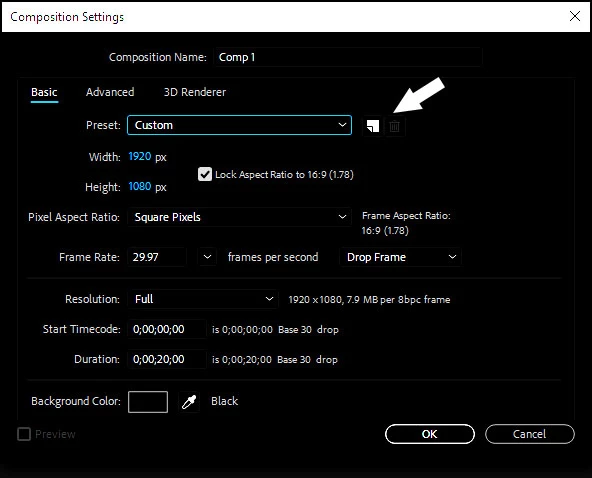
I created a new composition preset, and saved it.

The question is where does After Effects save it, so I can back it up on another place.
This topic has been closed for replies.

2 replies

nishu_kush
Community Manager
Community Manager
May 31, 2022

Hi G-Person,


Thanks for writing in.

Back up the file names "Adobe After Effects 22.4 Prefs-indep-composition" at C:\Users\USERNAME\AppData\Roaming\Adobe\After Effects\22.4

Let us know if it helps.


Thanks,

Nishu

G-PersonAuthor
Inspiring
June 1, 2022

Correct!! The information of the new preset or setting will be saved on that file.

If you open the file with notepad you will find two sections corresponding to the preset.

["Composition Preset Names Section v10"]
"032" = "Film (2K)"
"033" = "Film (4K)"
"034" = "Gondar-Size"

["Composition Presets Section v10"]
"032" = 08000614001800000000000100000001
"033" = 10000C"("001800000000000100000001
"034" = 0A0005A0001DF8"R"0000000100000001

So you could save the entries only ( 034 ) on both areas if you want.

1000 of Thanks !!

Josie_
Known Participant
May 30, 2022

Mine are saved under User Presets in Adobe Docs Folder, so maybe try there. If not, look in all Adobe folders.

G-PersonAuthor
Inspiring
May 30, 2022

Found the folder, but there is just other folders and shortcut to aanother place in the hard drive.
But I am tire of looking on those folders and found nothing.
At least with Premiere Pro, is more easy.
