I would create a new comp from the video, then pick one of the characters in the middle of the comp and set guidelines around the edges. Then, move forward until the next character gets in the same position. Trim the layer there using Alt/Option ], precompose moving all attributes to the new comp, and trimming the new comp to the layer length. Then apply Time Remapping, go to the last keyframe (k), then move back one frame and use the diamond in the keyframe navigator to add a new keyframe at the start of the last frame. The last step to create the loop is to move to the last keyframe (the comp panel will be empty), delete it, and then add a loopOut() expression to Time Remapping.
You can then set the comp length to any length you desire and extend the layer to generate a continuous loop.
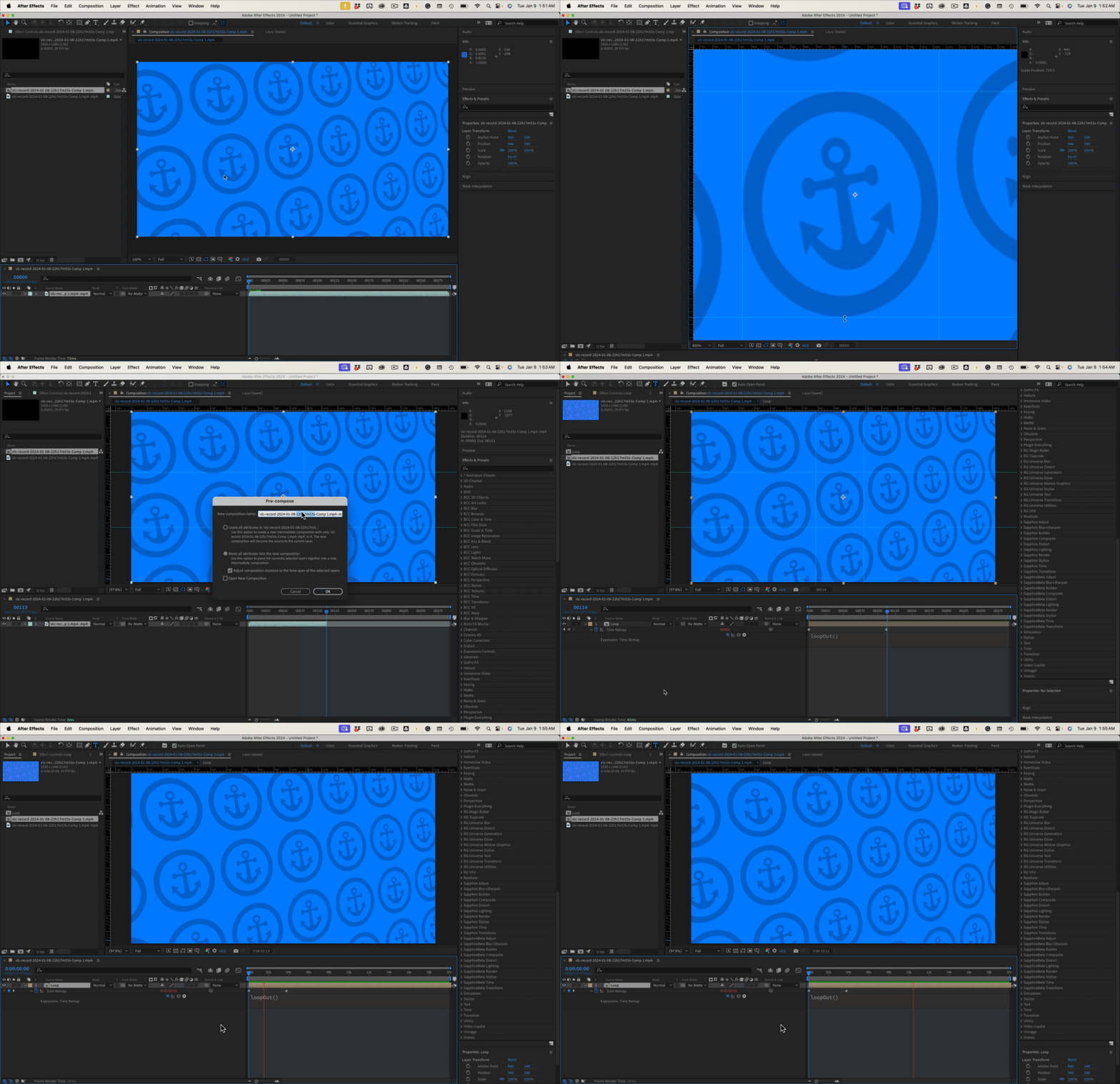
If you want to create a video that you can loop seamlessly in After Effects of Premiere Pro, follow all those steps except the loopOut() expression, move to the last keyframe (where the first and last frames are identical), and then move back one frame and press the N key to set the work area to run from the first frame to the frame before the identical frame. Trim the comp to the Work Area. Use the Composition Menu to Pre-render the new short comp. You can then go to File Interpretation on the rendered comp and set how many times you want the video to loop.
I hope this helps.



 AdChoices