Participant
February 5, 2025
Answered

How can I make a rounded rectangle with dynamic size that is animated for Essential Graphics?

  • February 5, 2025
  • 1 reply
  • 222 views

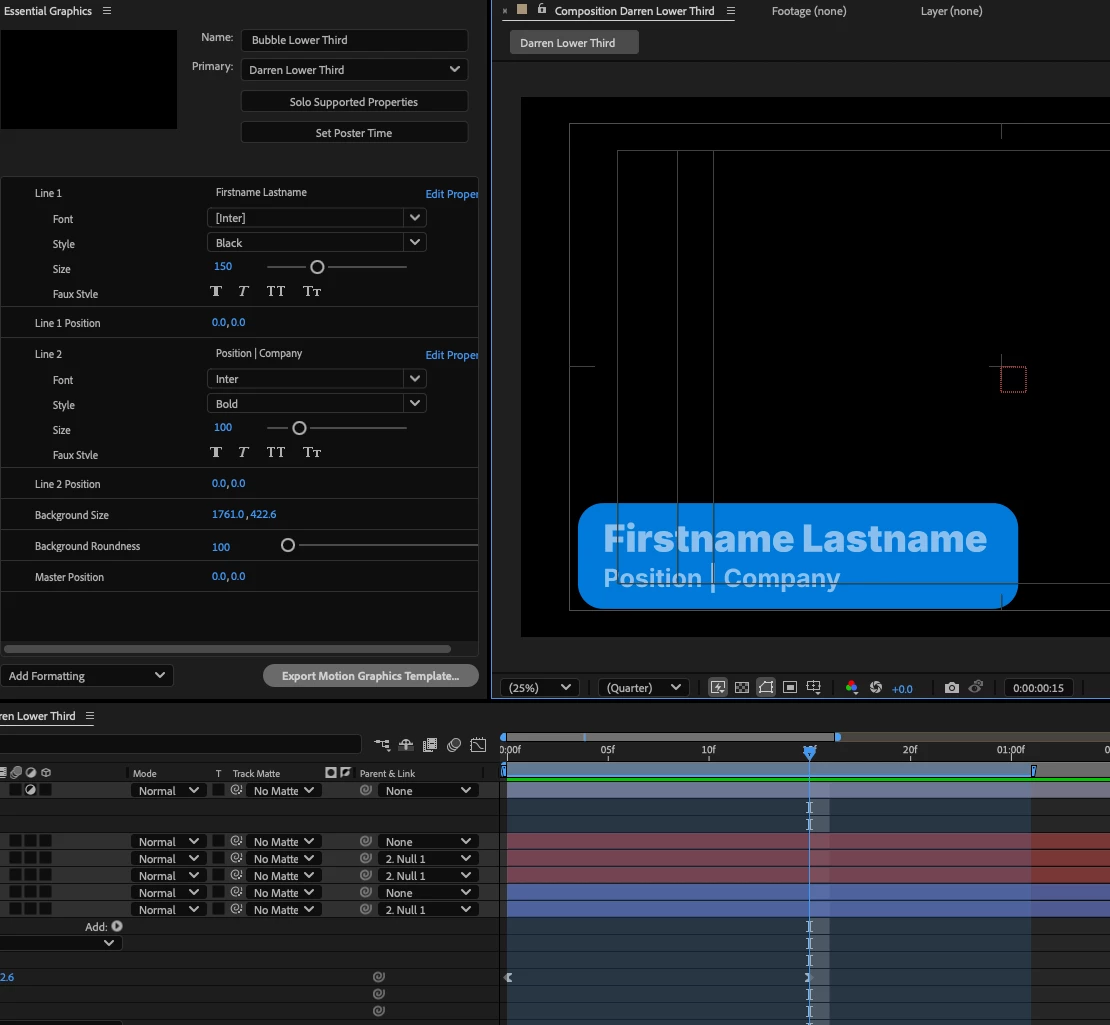
I'm running into an issue where I can animate a rounded rectangle for a lower third but if I want to change the size for different length names, it will create a new keyframe and mess up the animation.

Ideally I want to create some kind of control that will affect 1 keyframe only. Is this possible?
 

Correct answer Hani ElTiby

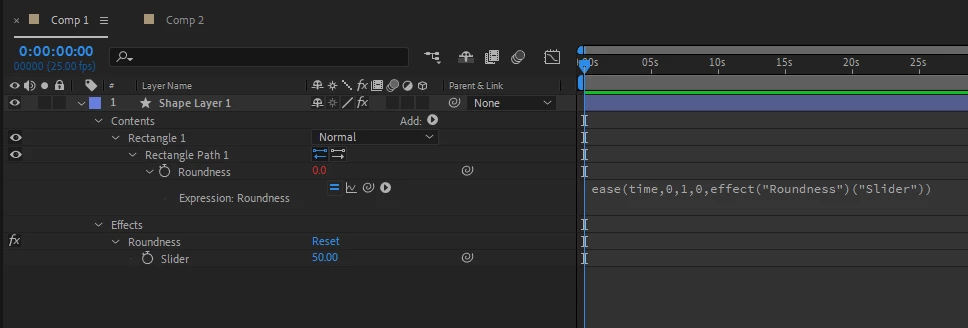
You may create a slider control for the this value, then animate the roundness using ease() or linear() expression.
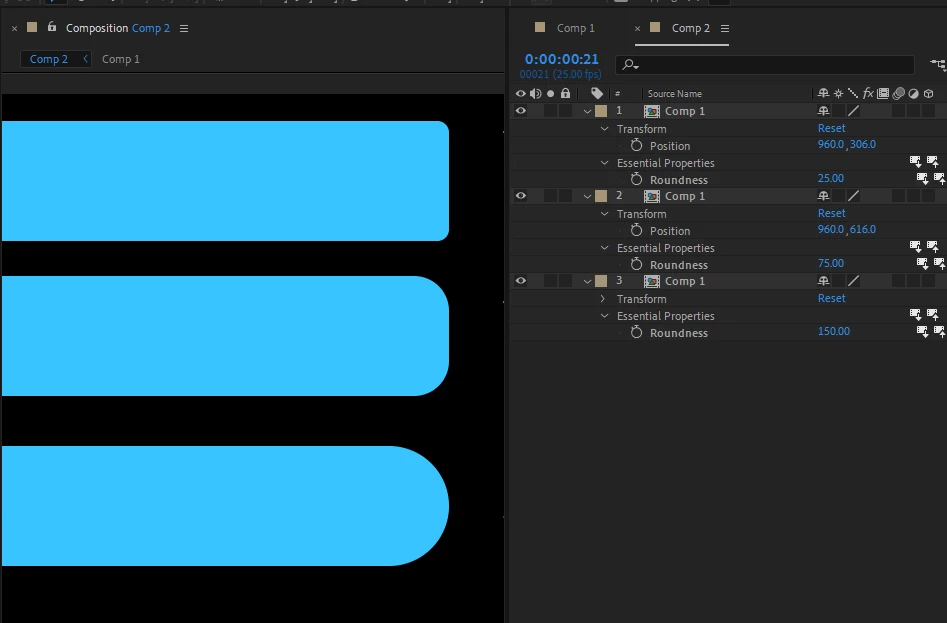
Then add this slider control to the Essential Graphics panel.
for eample:


var key1Time = 0;
var key2Time = 1;
var key1Value = 0;
var key2Value = pickwhip the slider control value here ;
ease(time, key1Time, key2Time, key1Value, key2Value);


 Of course you can write all the value directly inside the ease() function without using the variables, I just wrote them for clarificaton.


1 reply

Hani ElTibyCorrect answer
Inspiring
February 5, 2025

You may create a slider control for the this value, then animate the roundness using ease() or linear() expression.
Then add this slider control to the Essential Graphics panel.
for eample:


var key1Time = 0;
var key2Time = 1;
var key1Value = 0;
var key2Value = pickwhip the slider control value here ;
ease(time, key1Time, key2Time, key1Value, key2Value);


 Of course you can write all the value directly inside the ease() function without using the variables, I just wrote them for clarificaton.