Answered
How can I make it look like the money is flying out of the car?
https://www.youtube.com/watch?v=q_nMVv1e_kg&feature=emb_title
Manually doing it was a pain in the ass, yet it didn't work / look good

https://www.youtube.com/watch?v=q_nMVv1e_kg&feature=emb_title
Manually doing it was a pain in the ass, yet it didn't work / look good
You need a particle system that allows you to use a layer as a particle, some masking and/or multiple copies of the particle system to get bills on both sides of the car, and some parenting or expressions to match the camera moves or scaling in the comp.
We could give you better advice if we saw a screenshot and/or flowchart so we know how you are setting up the comp. At a minimum, I would have the Background layer on the bottom, one copy of the particle system above that, the car and passengers on the next layer, then a second copy of the particle system on top. All layers would be 3D and then I would animate the camera and the background layer.
Took about 5 minutes to set this up. The screenshot is showing everything I did to the CC Particle World. The Money comp is just a 200 X 200 comp with a simple animated shape layer for the money. I've got particles in front of and behind the doorpost of the camera. The settings on the bottom Particles layer are slightly different. Pre-compose the particle layers and add Time Remapping to gain complete control over the speed of the money flying out of the car.
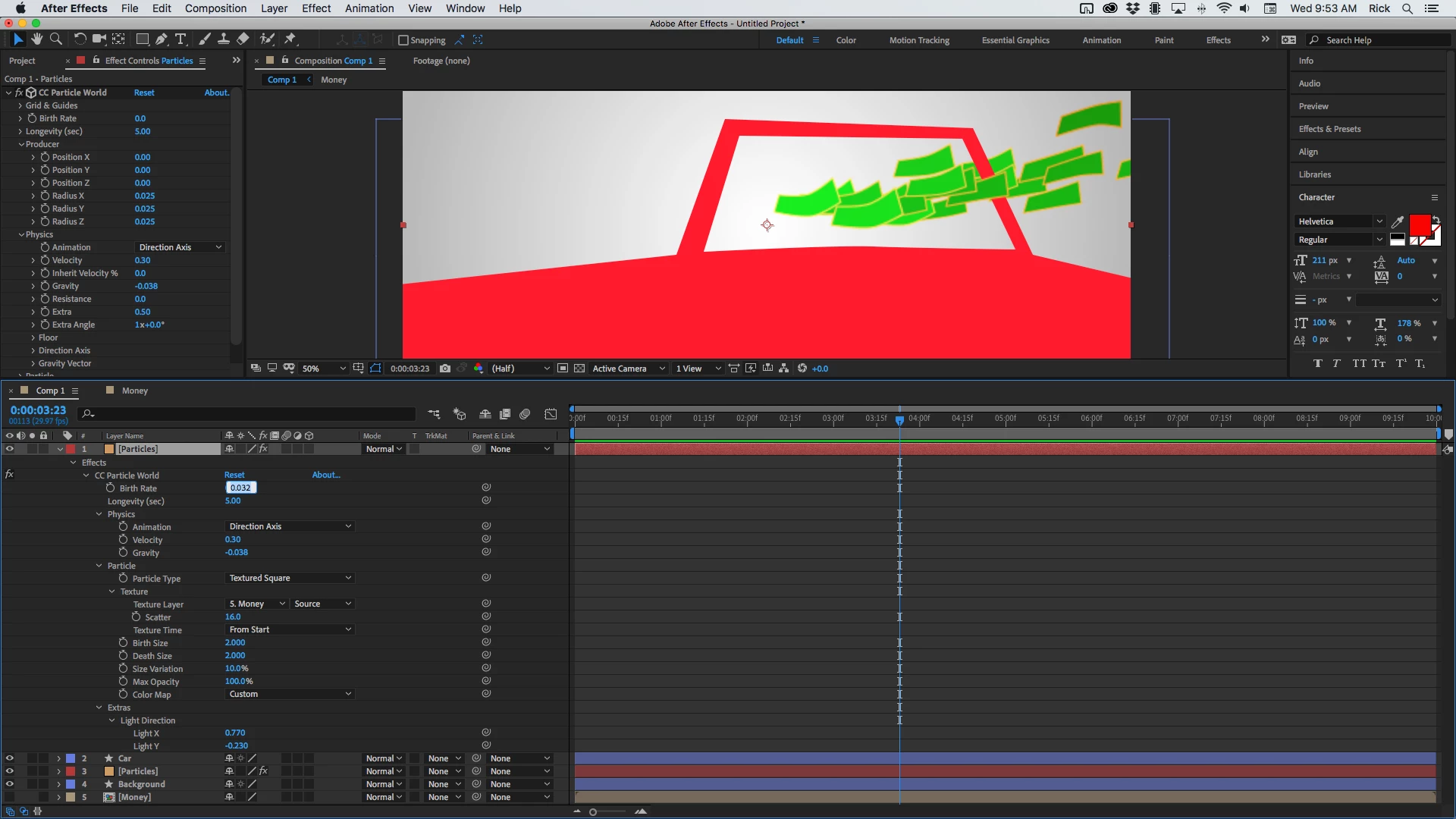
Make the Car layer 3D and the Camera will interact with the car and the particles.
Already have an account? Login
Enter your E-mail address. We'll send you an e-mail with instructions to reset your password.
 AdChoices