samc12824401
Participant
March 23, 2019
Answered

How can I make this animation
  • March 23, 2019
  • 1 reply
  • 216 views

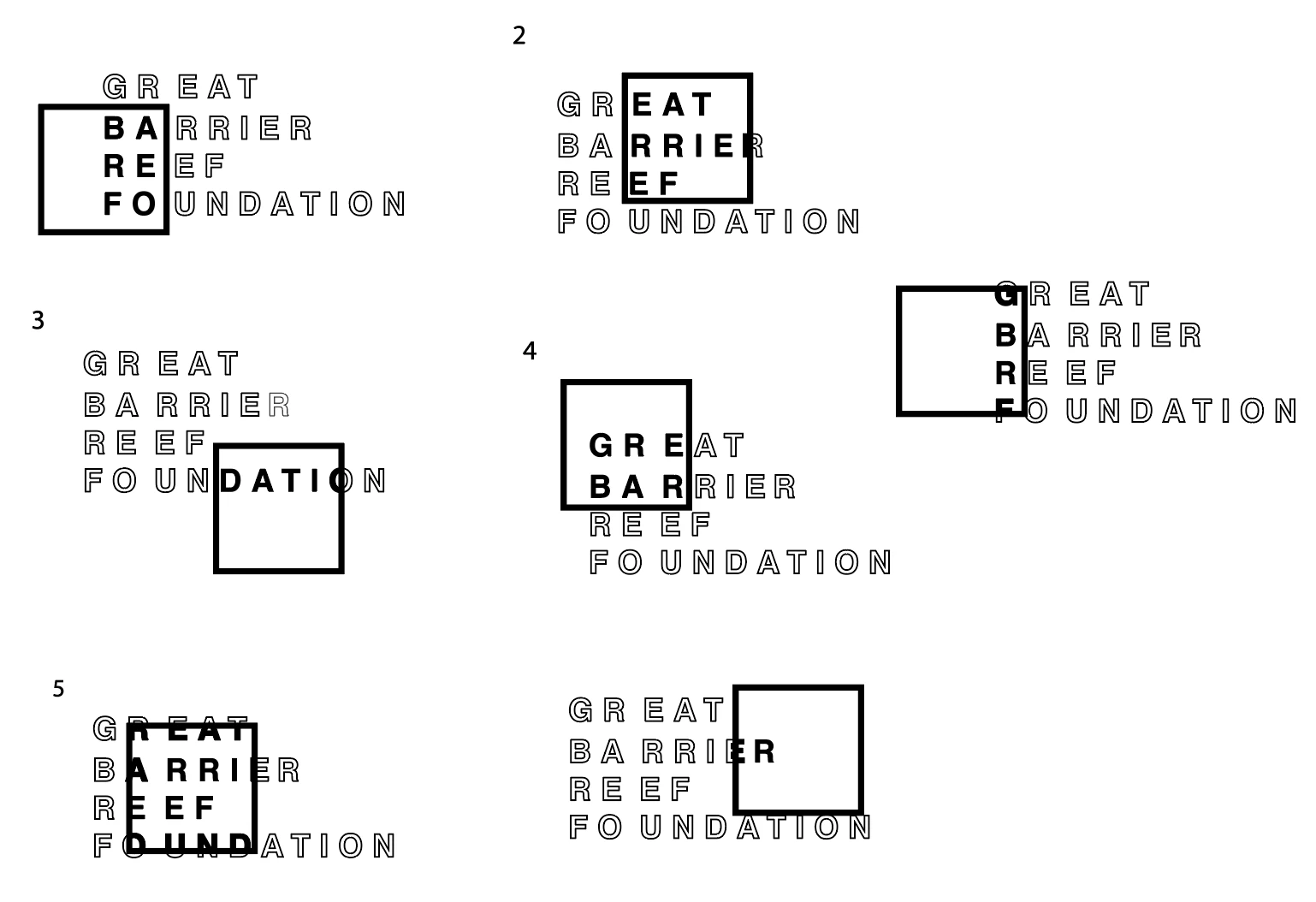
Hello, For a project I want to create an animation where the main text is outlined, then an outlined box moves around the text to which then when it's over a part of the text, it appears in a solid colour. Hopefully, these illustrations give you a better idea of what I'm trying to achieve.

This topic has been closed for replies.
Correct answer Mike_Abbott

Create layers as follows and arrange in the layer order as shown:

1. A duplicate of the layer 2 square with a stroke but no fill

2. A square shape (shape layer with fill only ) to act as a track matte

3. A duplicate copy of your text - but in solid colour.

4. Your text in outline.

Make an alpha  track matte between layers 2 and 3.

Make layer 1 a child of layer 2.

Animate layer 2 to move your square around the text as required.

1 reply

Mike_Abbott
Mike_AbbottCorrect answer
Legend
March 24, 2019

Create layers as follows and arrange in the layer order as shown:

1. A duplicate of the layer 2 square with a stroke but no fill

2. A square shape (shape layer with fill only ) to act as a track matte

3. A duplicate copy of your text - but in solid colour.

4. Your text in outline.

Make an alpha  track matte between layers 2 and 3.

Make layer 1 a child of layer 2.

Animate layer 2 to move your square around the text as required.