Answered
how can I orientation from 0 to 90 backward
i want to orientation this square from 0 to 90 backward like 0 > 360 > 270 > 90 (yellow arrow) but when I keyframe 0 and 90 it will move like 0 >50>90 (red arrow)
help me please
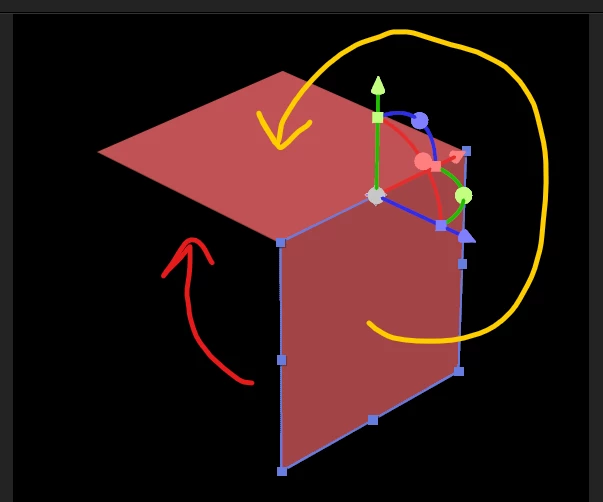

i want to orientation this square from 0 to 90 backward like 0 > 360 > 270 > 90 (yellow arrow) but when I keyframe 0 and 90 it will move like 0 >50>90 (red arrow)
help me please
Hi Prince,
I appriciate you reaching out.
I agree with Mylenium, using Oriantation to rotate the object could complicate things. Based on the screenshot, try rotating the Z axis and instead of typing "90" try "-270".
Let us know if it helps.
Thanks,
Nishu
Already have an account? Login
Enter your E-mail address. We'll send you an e-mail with instructions to reset your password.
 AdChoices