Participant
Feb 4, 2026 2:04 AM UTC
Question

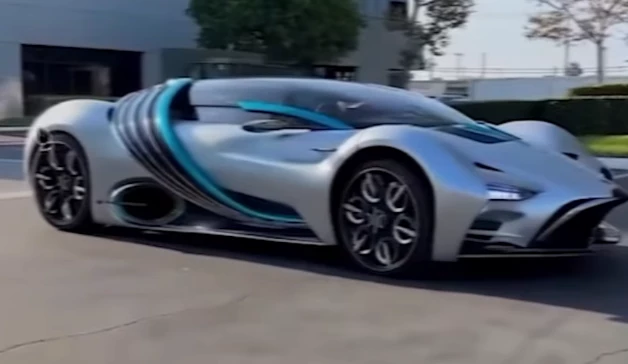
How can I replicate this effect within After Effect?

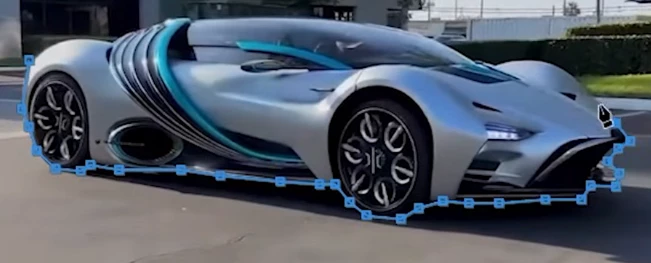
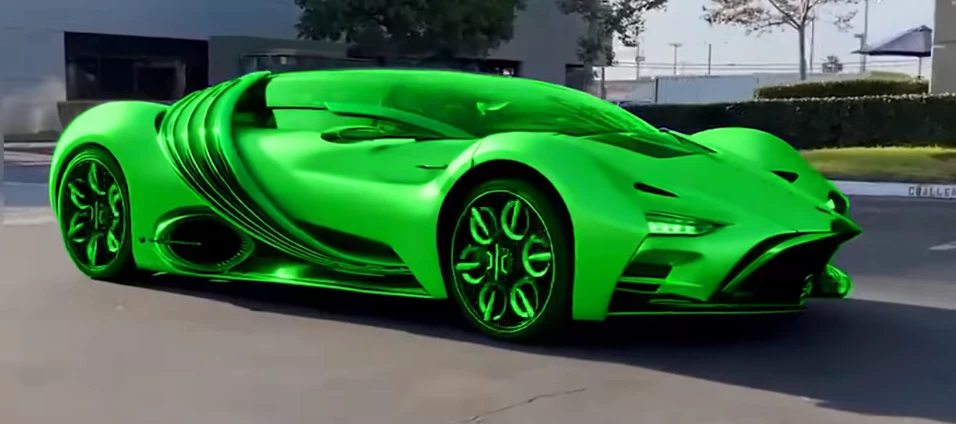
Hi! I've been trying to recreate this effect in After Effects, but I haven't been able to figure it out and I can't find any tutorials on YouTube. You can see the effect I'm looking for in the attached images. I want the image to smoothly transition from its original color to green and then back to its original color. Does anyone know how to achieve this in After Effects?"
 

3 replies

ShiveringCactus
Community Expert
Community Expert
Feb 6, 2026 9:18 AM UTC

Duplicate your layer and use the rotobrush to cut the car out.  Then use the tritone or tint effect to add a colour and keyframe this layer to fade in and out.

Alternatively use an adjustment layer with the tint, fill or tritone effect and use a mask drawn to the shape of the car.

Translate
John T Smith
Community Expert
Community Expert
Feb 4, 2026 4:27 AM UTC

Start here https://community.adobe.com/community and find the correct forum for your question
 

Translate
kglad
Community Expert
Community Expert
Feb 4, 2026 2:13 AM UTC

post in the after effects forum.

Translate