Answered
How do I activate light layers in AE?
As you can see in the image below, the light bulb symbol is not lit up. I'm trying to cast light on my text layer, but it doesn't work. It's as if the light is not active. Any advice? Thanks!
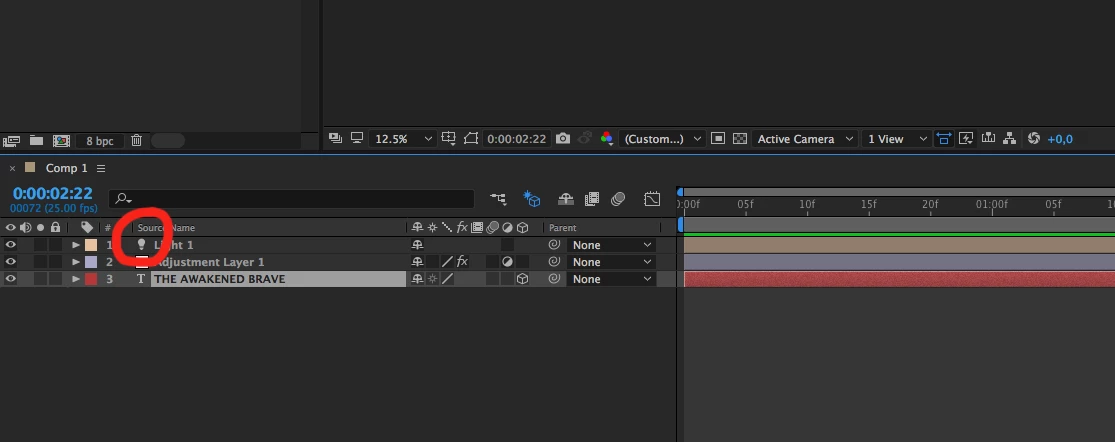

As you can see in the image below, the light bulb symbol is not lit up. I'm trying to cast light on my text layer, but it doesn't work. It's as if the light is not active. Any advice? Thanks!
You have draft 3D turned on.
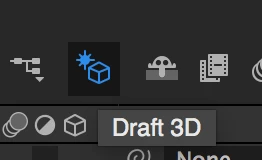
Turn it off.
Also, I'd a good idea to press the u key twice to reveal all modified properties of your layers when you are trying to diagnose a problem. This will tell you if you have anything modified that may effect the look of the light in your scene, like point of interest or light position set to a place where you get no fall off from the light. Something more like this:
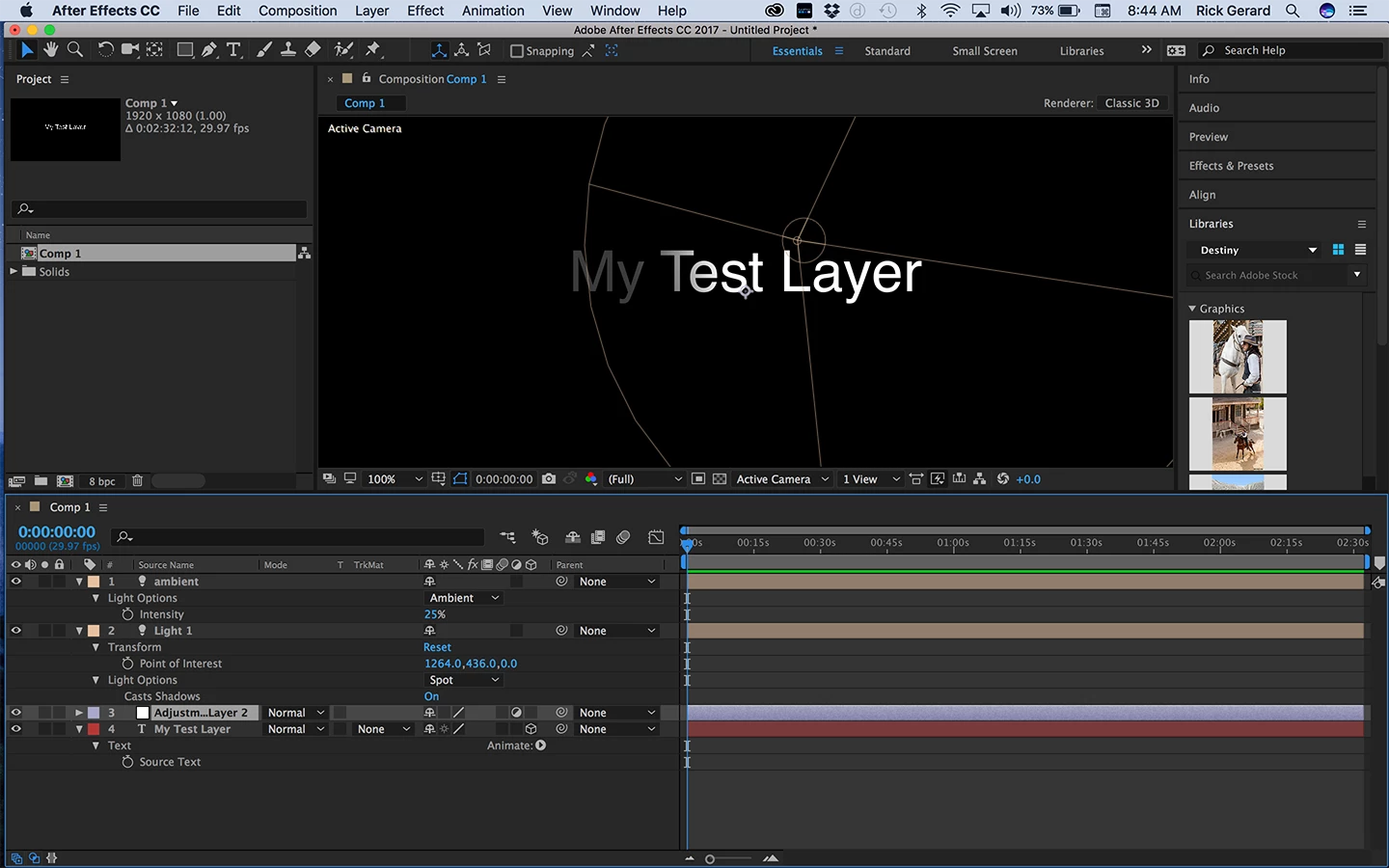
Pressing uu will tell you instantly if you have things like accepts lights turned off or your fall off distance set to the wrong value.
I'm with Roei on the YouTube tutorials. Most of them are produced by folks that don't really know what they are doing and they can lead you down dead end streets and teach you bad production techniques. The one you are following is just barely adequate because there is no explanation of how things work and IMHO, there are a lot better ways to achieve the kind of effect. You must vet your trainers and take advice from folks that know what they are doing and know how to teach. The first thing you should do when you run into a problem is to try the Search help field at the top right corner of AE and check out the community resources. Most of that training is pretty good. The Help menu is also a good place to go to quickly get you to explanations of the proper technique.
Already have an account? Login
Enter your E-mail address. We'll send you an e-mail with instructions to reset your password.
 AdChoices