

khaleda56232817
Participant
February 11, 2026
Answered

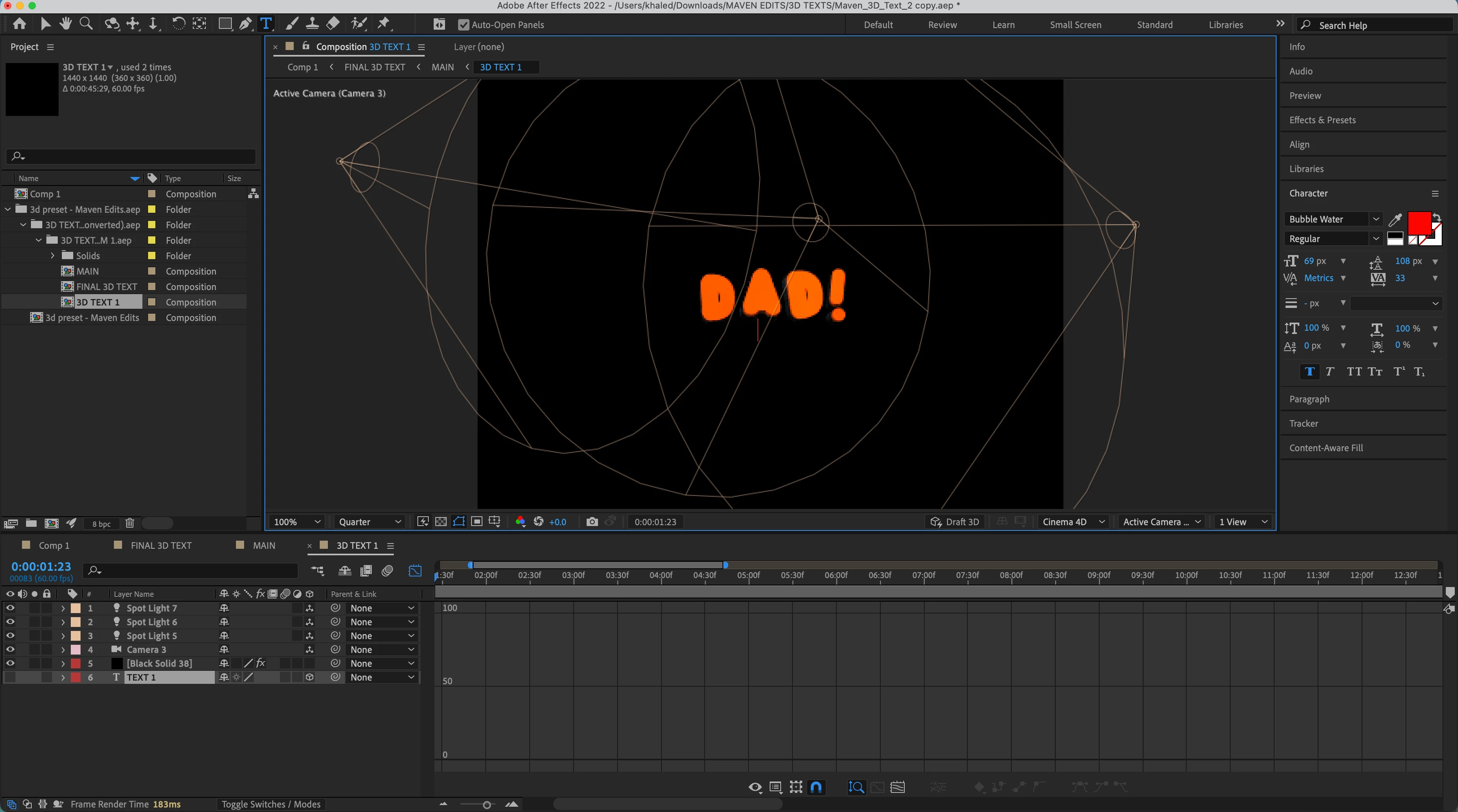
How do I change the color of this 3D text?

  • February 11, 2026
  • 1 reply
  • 37 views

I’ve a 3D text file that I’m trying to change the color of its text using Fill Color. I can change the text font easily, but not the color. I’ve asked ChatGPT to give me a solution and it’s recommended a couple of things like switching to Cinema 4D renderer, clicking the small cube icon text to TEXT 1, adding extrusions, but so far they didn’t work to change color.
 

Correct answer nishu_kush

@khaleda56232817 Thanks for sharing the project file. A third-party plug-in (Element 3D) is used on the black solid. You’ll need to install the plug-in in order to access the controls. If you already have access to the plug-in, you need to play around with the settings in the Effect Controls panel. Unfortunately, I don’t have the plug-in installed, so I can’t tell which exact setting needs to be changed.

Hope it helps.


Thanks,

Nishu

1 reply

nishu_kush
Community Manager
Community Manager
February 12, 2026

What happens when you change the colour from the Characters panel? If that doesn’t work, I’d guess it’s the color of the lights.

Let me know if that’s the case.


Thanks,

Nishu

khaleda56232817
Participant
February 12, 2026

I’ve tried using the fill color in the character panel, but nothing changes. I also removed the lights completely, but the color was still there. The lights are only responsible for character illumination.

nishu_kush
Community Manager
Community Manager
February 12, 2026

I just noticed that in the screenshot, the only text layer is hidden. So the text should not be visible. Can you share the project file so that I can investigate? Feel free to share via DM.


Thanks,

Nishu