Participant
May 14, 2015
Question

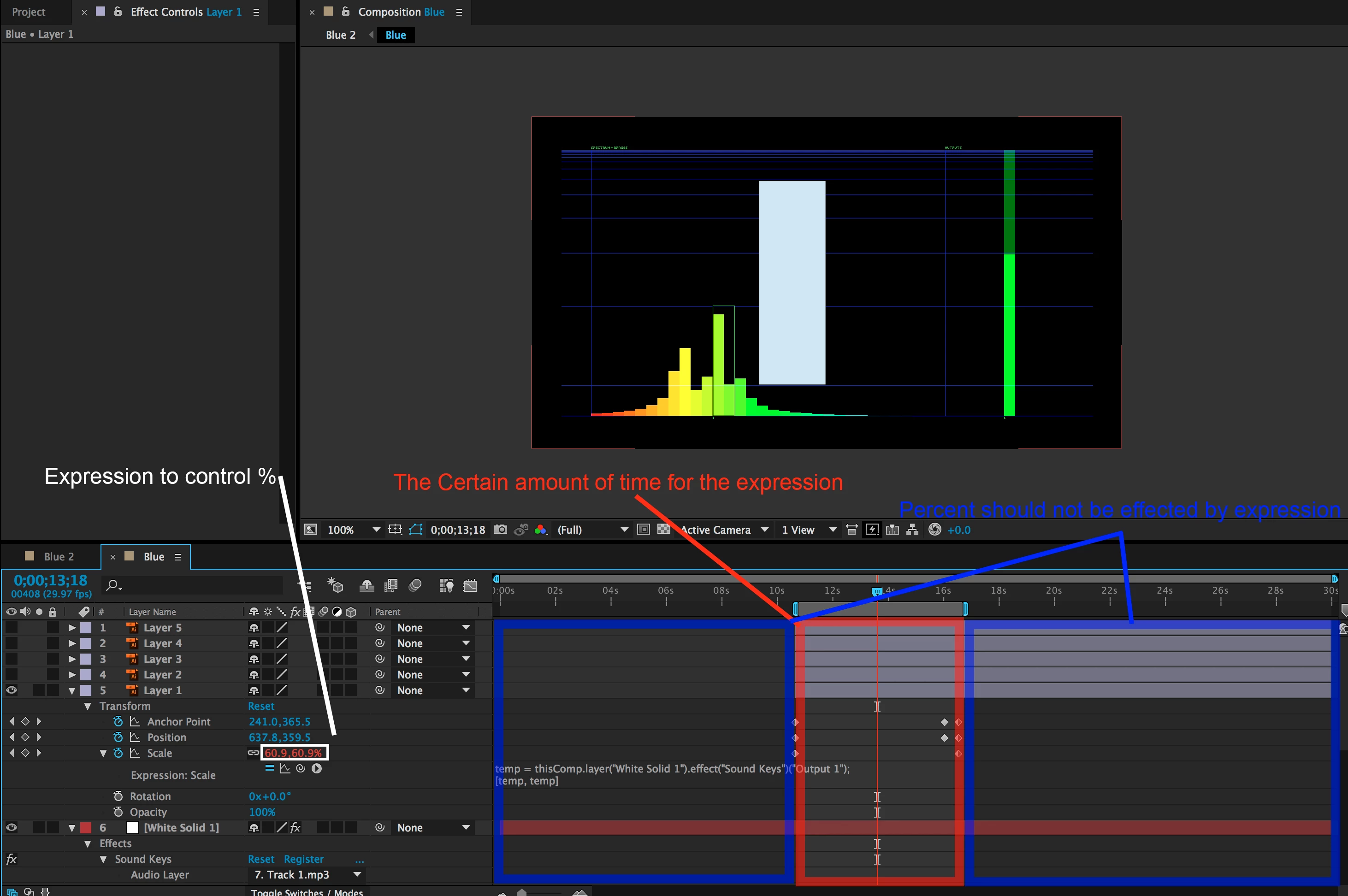
How do I create an expression that only lasts a certain amount of frames?
  • May 14, 2015
  • 2 replies
  • 614 views

Expression to control Percent % during only certain frames?

!AfterEffects !AE

This topic has been closed for replies.

2 replies

Mathias Moehl
Community Expert
Community Expert
May 14, 2015

Alternatively, you can use Expression Timeline. It can combine as many expressions as you want and even create smooth transitions from one expression to another one or from an expression to keyframes.

Here is a tutorial showing how it works (actually combining several expressions from Dan):

tutorial-thumbnail-expression-timeline.jpg?itok=Gid_PJPb

Limit Expressions to a Range of Keyframes with Expression Timeline | mamoworld

Mathias Möhl - Developer of tools like BeatEdit and Automation Blocks for Premiere Pro and After Effects
Dan Ebberts
Community Expert
Community Expert
May 14, 2015

It'll be something like this:

tStart = 11;

tStop = 17;

if ((time > tStart) && (time < tStop)){

( your original expression goes here)

}else

  value

Set the values of tStart and tStop to the appropriate times.

Dan

ReabelylAuthor
Participant
May 14, 2015

Not working?

Any suggestions?

Mylenium
Legend
May 14, 2015

Why even bother?! Simply duplicate and split the layer.

Mylenium