

khaleda56232817
Participating Frequently
February 5, 2026
Answered

How do I create this text effect in AE?

  • February 5, 2026
  • 1 reply
  • 75 views

I’ve tried using ChatGPT to create this text effect

 But this is what I got:
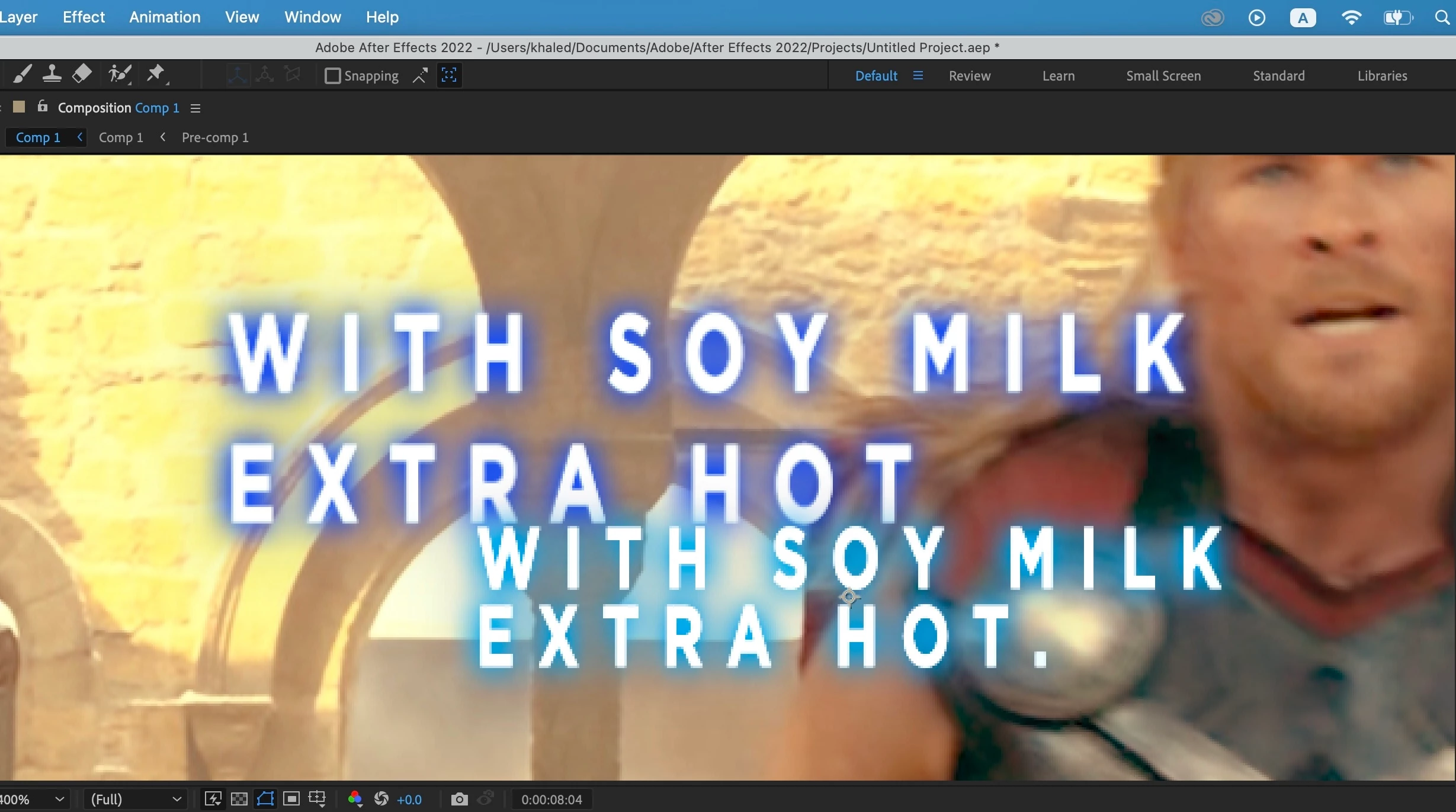

As you can see, my glow is attached to the letters, whereas the example’s glow is as a bluish background. How do I create this text effect?

    Correct answer Towerguy

    Hi. Create a Solid of the blue colour, place it under the text layer. Mask the solid tightly around the shape of the text, feather the solid’s mask and play with the settings. Add the Drop Shadow effect to the text.

    1 reply

    TowerguyCorrect answer
    Participating Frequently
    February 5, 2026

    Hi. Create a Solid of the blue colour, place it under the text layer. Mask the solid tightly around the shape of the text, feather the solid’s mask and play with the settings. Add the Drop Shadow effect to the text.