
Participant
August 3, 2025
Answered

How do I export layers with blend effects?

  • August 3, 2025
  • 1 reply
  • 139 views

I have no clue why my multiply layer on After Effects is not exporting.


Its not a guide layer, it shows up in preview but not after export. I've tried exporting as RPG + Alpha/ Straight but with no luck. 

I've seen on another post that exporting with blend effects is simply not possible on After Effects. Is it true? Do i need to export to Premier Pro?

Thanks

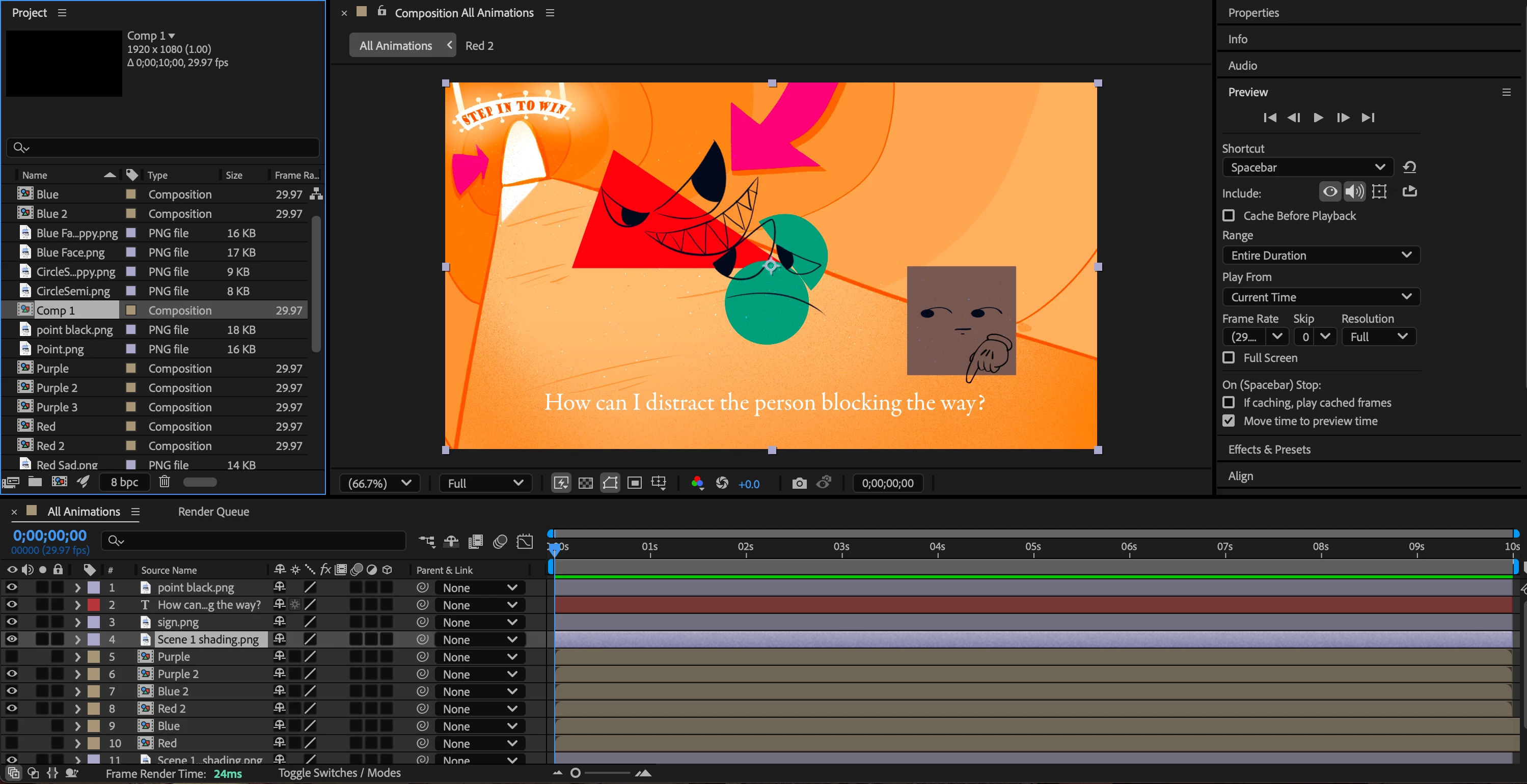
Here is the project panel in question:
 

Correct answer The Adobler

That's all good, I realised it was actually a colour export issue rather than a layer issue. Thanks for trying to help anyway!

1 reply

nishu_kush
Legend
August 4, 2025

Hi The Adobler,


Thanks for writing in. That should not be the case. It's difficult to tell by looking at this screenshot. Can you share another screenshot with the Transfer Control Pane enabled so that we can see the blending modes and track matts that you've applied? Also, deselect all the layers and press "U" twice to show all the modified properties. Is it the "Scene 1 Shading.png" that's not visible in export or some other layer? Feel free to share a screen recording if that's more convenient to show the problem and details.

Looking forward to your response.


Thanks,
Nishu

The AdoblerAuthorCorrect answer
Participant
August 12, 2025

That's all good, I realised it was actually a colour export issue rather than a layer issue. Thanks for trying to help anyway!