Participant
November 9, 2024
Question

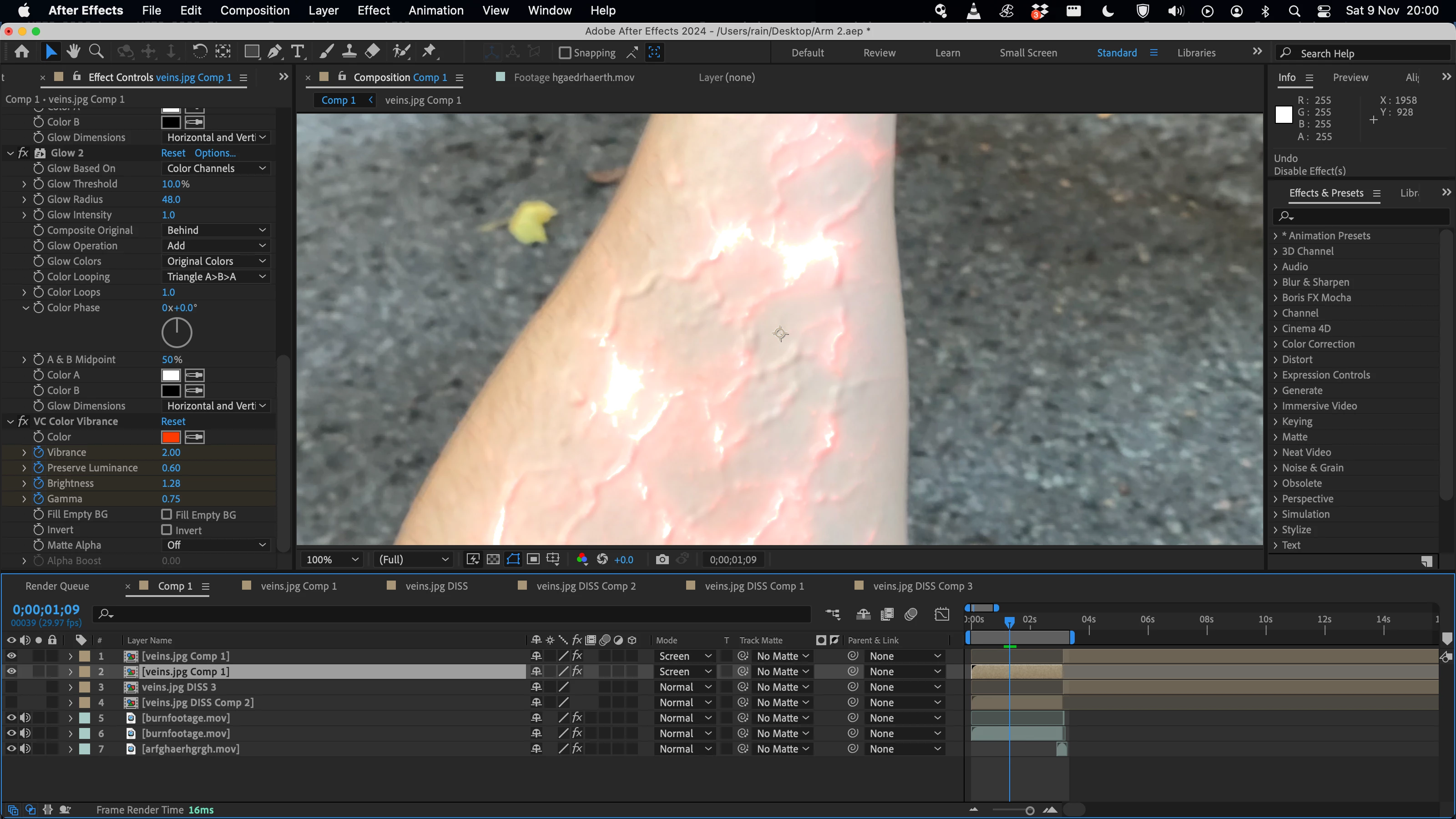
How do I make the glow effect have a stronger red hue?
  • November 9, 2024
  • 2 replies
  • 726 views


How do i make those bright patches of my glow effect have a much stronger red colour, rather than white?

This topic has been closed for replies.

2 replies

Mylenium
Legend
November 10, 2024

Convert the luminance to actual transparency using Shift channels or any other such effect and then apply whatever colorization effect, blurs and glows. Pre-composing and using multiple duplicate layers may be necessary. The tutorial is simply garbage for leaving these important things out.


Mylenium

Participant
November 10, 2024

Gotcha! Still a bit of a noob so might need to watch a few more tutorials to work out how to do all that, but really aprecciate you help! Thanks!

Mylenium
Legend
November 10, 2024

Use a different blending mode and/ or adjust the color. Of course if you just use the default Add/ Screen mode it will always turn white eventually.


Mylenium

Participant
November 10, 2024

Thanks! Unfortunitly i don't think i can change the blending mode from scvreen, as i've created that vein effect using a composition with this set up: 


So i need the screen to remove all the black. I've also tried adjusting the settings on that vibrancy colour effect, abd using a tint and curves effect, but all to no avail.


This is the tutorial i'm following if that helps. He does seem to get his veins to have a lot more coplour than mine.