
Inspiring
September 22, 2017
Answered

How do i round the corners of a layer mask?

  • September 22, 2017
  • 5 replies
  • 83601 views

Im creating a slideshow in which the images fold out using a combination of masks. (Shown Below)
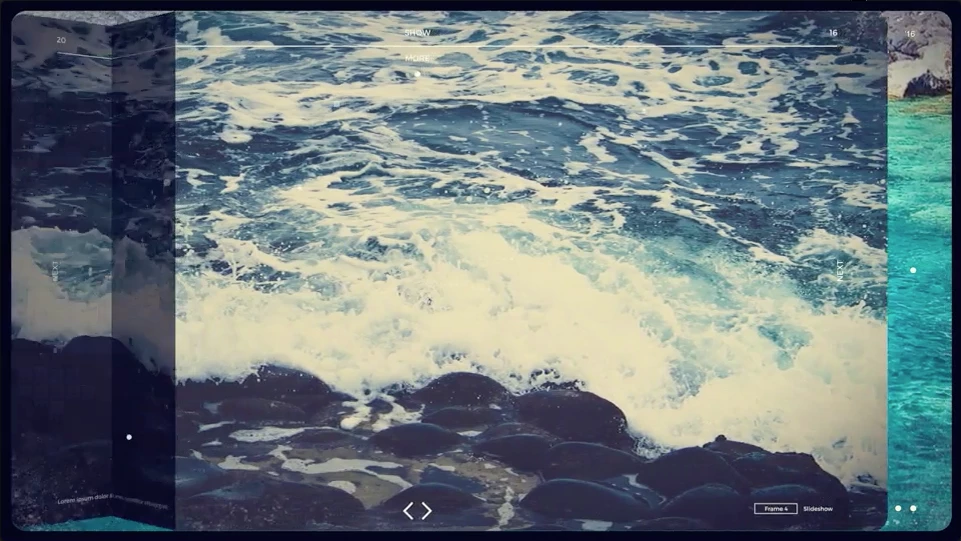
I have managed to create the effect with no problem however i am struggling to create the rounded corner effect.

Is there any way i can do this with the mask?

Thanks!
Correct answer Rick Gerard

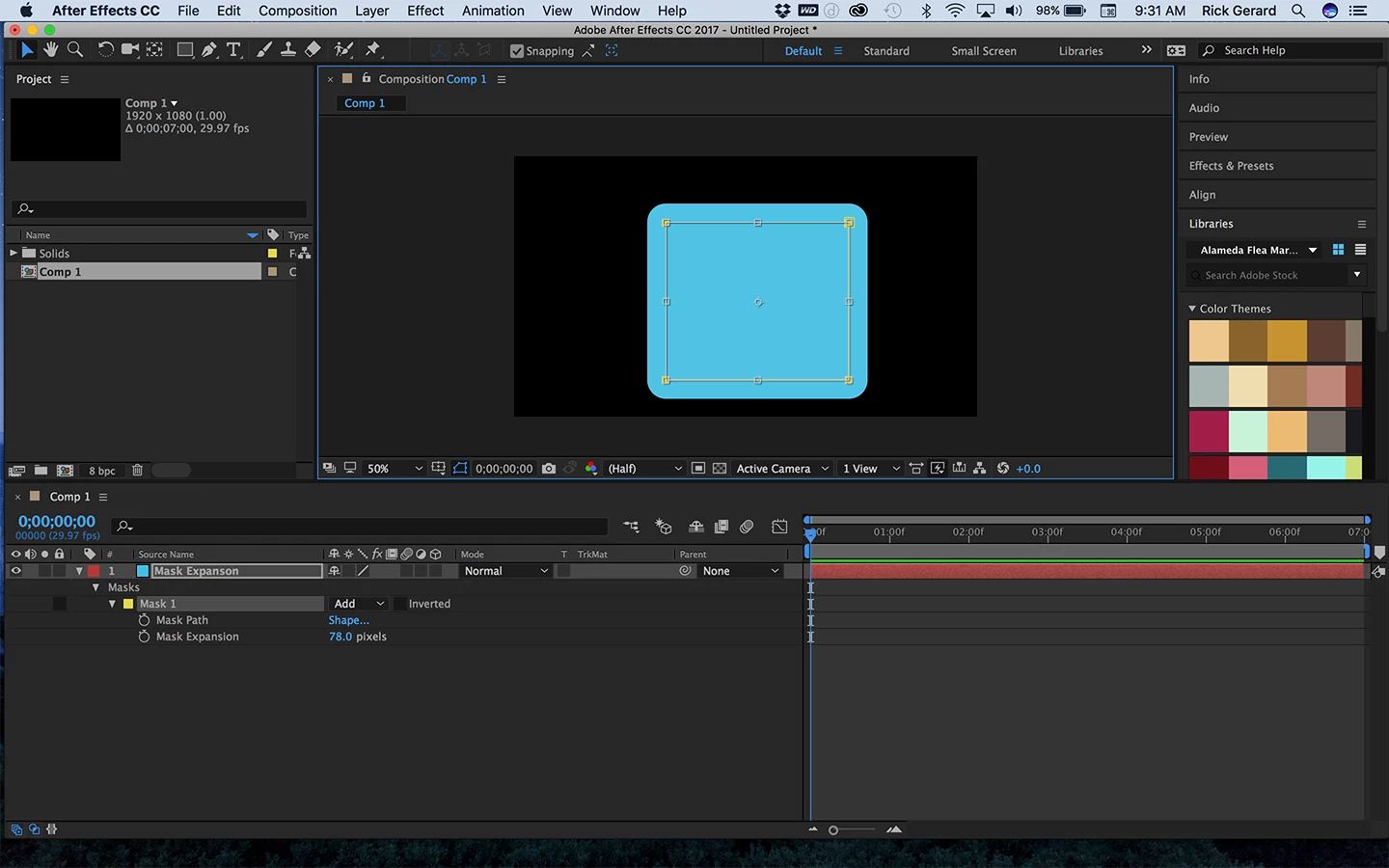
Mask expansion will round the corners of a mask. If you expand 50 pixels you get a 50 pixel radius on the corners of your mask.

To transform your mask you can select all points on the mask, press Ctrl/Cmnd + t, then hold down the Ctrl/Cmnd key to resize around the geometric center of the mask. Reduce the mask size by something like 50 pixels and then add 50 pixels of mask expansion and you have a 50 pixel radius on the corners. EZ as pie.

Just posted this on another thread ... This mask radius is 78 pixels....

5 replies

Known Participant
November 7, 2022

Also, there's this, but it requires dexterity +10 to use: 

http://www.dukostolwijk.nl/?p=861


When you draw your mask, without lifting your finger off the mouse, use your free hand to nudge the ⬆ or ⬇ keys to adjust the roundness of your shape. You can use ⬅ or ➡ to adjust whether it's a circle or a square.


Why wouldn't Adobe just have these commands readily available? Don't know. Where can you find them in the documentation? Haven't a clue. How did this person learn about them? I dunno, maybe they did a blood sacrafice to Adobe to unlock the arcane magic of rounded shapes.

Participant
November 21, 2023

This!!! but it's so counter intuitive for right handed users!


Known Participant
November 7, 2022

Glad I found this "hack", thank you for sharing. 

But...

Why is there not an option for corner roundness like in every single other adobe product? Why rely on these arcane, unknowable unless you search for them, work-arounds? For as much as we pay for these services, why can they not add a modicum of consistency across their experiences? It's bad. I hate hitting a wall and then having to spend 30-45m searching for some stupid work around--it's all just time wasted. And for what? Why? Who does this benefit? Just add rounded corners to all shapes like in every other product. I can't wait until a "Figma for After Effects" comes around to save me from using this user hostile software. 


Participant
November 8, 2022

Much easier way... I'm surprised no one's mentioned this. But you can draw your rectangle on AE as normal, as a shape layer, select the 'roundness' as you would on any other Adobe product. Then, have your image on top, go to Track Matte, and select the layer below (the rounded rectangle shape). Done 🙂 You can even keyframe the roundness. 

Participant
March 29, 2023
iamshaun
Participant
April 4, 2020

Doh! This seems so obvious to me now. Thanks Rick_Gerard! 

angie_taylor
Legend
September 22, 2017

There is no "Roundness" value for Masks. The only way to create rounded corners for them is to do it manually with the Convert Vertex Tool or, start again and draw them with the Rounded Rectangle Mask Tool.

Rick GerardCommunity ExpertCorrect answer
Community Expert
September 22, 2017

Mask expansion will round the corners of a mask. If you expand 50 pixels you get a 50 pixel radius on the corners of your mask.

To transform your mask you can select all points on the mask, press Ctrl/Cmnd + t, then hold down the Ctrl/Cmnd key to resize around the geometric center of the mask. Reduce the mask size by something like 50 pixels and then add 50 pixels of mask expansion and you have a 50 pixel radius on the corners. EZ as pie.

Just posted this on another thread ... This mask radius is 78 pixels....

angie_taylor
Legend
September 22, 2017

I am slapping my forehead! Thanks Rick :-)

Mylenium
Legend
September 22, 2017

Only manually by copy & pasting the mask path from a converted shape layer or directly from Illustrator. Generally, though, it seems simple enough to just pre-compose your images ands use a parametric rectangle shape layer with rounded corners as a matte/ stencil. No point in working your fingers off when things can be solved that easily.

Mylenium